ORIGINAL SIZE SENSORS REPLACEMENT
C600 8-14 SM
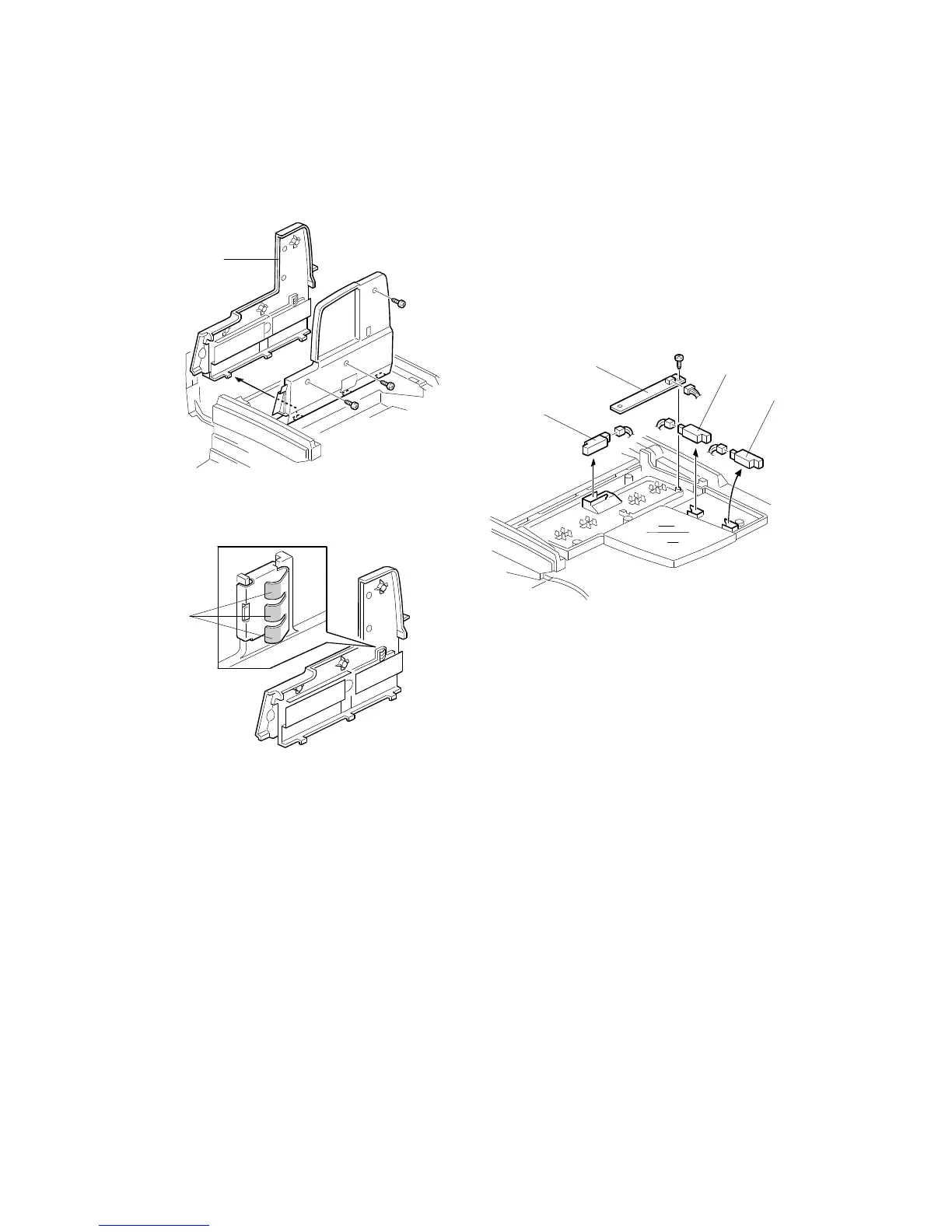
3.6 ORIGINAL SIZE SENSORS REPLACEMENT
1. Open the original table.
2. Remove the original guide [A] (3 screws).
3. Replace the following sensors:
•
Original length sensor 1 [B]
•
Original length sensor 2 [C]
•
Original width sensor (1 screw) [D]
•
Original trailing edge sensor [E]
NOTE:
To prevent incorrect size detection, clean the electrode [F] of the original
width sensor using alcohol or a dry cloth. Then apply conductive grease
KS-660 (G0049668).
C600R107.WMF
C600R108.WMF
C600R113.WMF
[A]
[B]
[E]
[D]
[F]
[C]



 To Next Page