ERROR DETECTION
2-47
SM C231/C237/C238
Detailed
Section
Descriptions
2.8 ERROR DETECTION
2.8.1 ORIGINAL JAM DETECTION
The jam indicator lights if any one of the following conditions occur.
Jam Condition Description
Non-feed
The scan line sensor does not switch on within
5 seconds after the ADF motor starts.
Misfeed 1
The scan line sensor does not turn off after turning on even when the
trial print is made (when the printing pressure sensor is actuated).
Misfeed 2
When the final page of the document has been fed out of the scanner,
or when a jammed document has been removed, the ADF motor
reverses. The messa
e is displayed if the document sensor stays on at
this time.
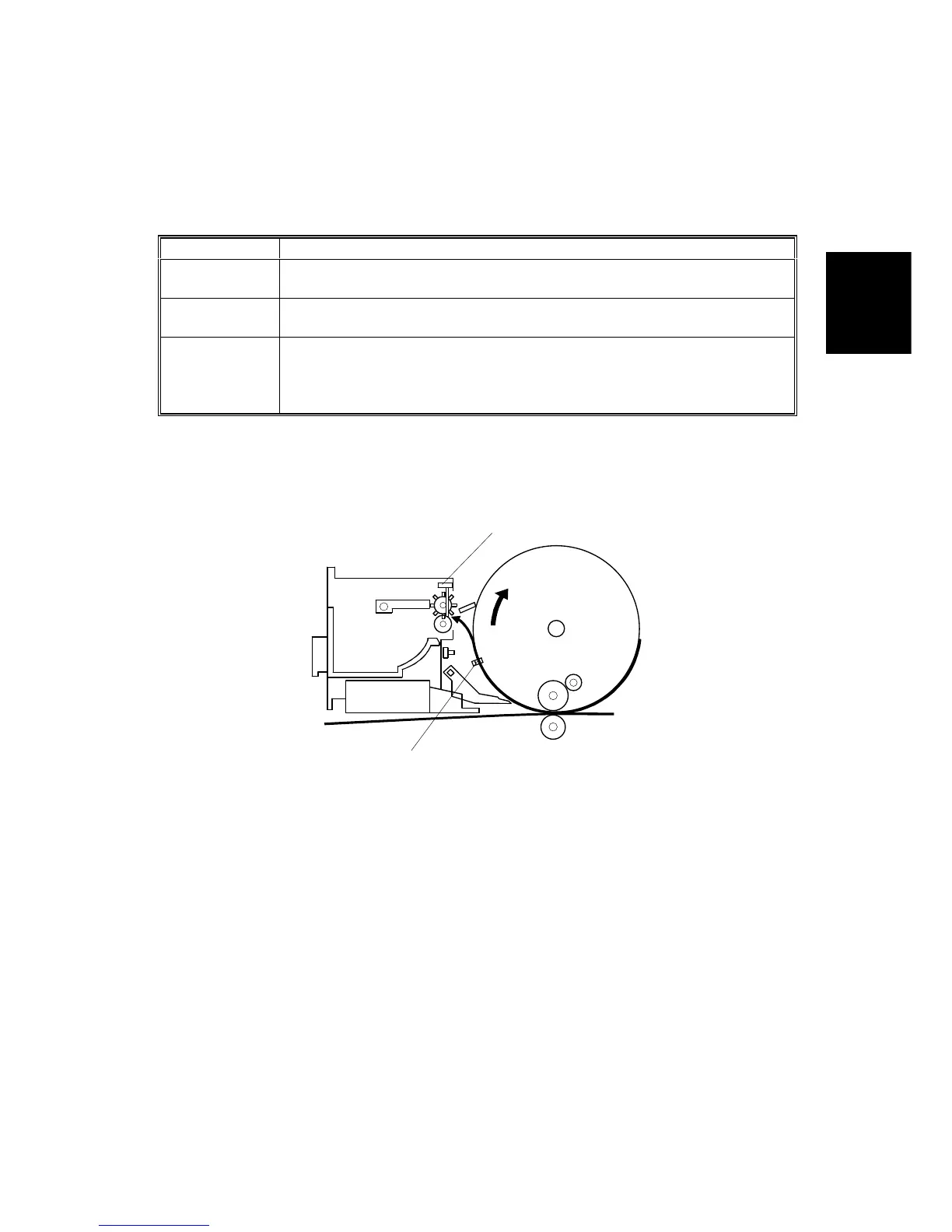
2.8.2 MASTER EJECT JAM DETECTION
The master eject jams are detected by the master eject sensor [A]. The jam
indicator will light if any of the following conditions occurs:
1) If the master eject sensor is actuated when the main switch is turned on.
2) If the master eject sensor is not actuated within 0.3 seconds after the drum
started turning to feed the master into the master eject box.
3) If the master eject sensor is not actuated when the drum makes a half turn
and passes the 2nd feed timing sensor [B]. This happens when the leading
edge of the picked up master is pulled back to the drum and the master
remains on the drum. (The jam indicator lights after the drum returns to the
home position.)
4) If the master eject sensor is actuated when the pressure plate is returned to
the home position. This happens when the trailing edge of the master sticks
on the pressure plate and is pulled back to the master eject rollers.
C231D553.WMF
[A]
[B]



 To Next Page