Document
Feeder C600
FEED UNIT REMOVAL
SM 8-11 C600
3. REPLACEMENT AND ADJUSTMENT
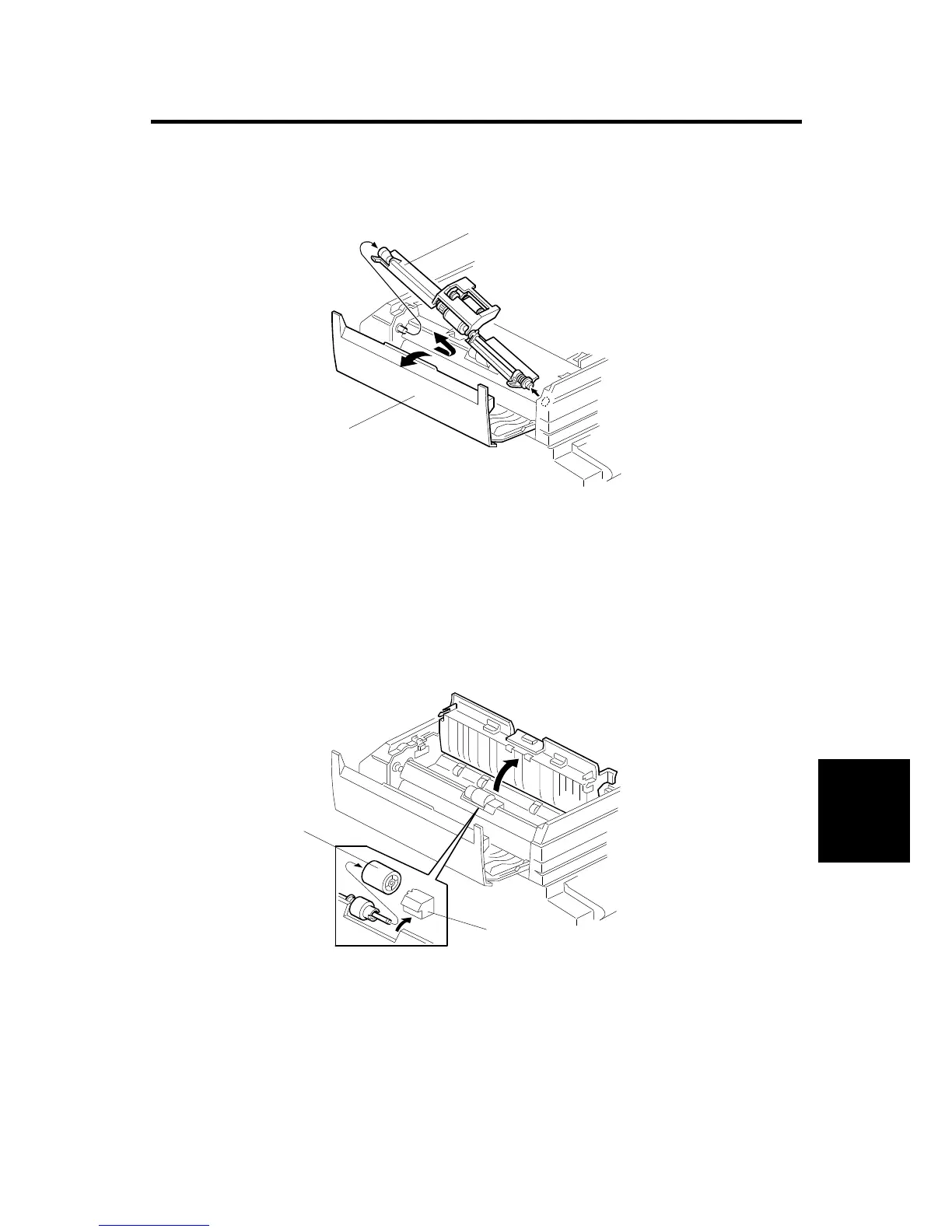
3.1 FEED UNIT REMOVAL
1. Open the DF feed cover [A].
2. Slide the feed unit [B] in the direction of the arrow, then remove it.
3.2 SEPARATION ROLLER REPLACEMENT
1. Remove the feed unit.
2. Remove the separation roller cover [A].
3. Replace the separation roller [B].
C600R102.WMF
C600R105.WMF
[A]
[B]
[B]
[A]



 To Next Page