PAPER FEED SECTION
6-28
C231/C237/C238 SM
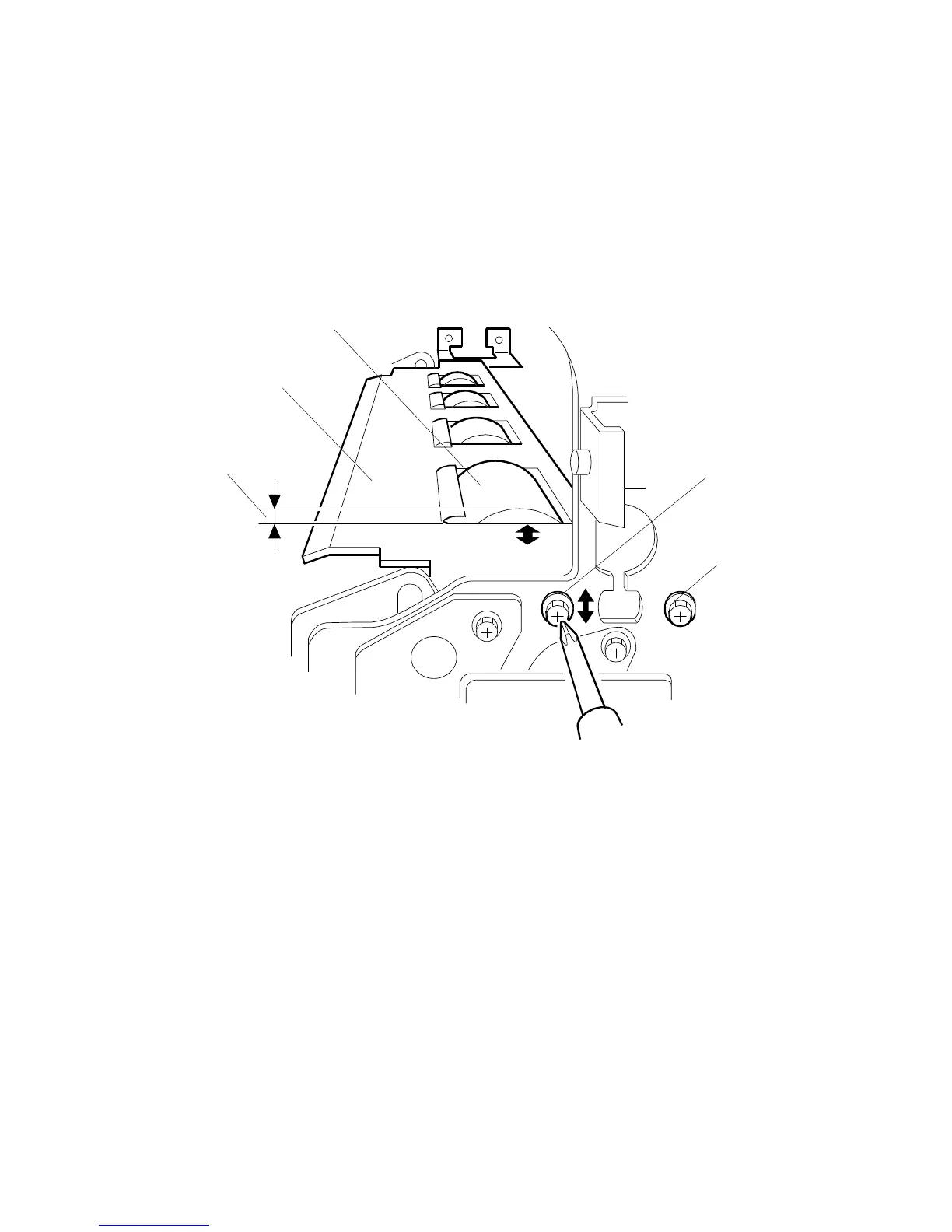
6.7.4 REGISTRATION ROLLER CLEARANCE ADJUSTMENT
PURPOSE:
To ensure smooth paper feed with no paper jams, folds, or wrinkles.
ADJUSTMENT STANDARD:
0.2 to 0.4 mm
1. Turn off the main switch and disconnect the power plug.
2. Remove the front cover. (See 6.1.5 Other Covers.)
3. Measure the clearance [A] between the lower registration roller [B] and the
guide plate [C]. It should be 0.2 to 0.4 mm.
4. If it is not correct, adjust the position with the screw [D] after loosening the
screw [D] and [E].
5. Repeat steps 3 and 4 for the rear side of the machine.
[A]
[B]
[C]
[D]
[E]



 To Next Page