MASTER FEED SECTION
6-23
SM C231/C237/C238
Replacement
and
Adjustment
6.5.4 MASTER END SENSOR ADJUSTMENT
PURPOSE:
To ensure that the sensor detects the end mark (a solid black area) on
the master roll.
ADJUSTMENT STANDARD:
Within 1.5
±
0.1 volts (when detecting the solid black area)
Within 3.7
±
0.1 volts (when detecting a new master roll)
1. Make a print that includes a solid fill black area.
2. Open the scanner unit, and remove the master roll.
3. Put the print so that the solid black image faces the master end sensor.
4. Turn on the main switch and access SP mode.
5. Select the master end sensor voltage mode (SP 135), then press the Enter key.
6. The sensor input voltage is displayed on the operation panel. (If the displayed
voltage is 1.5
±
0.1 volts, the following steps are not necessary.)
7. Open the scanner unit, and remove the MPU cover (2 screws).
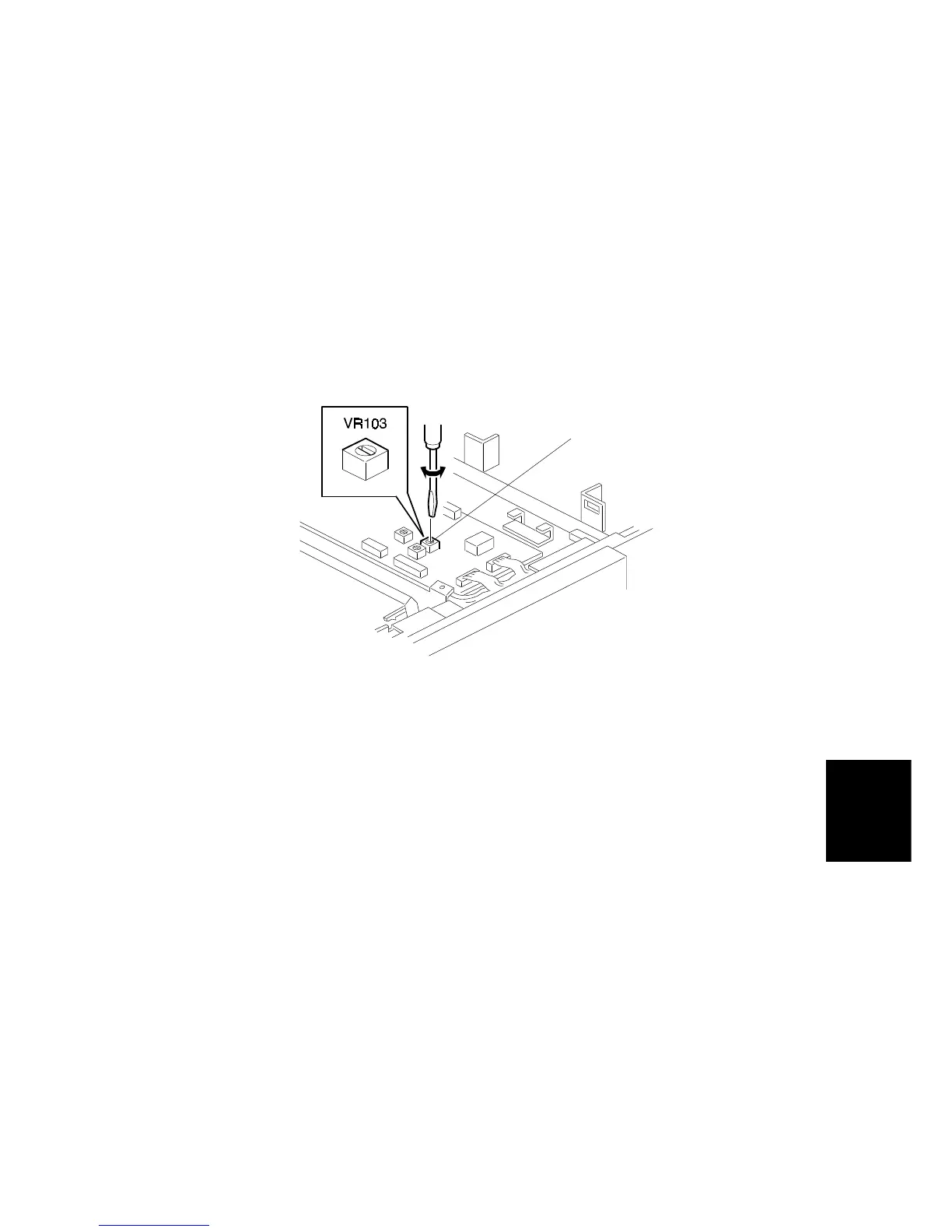
8. Turn VR103 [A] so that the sensor input voltage becomes 1.5
±
0.1 volts.
9. Remove the solid black pattern from the master end sensor.
10. Install a new master roll.
11. The sensor input voltage is displayed on the operation panel. Check that it is
3.7
±
0.1 volts.
C231R559.WMF
[A]



 To Next Page