MASTER EJECT
2-20
C231/C237/C238 SM
2.3 MASTER EJECT
2.3.1 OVERALL
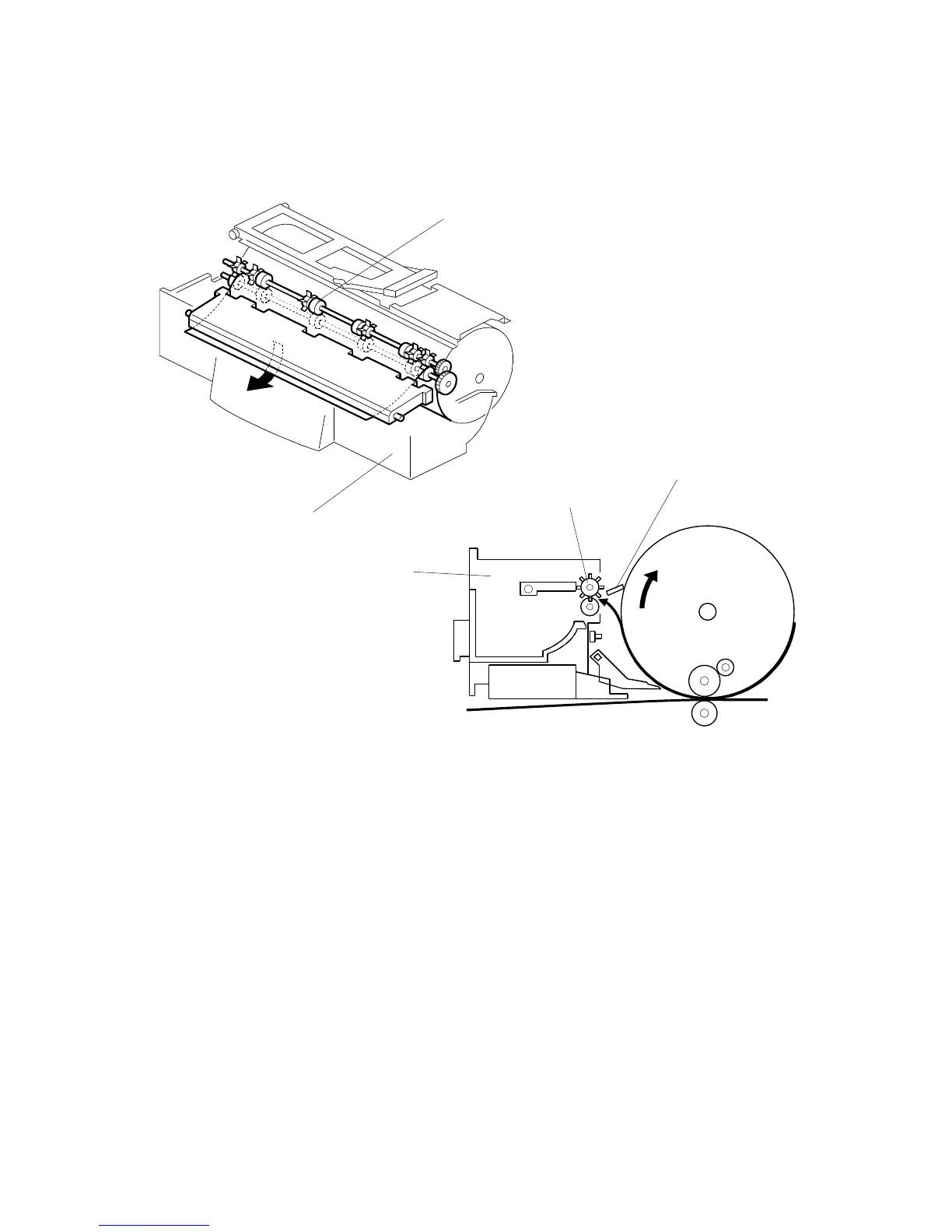
At the end of the printing cycle, the used master remains wrapped around the drum
to prevent the ink on the drum surface from drying. When the Master Making key is
pressed to make a new master, the used master is removed from the drum.
The machine ensures that the drum is at the master eject position and a master is
on the drum by checking the drum master sensor. The master clamper [A] then
opens to eject the master. If there is no master on the drum, the machine skips the
master eject operation and proceeds to the master making process.
The master eject rollers [B] turn for 0.6 seconds and pick up the master's leading
edge. After closing the master clamper, the drum starts rotating at the slowest
speed (30 rpm). At the same time the master eject rollers turn to feed the used
master into the master eject box [C].
When the drum stops at the master feed position after one and a half turns, the
pressure plate drive motor starts turning to compress the used master into the
master eject box.
C231D531.WMF
C231D530.WMF
[B]
[C]
[A]
[C]
[B]



 To Next Page