SCANNER
C267 3-12 SM
The two actions above have the same objectives: to align the following holes.
1
st
scanner [D], frame [E], arm of second scanner [F], and frame [G]
The scanner positions are correct when these holes are all aligned.
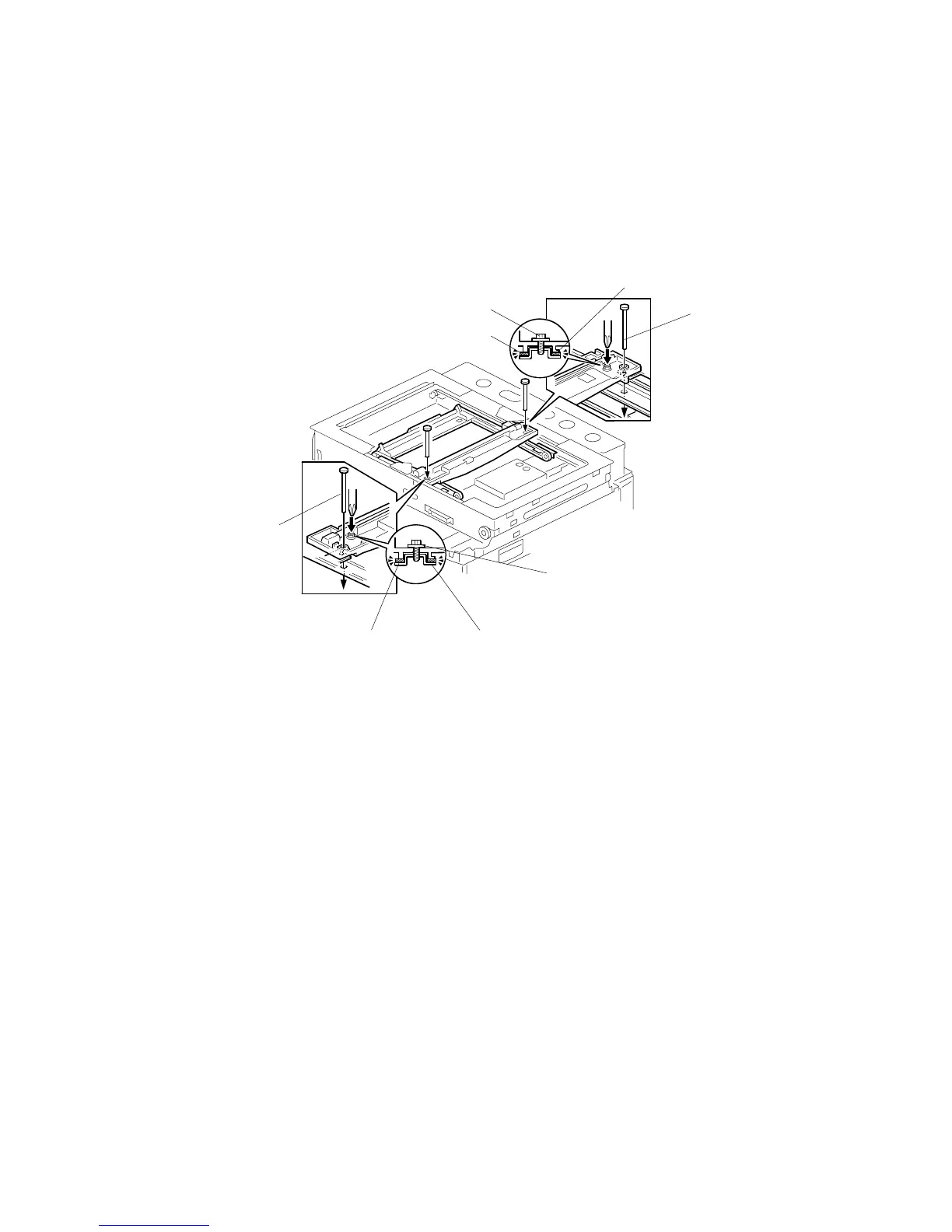
Adjusting the Belt Contact Points for the First Scanner
• ADF or platen cover
• Front cover ( 3.2.1)
• Operation panel ( 3.2.2)
• Rear cover ( 3.2.3)
• Top rear cover ( 3.2.4)
• Left upper cover ( 3.2.4)
• Exposure glass ( 3.4.1)
1. Loosen the 2 screws [A] [F].
2. Slide the 1st and 2nd scanners to align the following holes and marks (
Overview):
• Align all four holes: 1
st
scanner, frame, arm of second scanner and frame
3. Insert the positioning tools [D] [E] through the holes.
4. Check that the scanner belts [B] [C] [G] [H] are properly set between the
bracket and the 1st scanner.
5. Tighten the screws [A] [F].
6. Remove the positioning tools.
7. Reassemble the machine and check the operation.
C267R905.WMF
[A]
[B]
[C]
[D]
[E]
[F]
[G][H]



 To Next Page