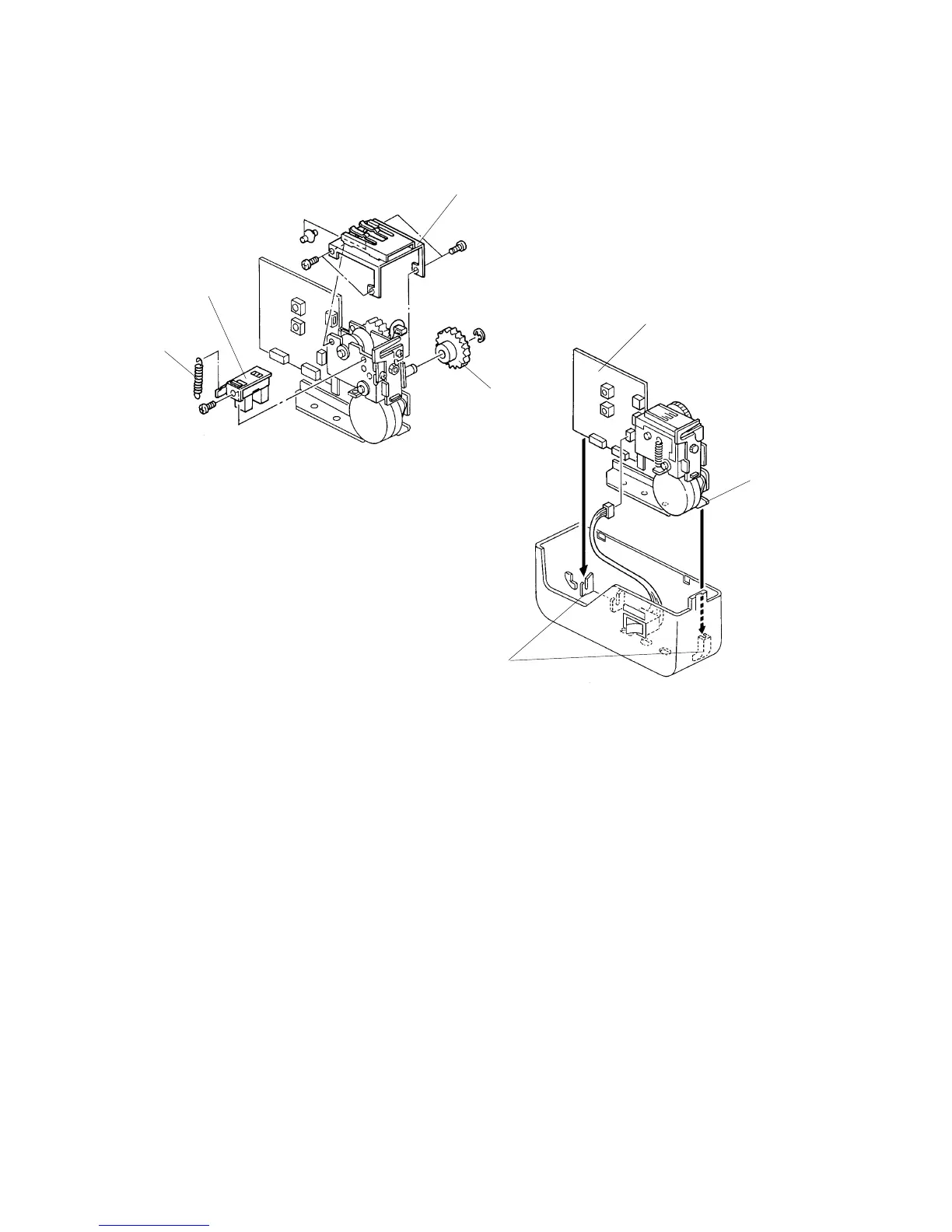
3.2 CUTTER HOME POSITION SENSOR REPLACEMENT
1. Remove the tape dispensing assembly. (See steps 1 to 4 on of
" 3.1 CUTTER REPLACEMENT".)
2. Unhook the cutter spring [A].
3. Remove the cam drive gear [B]. (1 E-ring)
4. Remove the pinch roller support bracket [C]. (4 screws)
5. Remove the cutter home position sensor assembly [D] and replace the sensor.
(1 screw, 1 connector)
6. Reassemble the tape dispenser.
NOTE: Make sure that the tape dispenser board [E] and the tape dispensing
bracket [F] are positioned in lower housing slots [G].
C532R503.PCX
C532R502.PCX
[A]
[B]
[C]
[D]
[E]
[F]
[G]



 To Next Page