IMAGE-PROCESSING
2-17
SM C231/C237/C238
Detailed
Section
Descriptions
2.2.5 IMAGE POSITION ADJUSTMENT IN THE MAIN SCAN
DIRECTION
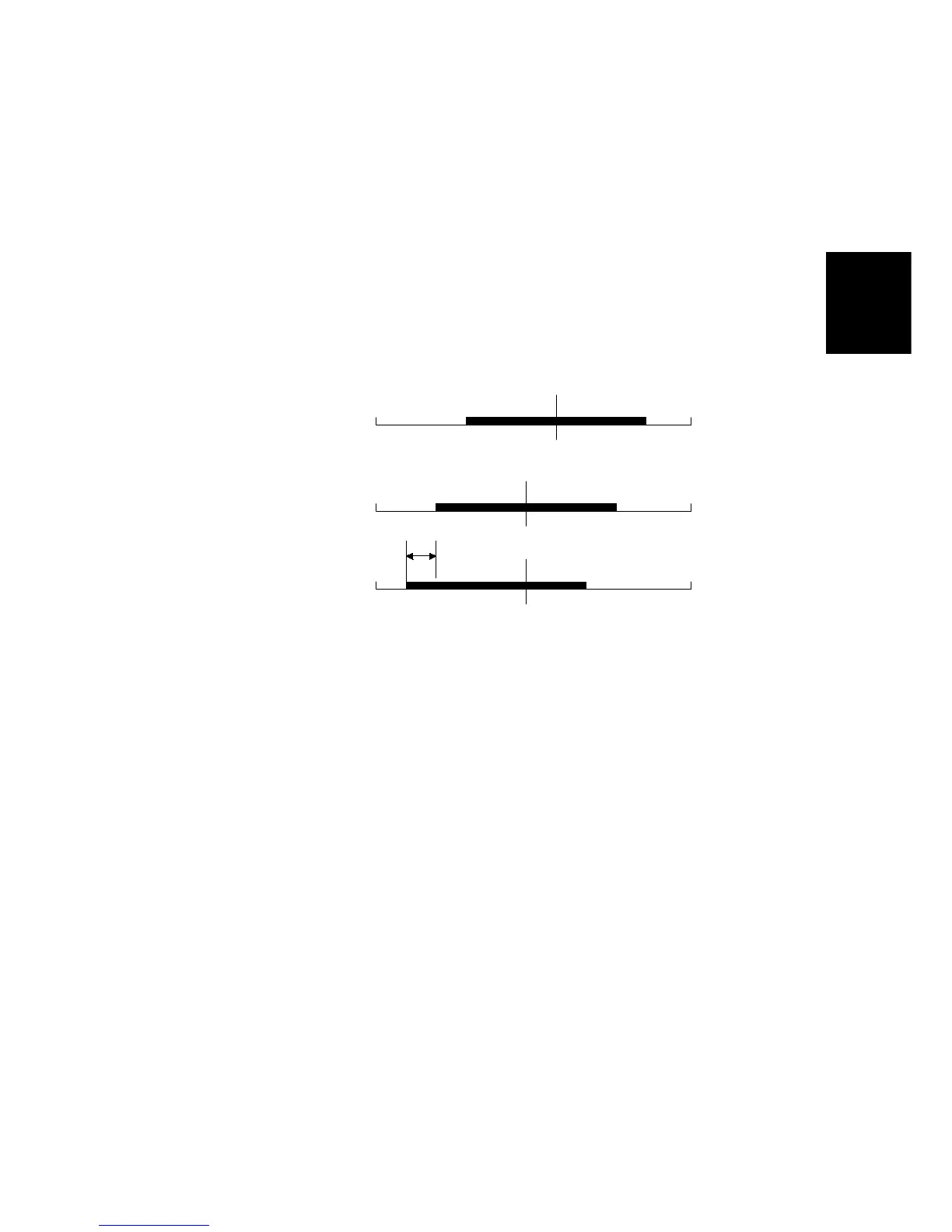
To adjust the image position of the original across the printout, the image can be
shifted
±
1.9 mm in the main scan direction using SP mode No. 31 (platen mode)
or No. 37 (ADF mode).
The image shift in the main scan direction is done by changing the relationship
between the position of the image data on the CIS and on the thermal head. Data
for one main scan line is stored in a line memory. When the data is output from
memory, the output timing is changed to shift the image.
2.2.6 PASTE SHADOW ERASE MODE
Due to the characteristics of the contact image sensor, shadows of a paste-up
original tend to appear on copies. To counter this, the paste shadow erase mode
can be used by pressing the paste shadow erase key on the operation panel.
When this mode is selected, the black or white threshold level is slightly lowered.
At the same time, the emphasis in the sub-scan direction in the MTF correction
process is weakened to make the shadows inconspicuous.
The strength of the paste shadow erase level can be changed with SP No. 28.
Data from CIS
After A/D Conversion
CIS Center
0
3072
Data from
Thermal Head Driver,
No Ima



 To Next Page