PAPER DELIVERY SECTION
6-49
SM C231/C237/C238
Replacement
and
Adjustment
6.10 PAPER DELIVERY SECTION
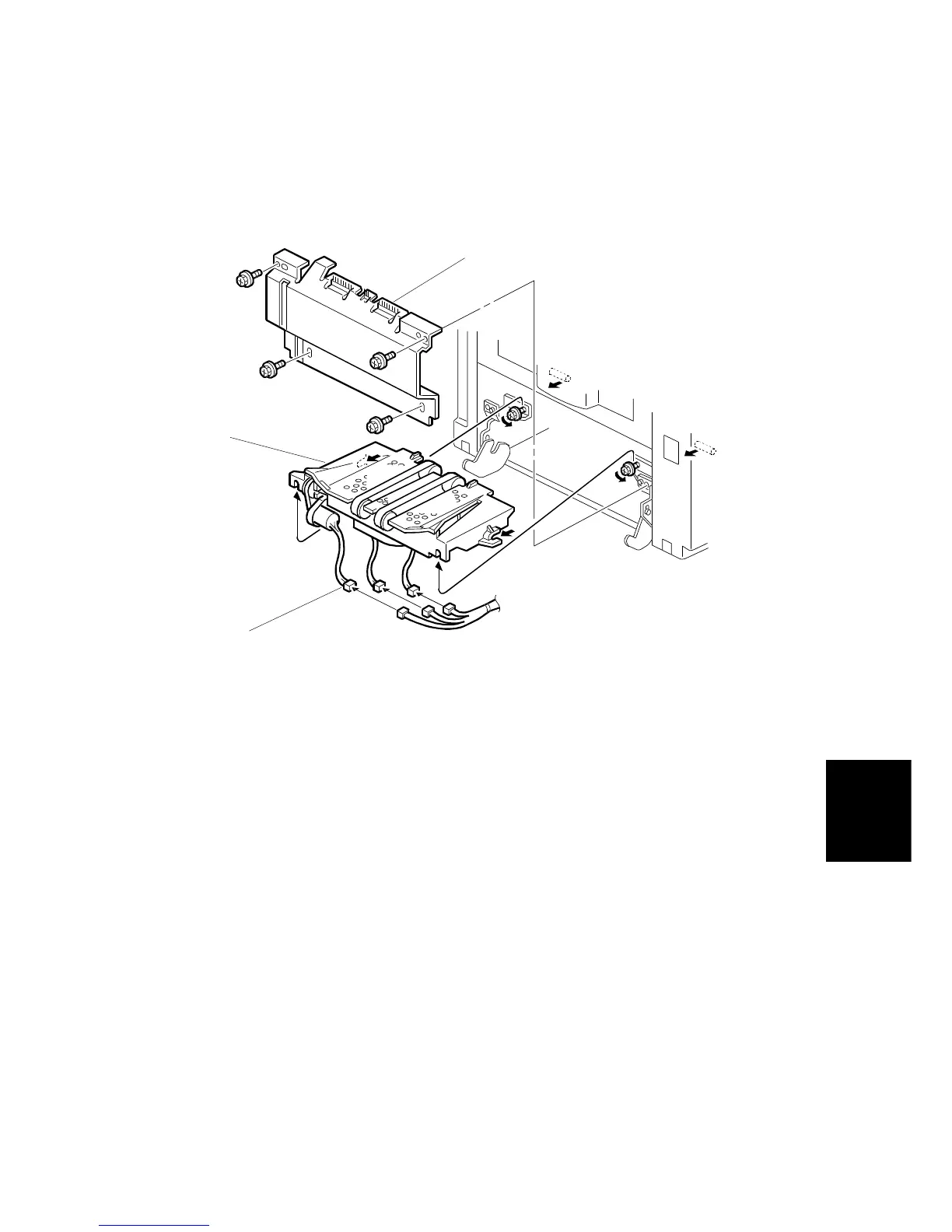
6.10.1 VACUUM UNIT REMOVAL
1. Turn off the main switch and disconnect the power plug.
2. Remove the paper exit table (2 screws).(not shown)
3. Remove the paper delivery cover [A] (4 screws).
4. Disconnect the 3 connectors [B].
5. Remove the vacuum unit [C] (2 screws).
C231R550.WMF
[B]
[C]
[A]



 To Next Page