INSTALLATION PROCEDURE
3-15
SM C231/C237/C238
Installation
Installation Procedure
- For C231 -
1. Turn off the main switch and unplug the power cord.
2. Remove the paper delivery table (2 screws).
3. Remove the paper delivery plate (4 screws).
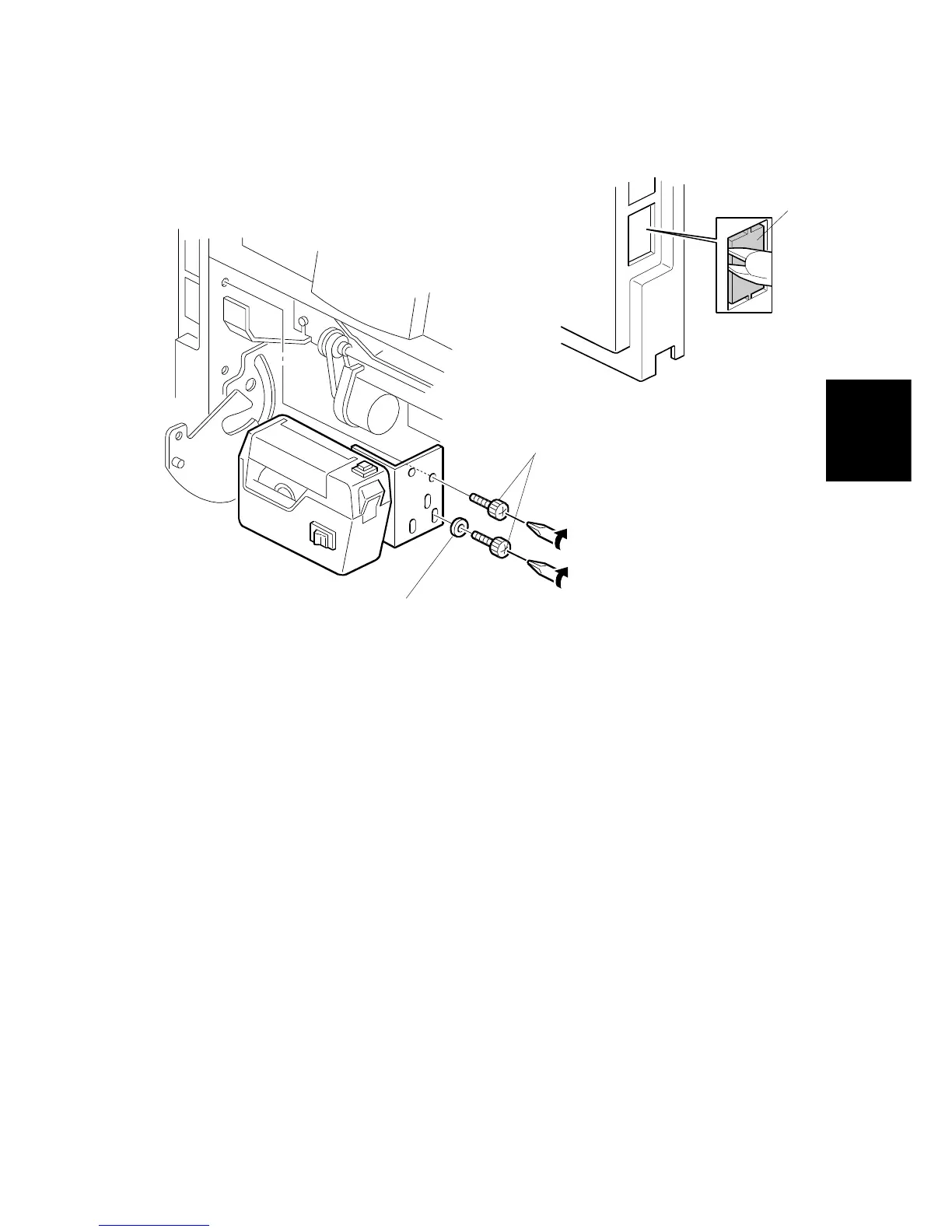
4. Cut the cap [A] off the rear cover with pliers.
5. Remove the small cap in the rear cover of the main body. Then, connect the
tape marker harness to the main body, and install the connector cover using
one of the rear cover securing screws.
6. Install the tape marker on the main body with two knob screws [B]
(accessories) in the two outside holes of the tape marker bracket. Install the
lock washer [C] (accessory) with the lower of the two knob screws.
7. Reinstall the paper delivery plate and paper delivery table.
C231I536.WMF
C231I533.WMF
[C]
[B]
[A]



 To Next Page