Document
Feeder C600
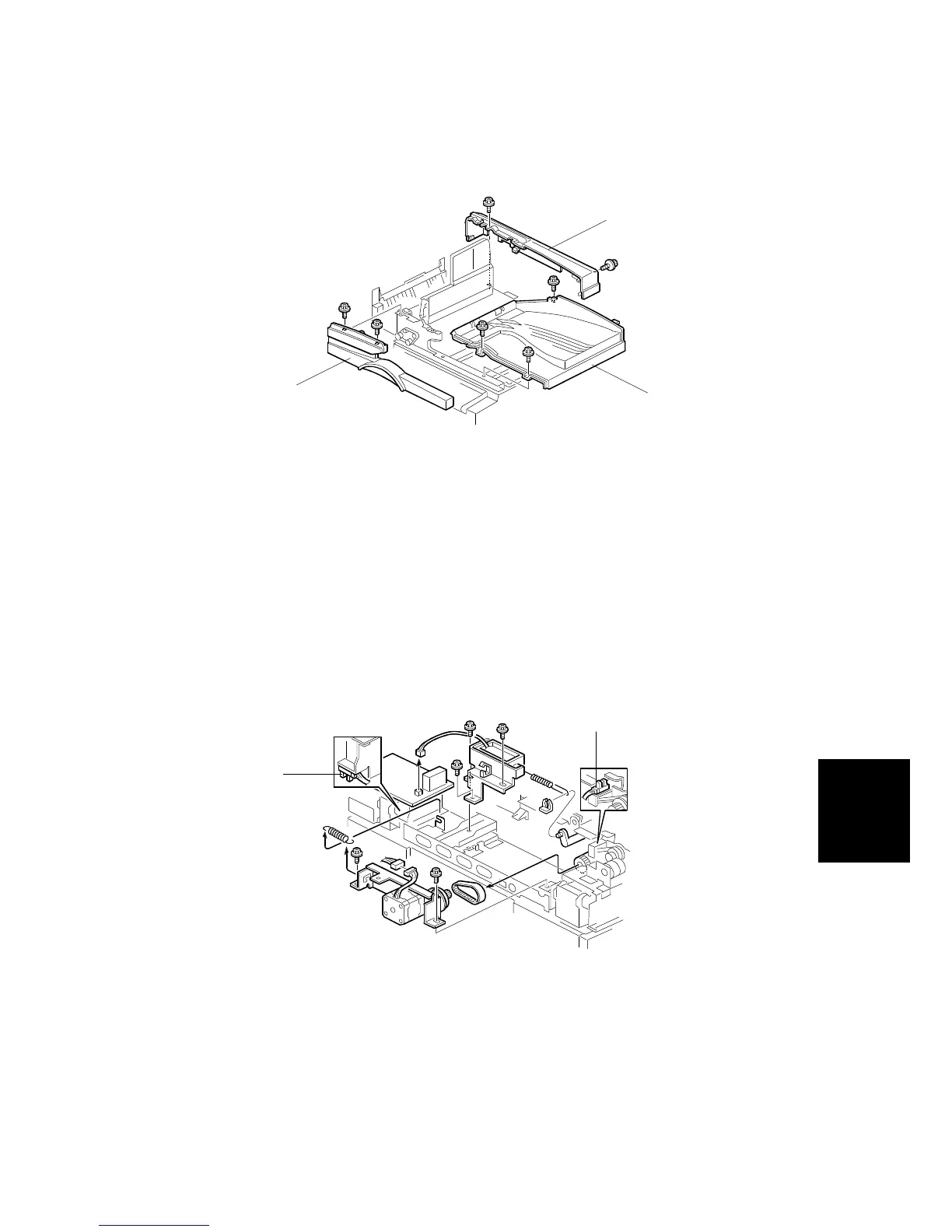
ORIGINAL EXIT TRAY/FRONT COVER/REAR COVER REMOVAL
SM 8-15 C600
3.7 ORIGINAL EXIT TRAY/FRONT COVER/REAR COVER
REMOVAL
1. Open the DF feed cover.
2. Open the original table.
3. Remove the front cover [A] (2 screws).
4. Remove the rear cover [B] (2 screws).
5. Remove the original exit tray [C] (3 screws).
3.8 FEED COVER OPEN SENSOR/DF OPEN SENSOR
REPLACEMENT
1. Remove the rear cover (2 screws).
2. Replace the following sensors:
•
Feed cover open sensor [A].
•
DF open sensor [B]
C600R101.WMF
C600R159.WMF
[A]
[C]
[B]
[A]
[B]



 To Next Page