MASTER FEED
C267 3-22 SM
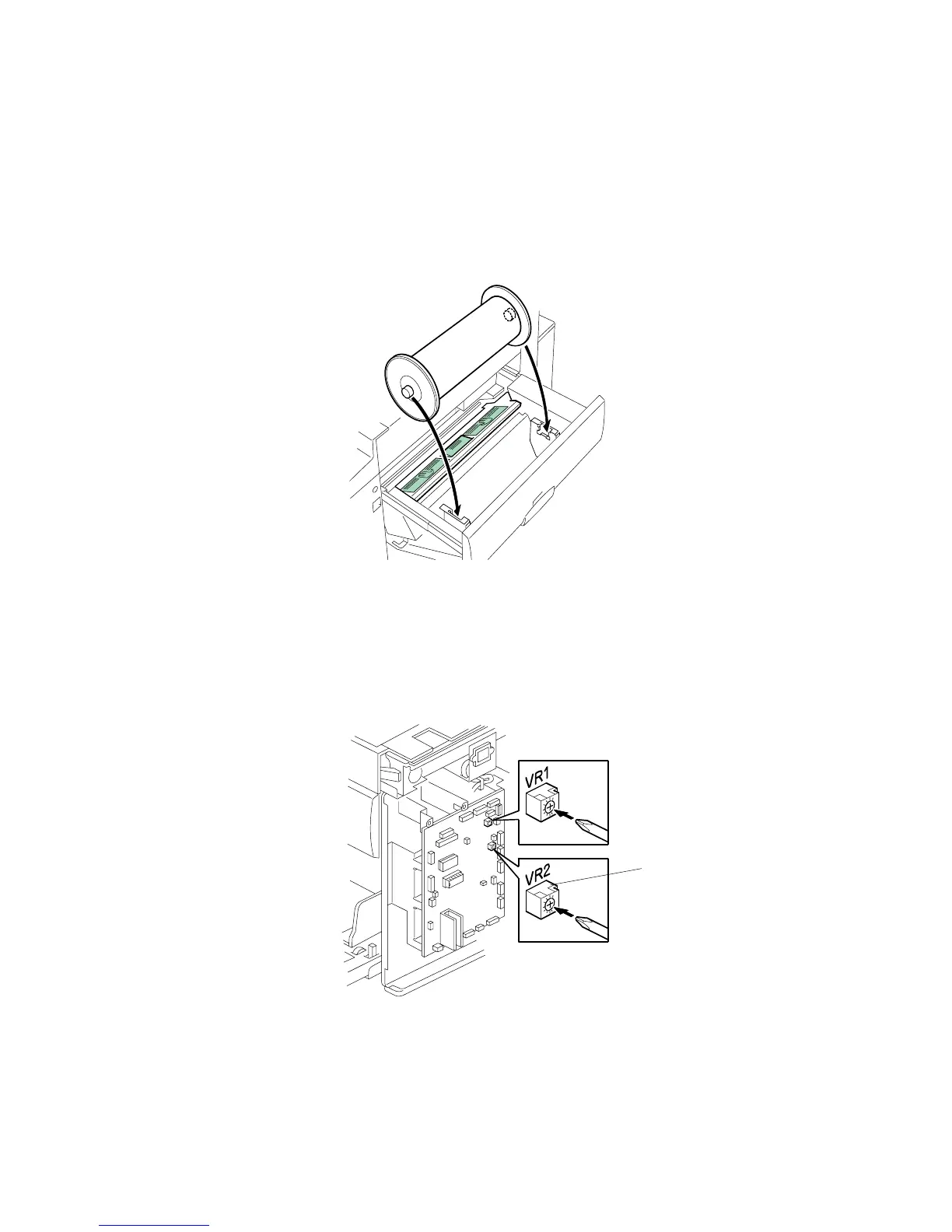
3.5.8 MASTER END SENSOR ADJUSTMENT
Purpose: To ensure that the sensor detects the end mark (a solid black area) on
the master roll.
Standard: 2.0 ± 0.1 volts
Tools: The core of a used master roll (the core just before a master end display
appears)
• Rear cover ( 3.2.3)
1. Place the core inside the master making unit, and close the master making unit.
2. Connect the power plug, and turn on the main switch.
3. Access SP6-50.
4. Turn VR2 [A] on the MPU board until the display is 2.0 ± 0.1 volts.
C267R900.WMF
C267R015.WMF
[A]



 To Next Page