PAPER FEED
SM 3-33 C267
C267 Service
Manual
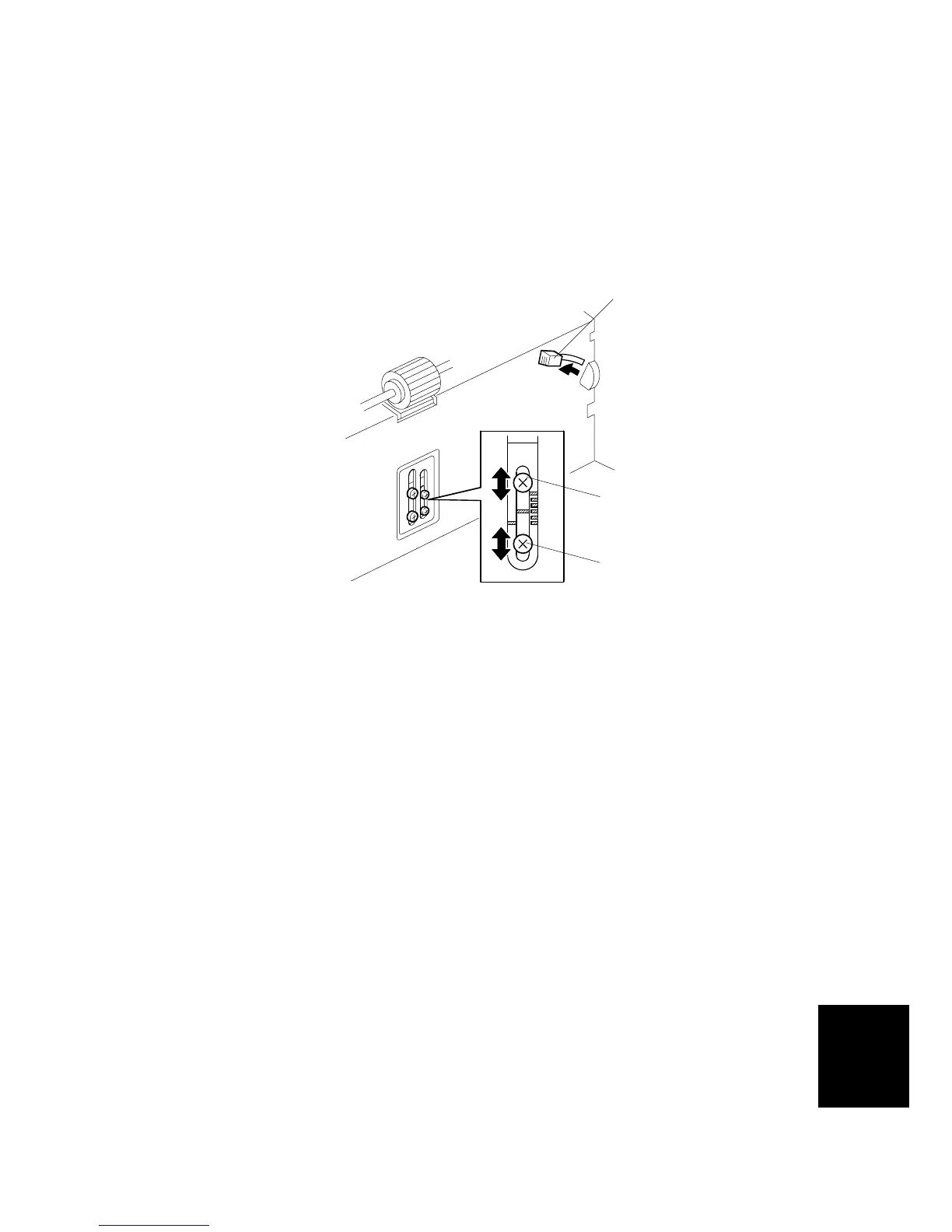
3.7.7 PAPER SEPARATION PRESSURE ADJUSTMENT
The position of the screw can be changed in order to change the amount of
pressure exerted by the friction pad.
This adjustment can be done:
• When feeding special paper, especially thick paper
• When the customer is experiencing feed problems.
• Move the separation pressure slider [A] to position 1.
Increase the paper separation pressure: Move up the screws [B]
Decrease the paper separation pressure: Move down the screws [B]
Default position: lowest position
The adjustment is automatically applied to all settings of the separation pressure
slider.
C267R020.WMF
[A]
[B]
[B]



 To Next Page