MASTER FEED SECTION
6-22
C231/C237/C238 SM
7. Press the Start key. The power to the thermal head is continually applied.
Press the Stop key if you cannot finish the adjustment quickly.
NOTE:
A beeper sounds while the power is supplied.
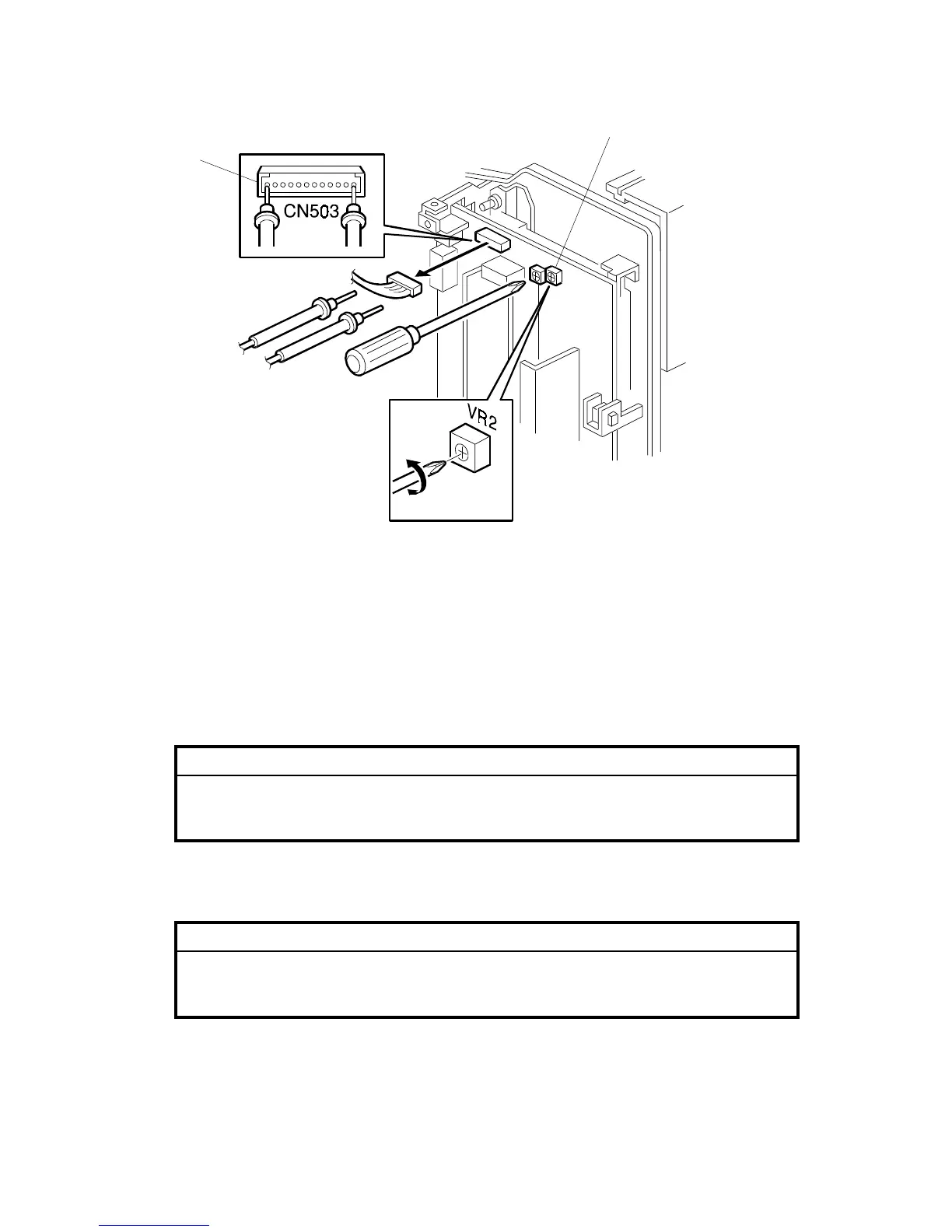
8. Measure the voltage between an output terminal Pin 14(VHD) and a grounding
terminal Pin 1(VHD GND) of CN503.
CAUTION
Use the outside terminals of the connector as shown [B] to measure the
voltage. If the output and ground terminals touch each other, the board
will be damaged.
9. Turn VR2 [C] so that the value becomes between "+0" and "-0.1" volts of the
voltage value that is printed on the thermal head decal.
CAUTION
Never turn VR2 [C] clockwise rapidly while the connector is connected.
The thermal head will be damaged if too much voltage is supplied
suddenly.
C231R535.WMF
[B]
[C]



 To Next Page