DRUM AND DRIVE SECTION
6-45
SM C231/C237/C238
Replacement
and
Adjustment
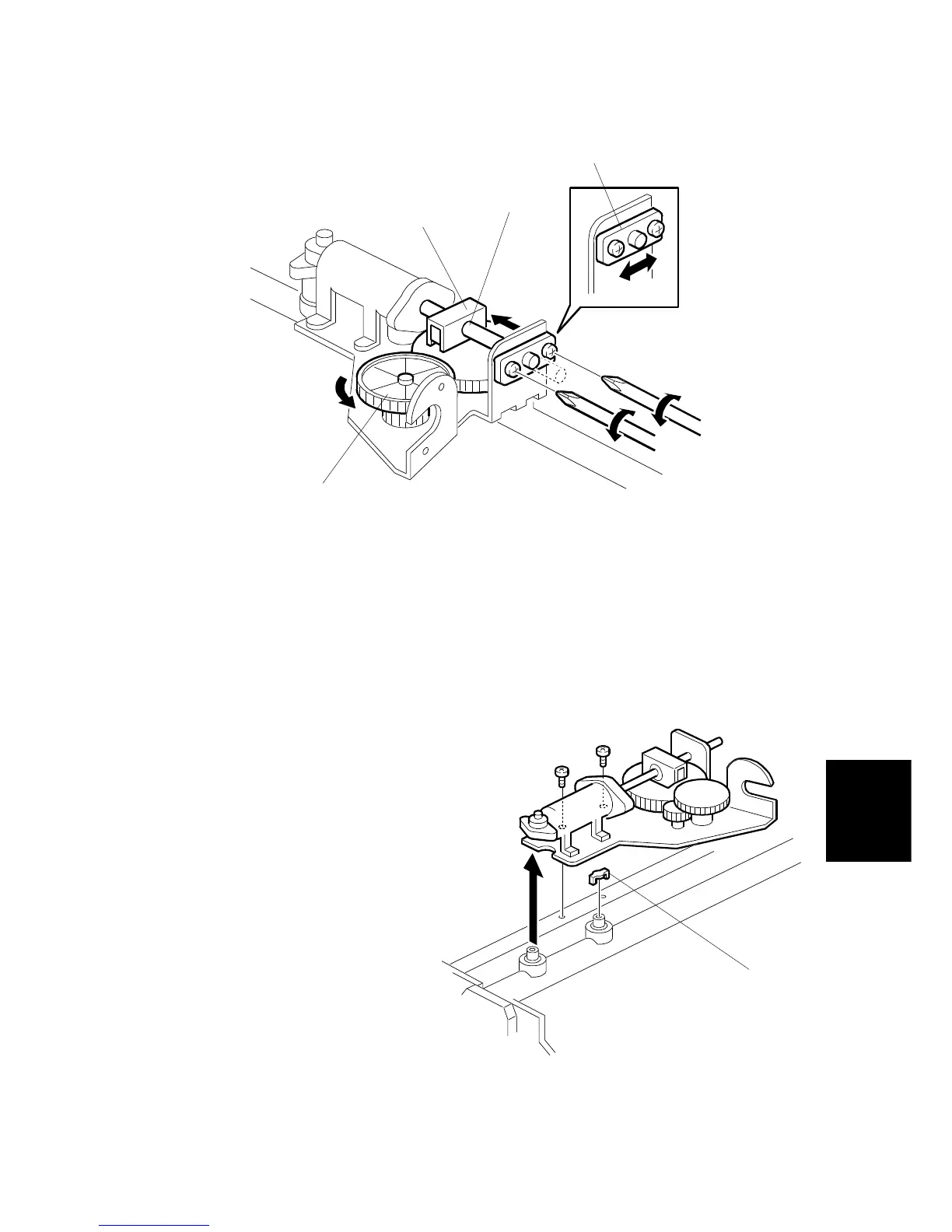
5. Remove the E-ring [B] to free the plunger from the pump drive slider [C].
6. Loosen the two screws securing the plunger holder [D]. (Do not remove the
holder.)
7. By turning the gear [E] manually, move the plunger until it reaches the bottom.
8. While holding the plunger holder [D], re-tighten the two screws.
9. Reinstall the E-ring [B].
- Remark for the ink pump removal -
When removing the ink pump, do not
lose the small metal valve [F]. When
reinstalling the pump, first set the
valve on the joint side as shown,
then install the ink pump on the two
joints.
C231R536.WMF
C231R580.WMF
[C]
[D]
[E]
[B]
[F]



 To Next Page