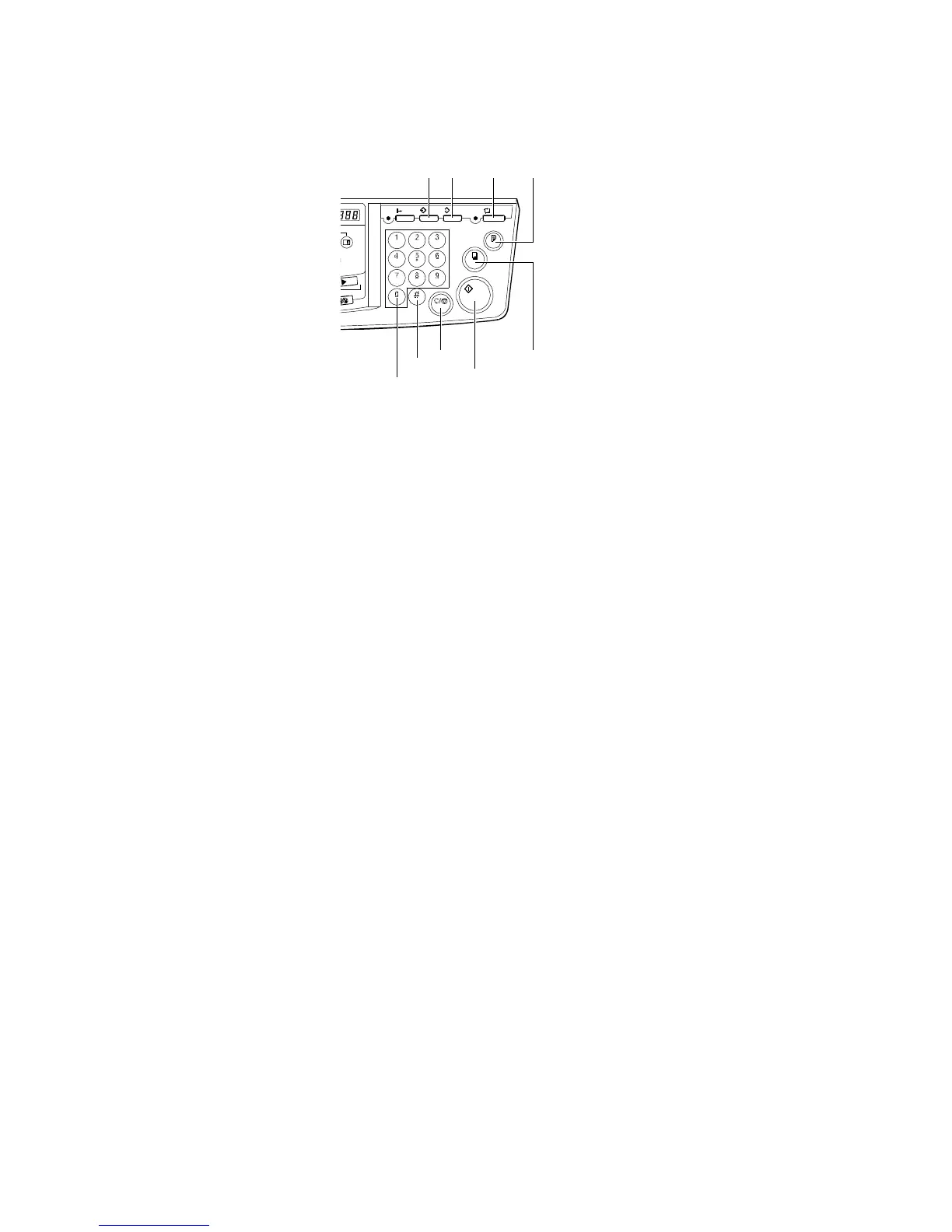
16. Program key
Press to input or recall user
programs.
17. Clear Modes key
Press to clear the previously
entered job settings.
18. Auto Cycle key
Use to process the master and
make prints automatically.
19. Proof key
Press to make proof prints.
20. Speed keys
Press to adjust the printing
speed.
21. Memory/Class key
Press to select Memory or Class
mode.
22. Number keys
Press to enter the desired
number of prints and data for
selected modes.
23. # key
Use to enter data in selected
modes.
24. Clear/Stop key
While entering numbers, press to
cancel a number you have
entered. While copying, press to
stop copying.
25. Start key
Press to make a master.
26. Print key
Press to start printing.
C231V511.WMF
21
24
25
26
19
17
16
18
23



 To Next Page