Appendix 5: Playback Software, Rev. 1.1
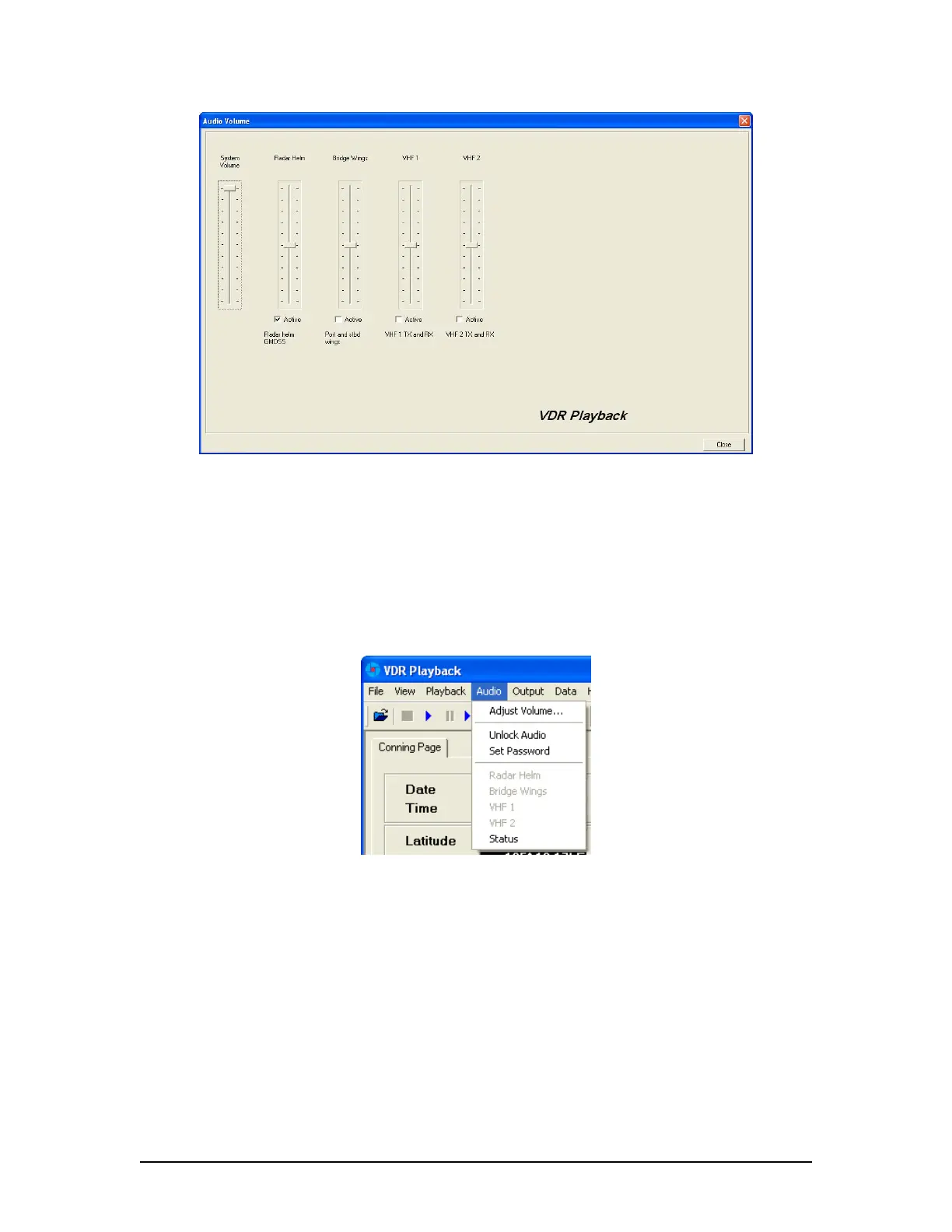
Figure 22 - Audio Interface
To activate the audio portion of a playback, choose Unlock Audio from the Audio menu (see
Figure 23 – Audio Menu). A prompt will appear requiring a password. The default password
supplied with the VDR-100G3 is “VDR”. Enter the password in the text box provided and click
OK to activate audio and make each channel in the Audio menu selectable.
Once unlocked, audio data will be available for the remainder of the time VDR Playback is open.
Audio can be adjusted by opening the Audio Volume window (see Figure 22 - Audio Interface)
via the “Audio Volume” option from the Audio menu.
Figure 23 – Audio Menu
There are 2 ways to activate an available audio channel:
1. Select the appropriate audio channel from the Audio menu; or,
2. Open Audio | Adjust Volume… and click the ‘Active’ checkbox below the appropriate
channel. The Audio must be unlocked first to manipulate the checkboxes.
Also, if required, it is possible to print the audio status to the ‘Log’ Tab Screen by selecting
‘Status’ from the ‘Audio’ file menu.
To silence a playback, simply uncheck each channel either on the ‘Audio’ menu or via the ‘Active’
checkbox.
VDR-100G3/G3S Installation Manual 06/10/2008
12



 To Next Page