Chapter 5: OPERATION
2. EMERGENCY BROADCASTS
5-15
Tips
• TheEmergencySequencefunctionautomaticallyswitchesthecurrentmessagetotheEvacuation
EV message after a 5-minute interval if nothing is done.
•ToaddbroadcastzonesfortheEvacuationEVmessage,selectdesiredzoneswiththeZoneSelect
keys and press the Evacuation EV key.
• To stop broadcasting the Evacuation EV message, cancel all the selected zones and press the
Evacuation EV key.
2-2. Broadcasting EV messages to selected zones.
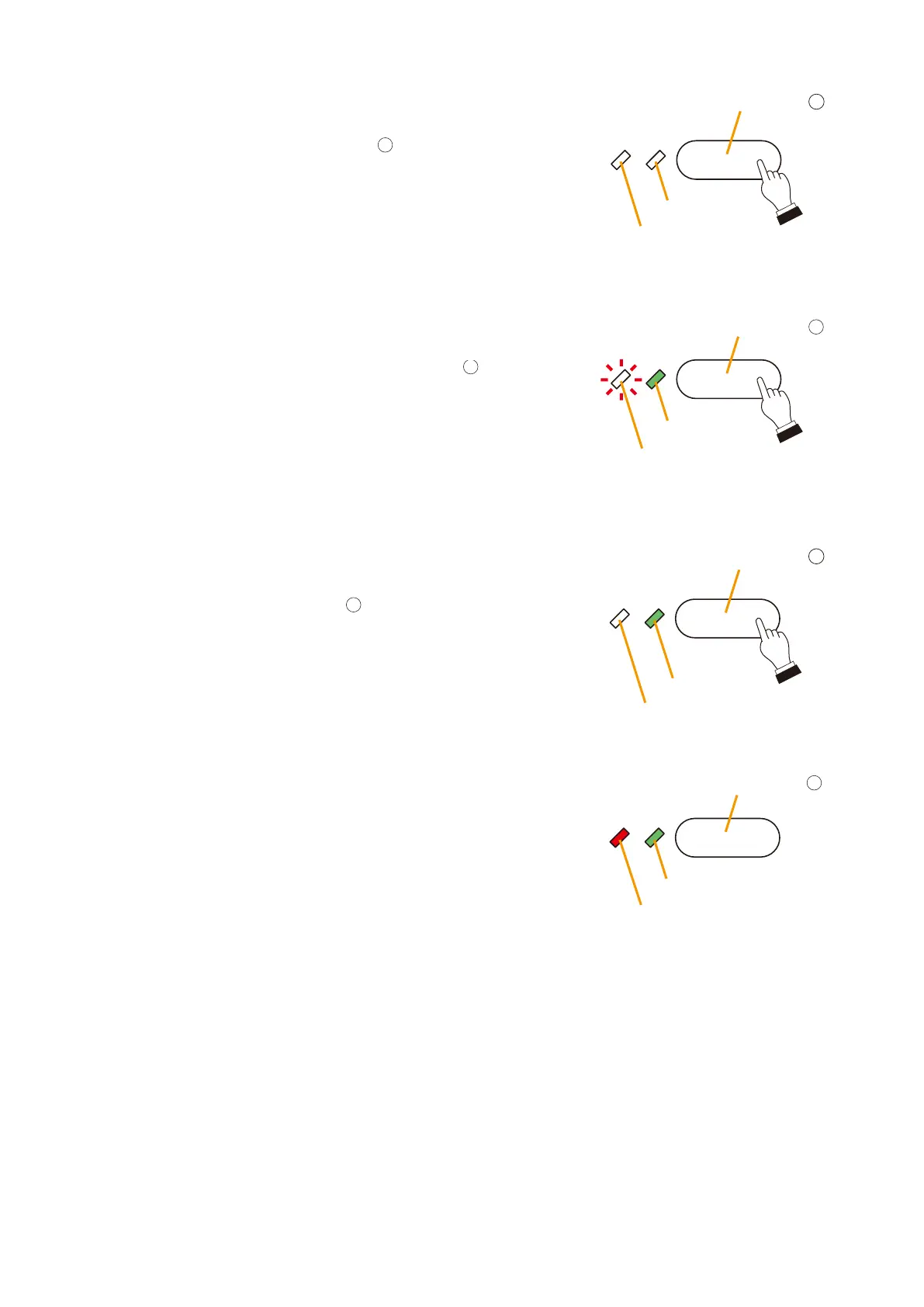
Because all zones are pre-selected when in emergency
mode, press the All-Zone Call key
to cancel the all-zone
pre-selection. The zone selection is reset and the Select
LED extinguishes.
When, for instance, broadcasting the Evacuation EV
message to 2F, press the 2F Zone Select key
to select
the zone. The Select LED lights green.
Because the Alert EV message is currently being broadcast,
the Zone Monitor LED flashes red.
Select LED
Select LED
Unused
4
All-Zone Call key
2F Zone Select key
Zone Monitor LED
Flashes
8
2
Evacuation EV key
EV Broadcast LED
Select LED
EV Enable LED
Lights
2F Zone Select key
Zone Monitor LED
Lights
8
Continued on next page
Press the Evacuation EV key
.
The Evacuation EV message is broadcast to 2F, and the EV
Broadcast LED lights green.
The Zone Monitor LED of the 2F Zone Select key indicates
the type of EV message currently being broadcast.
It changes from flashing red to steady red status to indicate
that the evacuation message is being broadcast.



 To Next Page