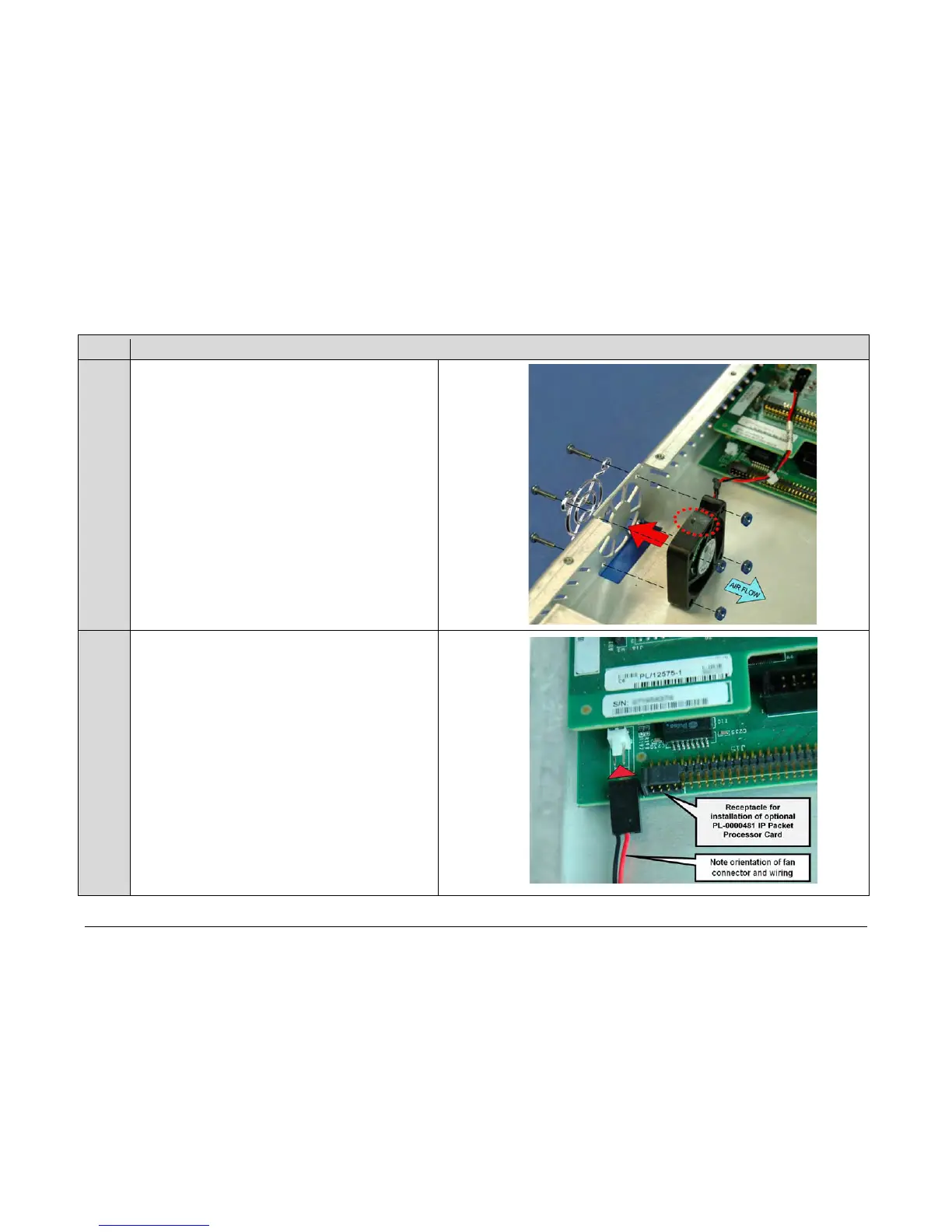
(CEFD P /N P L-0000449) and f an gu ard ( CEFD P /N
FN/FGDC12V01) securely i nto t he c hassis with t he
provided m ounting h ardware ( 4X 4 -40 x 3/4 pan h ead
screws and 4X 4 -40 l ocking hex nu ts) a t the d esignated
location.
IMPORTANT: Refer to the arrow icons imprinted on the fan
housing when installing the fan, to ensure that:
• The ai r flow i s d irected i nto t he c hassis d uring
operation and
• The f an p ower cable i s routed t owards t he power
connector on the modem’s framing board.
cable receptacle into the mating connector on the modem’s
framing board.
IMPORTANT: Note the orientation of the fan’s power cable
receptacle and wiring to the mating connector and its pins
on the modem’s framing board.



 To Next Page