Servicing Internal Components
DSX™ System Service Manual 15-5
To Install a New Belt:
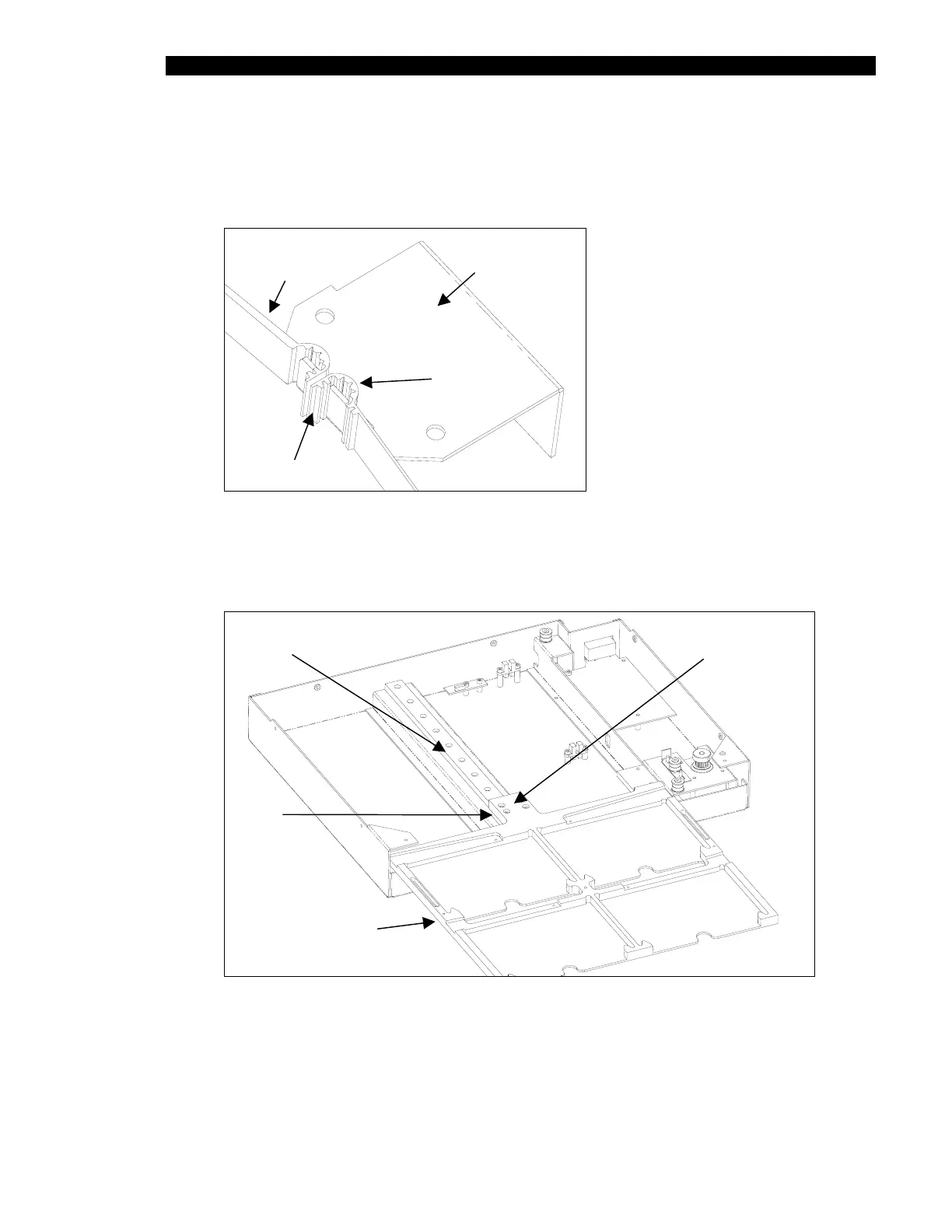
1 Install the belt in the belt bracket such that there are two front teeth exposed and
four in the back as shown in Figure 15-3.
Timing Belt
730 mm
(40000050)
Belt Bracket
Four Teeth
Two Teeth
Figure 15-3 Timing Belt Bracket Region
2 Wrap the new Timing belt (Part No. 40000050) around the pulleys. The belt length
should be 730 mm.
Linear Rail
Four Cap Head
Screws
Drawer
Subassembly
Slide
Figure 15-4 Location of the Y- Base Plate Assembly Locknuts (Bezel not Shown)
3 Replace the belt bracket. Secure it using the socket head cap screws and lock
washers.



 To Next Page