Servicing Internal Components
DSX™ System Service Manual 15-7
To Check the Ambient Drawer Alignment:
Note: This procedure is necessary only if the drawer subassembly is
loosened from the linear rail or if the drawer alignment is suspect.
1 Temporarily secure the Ambient Drawer onto alignment jig (DMFIX010) using a
4mm Allen wrench to tighten the two quarter-turn fasteners.
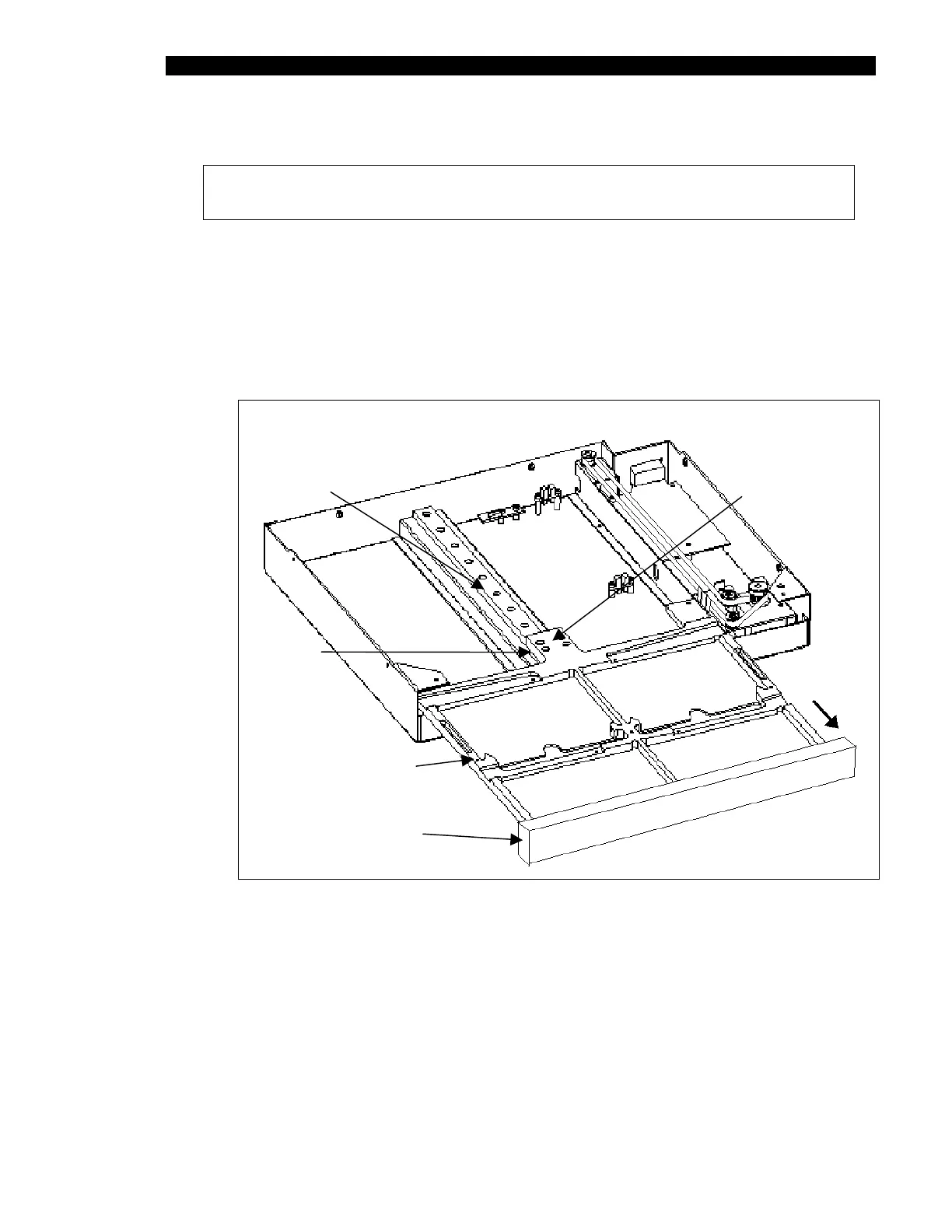
2 Install the drawer alignment block (part of DMFIX010). Then push the drawer out
until the front edge is flush with the block, as shown in Figure 15-6. If the drawer
is not parallel to the alignment block, loosen the four cap screws that hold the
drawer to the linear rail. Hold the drawer flush against the alignment block, then
tighten the four screws.
Linear Rail
Four Cap Head
Screws
Drawer
Subassembly
Slide
Drawer Alignment
Block
Figure 15-6 Ambient Drawer and Alignment Jig (Bezel not Shown)



 To Next Page