Post-Service Checkout Protocol
DSX™ System Service Manual 3-7
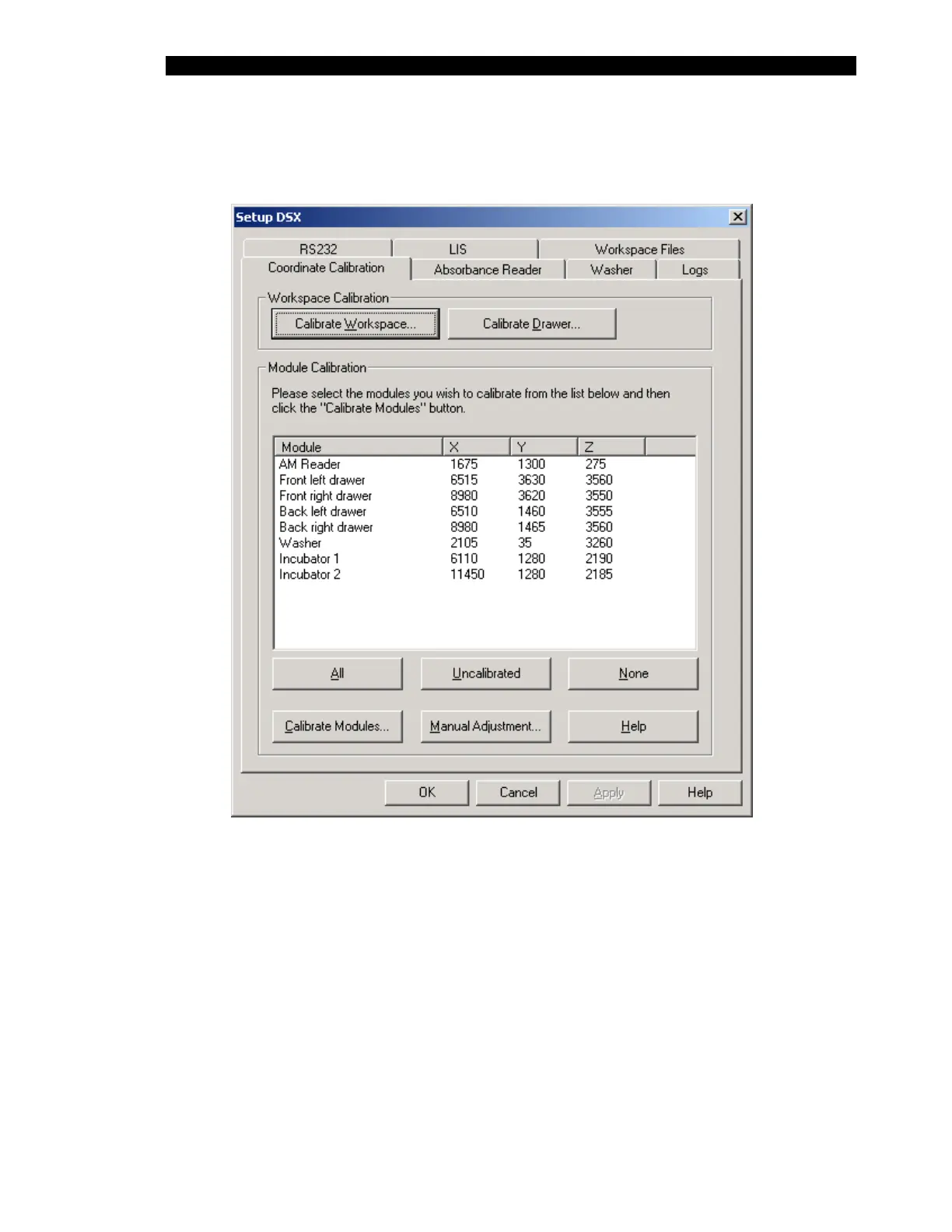
2 Start Revelation, select “Tools” and then select “Configure System”. Select the
Coordinate Calibration tab of the Setup DSX dialog box (Figure 3-2).
Figure 3-2 Setup DSX Dialog Box - Coordinate Calibration Tab
3 Press the Calibrate Workspace button to start the Workspace Calibration
procedure. Follow the on-screen instructions to calibrate the workspace.



 To Next Page