iPECS eMG80/100& eMG800 & UCP & vUCP
Administration and Programming Manual Issue 2.5
26
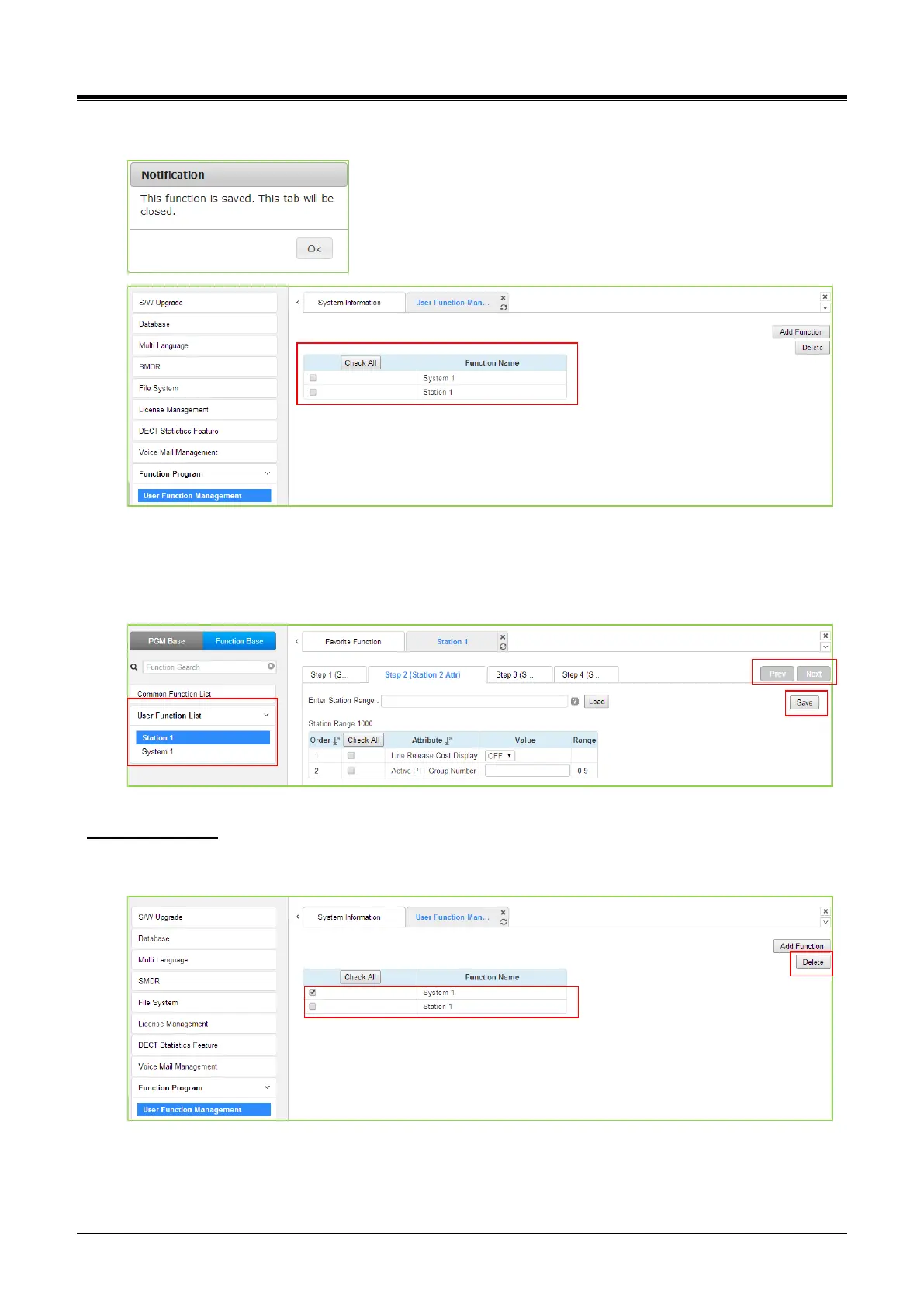
4) Finally, click the [Save] Function to save and then click the [OK] button.
5) To check the function, click the Function Base button in the left frame and User Function List, and
you will see the following figure.
You can enable or disable the function by checking each function and then click the save after
setting Value. Also, move to each step by clicking the [Next] button or [Previous] button.
Deleting Function
To delete the user function, click Maintenance at the top of the window and then click the Function Program ->
User Function Management. Check the desired function to delete and click the [Delete] button.



 To Next Page