iPECS eMG80/100& eMG800 & UCP & vUCP
Administration and Programming Manual Issue 2.5
239
4.3.9.4 Authorization Codes Table – PGM 227
Authorization codes are employed to control access to the system resources and facilities. Walking COS,
CO/IP Group access, DISA callers, and certain Call Forward types may require an input of a valid
Authorization code. Codes up to 12 digits may be entered into the system database.
The station has an associated Station Authorization bin, which can be assigned by the user from the user‘s
telephone. The System Authorization codes are stored in System bins and are entered or deleted only through
Admin.
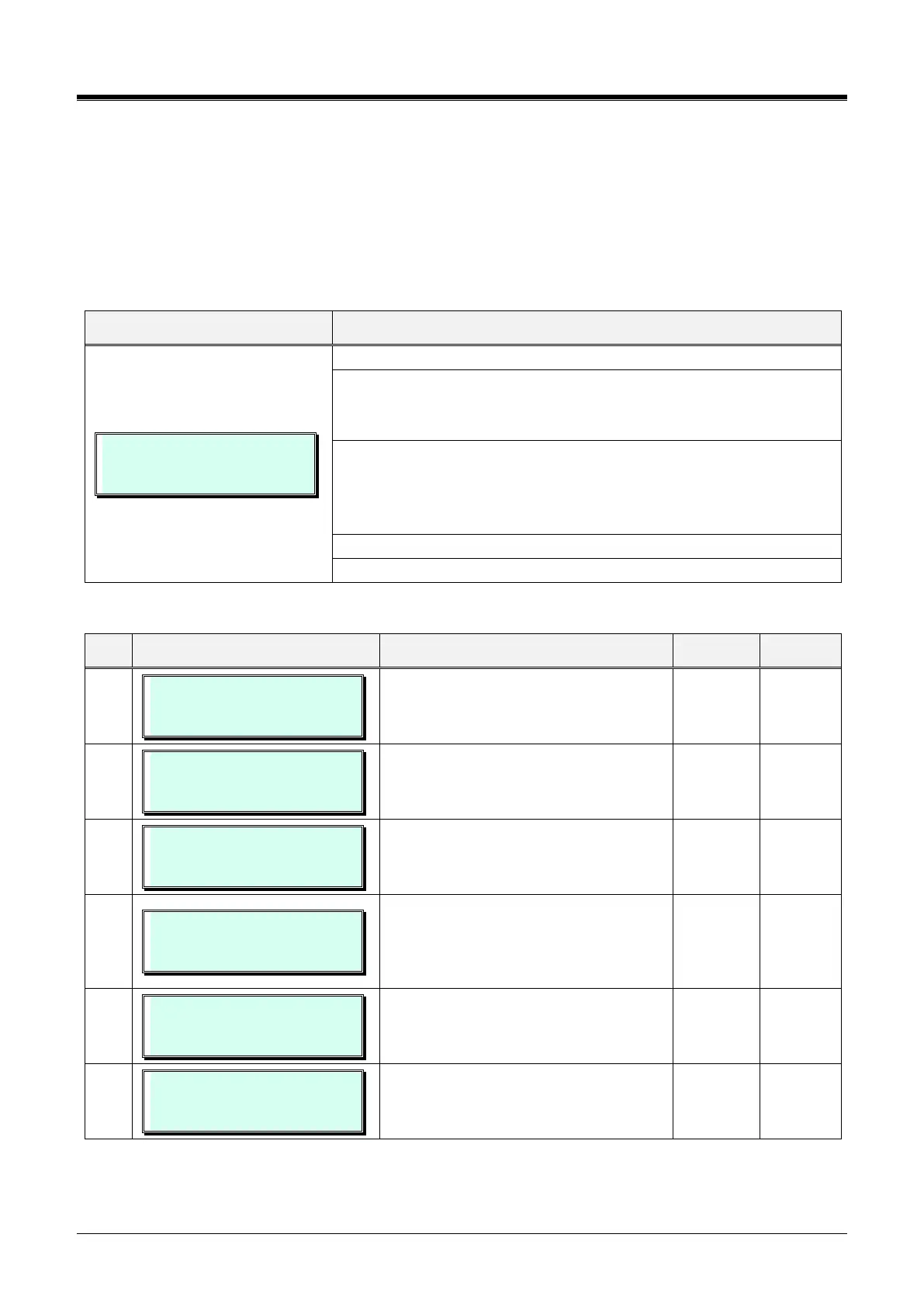
AUTHORIZATION CODE
F1:STA_AUTH F2:SYS_AUTH
Press the [PGM] button and dial 227.
Press Flex button 1 or 2 to select the desired entry:
- Flex button 1 - Station authorization code
- Flex button 2 - System Authorization code
For Flex button 1, enter a station range, enter the same station number
twice for a single station entry.
Then press Flex button 1 to set the password and Flex button 2 to set the
COS (Day, Night, and Timed).
Use the dial-pad to enter the Authorization code or COS.
Press the [Save] button to store the data entry.
Table 3.3.9.4-1 AUTHORIZATION CODES (PGM 227)
AUTHORIZATION CODE
ENTER STA RANGE
Authorization code for each station can
be assigned up to 12 digits in length
(enter STA range (Ex. 100110)).
STATION AUTHORIZATION
100-110 : . . . . . . . . . . . . . .
Authorization codes for system-wide use
can be assigned up to 12 digits in length.
AUTHORIZATION CODE
ENTER BIN NO(001-360)
Selects attribute, code or Class of
Service.
eMG80/100:001~360,eMG800:1~1200
SYSTEM AUTHORIZATION
F1:SET_PWD F2:SET_COS
Press Flex button 1 or 2 to select the
desired entry:
Flex button 1 –Set Password
Flex button 2 –Set class of service
SYSTEM AUTHORIZATION
001: . . . . . . . . . . . . . . . . .
A password of up to 12 digits is defined.
SET COS :
F1:DAY F2:NIGHT F3:TIME
Establish the COS associated with the
System Authorization code during Day,
Night, and Timed Service modes.



 To Next Page