K117sm5e9
5-149
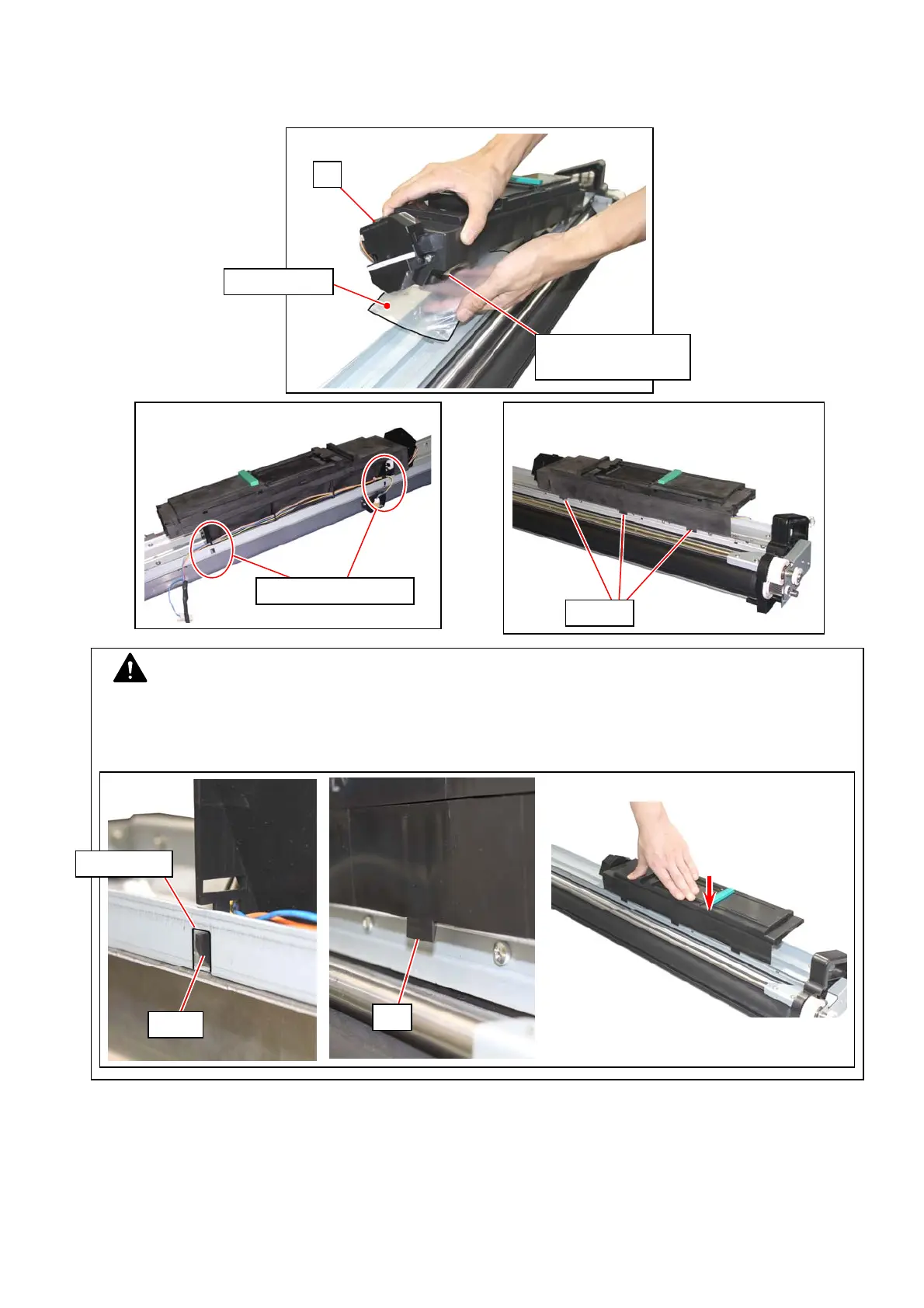
88. Return the Hopper Unit (4). Place a sheet of paper or a plastic bag on the Hopper Unit with a
plastic bag to receive toner spilling from the Hopper Unit.
Insert the hook parts of the Hopper Unit into the square holes of the DEVELOPER ASSY. Make
sure that the Hopper Unit (4) is held on the DEVELOPER ASSY by the tab parts.
latch tab
15
Hook & square holes
4
NOTE
Be sure to confirm the followings after reinstalling the Hopper Unit to the Developer Assy.
- The hook parts (2pcs) fit in the square holes.
- The tab parts (3pcs) catch the frame’s rim. (Press the entire Hopper Unit)
Receive toner
tab
square hole
hook
Toner may spill from
toner supply hole



 To Next Page