PAPER FEED
2-36
C231/C237/C238 SM
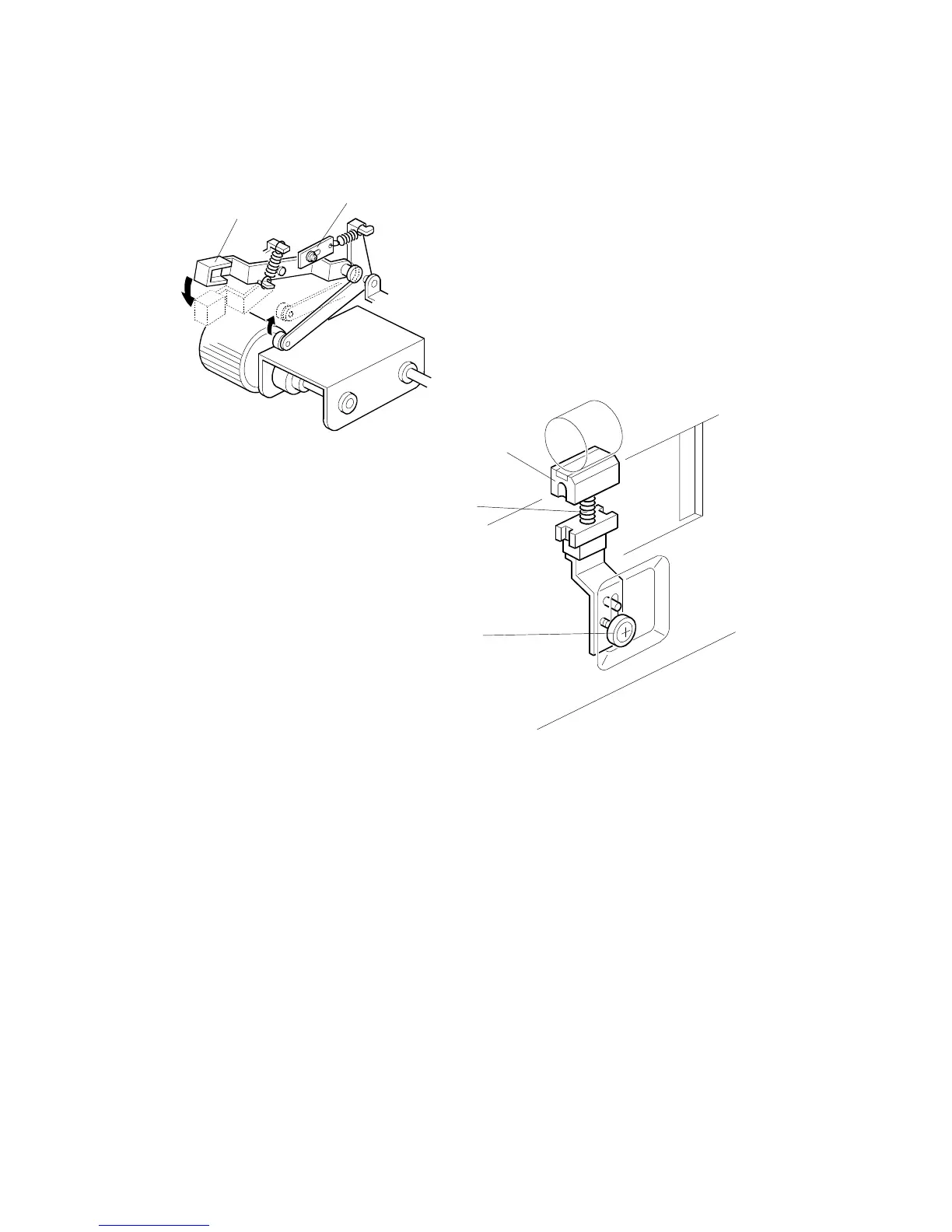
2.6.3 PAPER FEED/SEPARATION PRESSURE ADJUSTMENT
MECHANISM
The paper feed roller pressure can be changed by the operator by changing the
position of the pressure adjustment lever [A]. Normally the lever should be in the
lower position. If the thick paper (heavier than 127.9 g/m
2
or 34 lb) is used or paper
feed jams frequently occur, the lever should be raised to increase the pressure.
An additional fine adjustment can be done by a technician by changing the position
of the feed pressure adjustment plate [B].
If no feed or multi-sheet feed problems still occur, the paper separation pressure
can also be adjusted. (This should be done by a technician.)
By loosening then moving the screw [C]up or down, the spring [D], which applies
pressure to the friction pad block [E], can be increased or decreased.
NOTE:
The default position of the screw [C] is at the lower-most position.
C231D554.WMF
C231D558.WMF
[A]
[B]
[C]
[D]
[E]



 To Next Page