OPERATION 5
MHL360 E 5.73
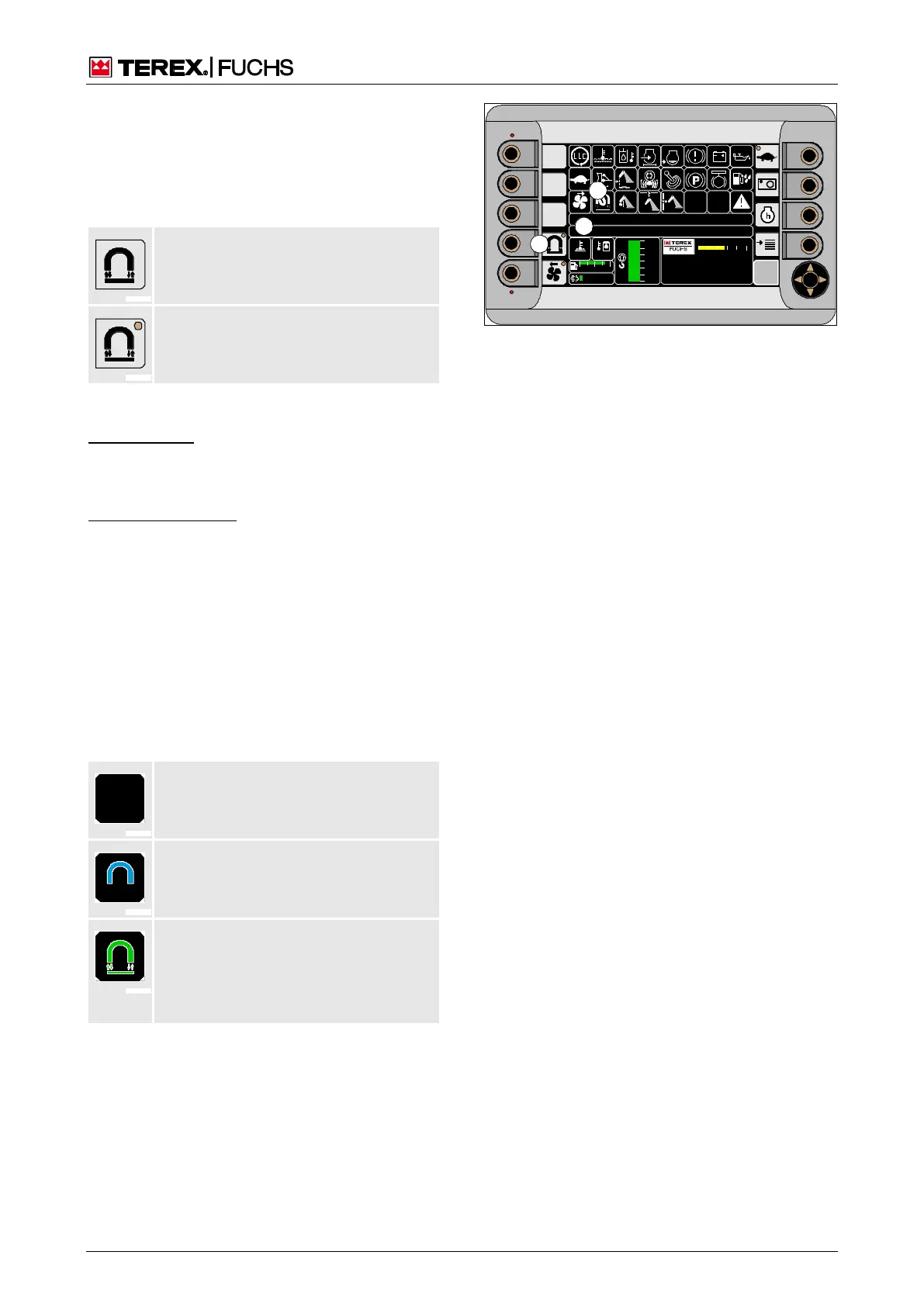
5.20.1.4 Operating the magnet system with
the normal magnet system display
Button (203/6) is used for switching on or
switching off the magnet system. The symbol-
ized LED indicates the status of the button.
LED off: Button deactivated, allowing
the magnet system to be switched off.
LED on: Button activated, allowing the
magnet system to be switched on.
Switching on the magnet system
Function keys
►
Briefly press function key (203/6) in order
to activate the button.
Multifunction button
►
With the mini-joystick, navigate the focus to
button (203/6).
►
Briefly press the multifunction button in
order to activate the other button.
The LED will light up. Corresponding text
messages (203/34) will appear, notifying you
of the automatic ISO guard function test or a
speed that is too low, for example. Indicator
(203/27) then indicates the status of the mag-
net system.
No symbol: Magnet system not yet
ready to operate.
Blue symbol: ISO guard function test is
running
Green symbol: Magnet system is
switched on and ready to operate. Mag-
netic plate magnetization possible. The
selected operating mode indicates the
corresponding magnet symbol.
Switching off the magnet system
Prerequisite: Magnetic plate demagnetized.
►
Deactivate button (203/6) using function
key or multifunction button.
If the LED and symbol (203/27) go out, this
means the magnet system is switched off.
09 :43 11 .03. 20 11
XXX / XXXX / LE XX X
18 00 U PM
0 5 1 0 15 20 2 5
95°C 7 5°C
0 ½ 1
9 %
120 0
24.X V
120 %
0 %
100 %
80 %
60 %
40 %
20 %
F
34
27
6
BSB51148
Fig. 203 Magnet system switched on



 To Next Page