5 OPERATION
5.74 MHL360 E
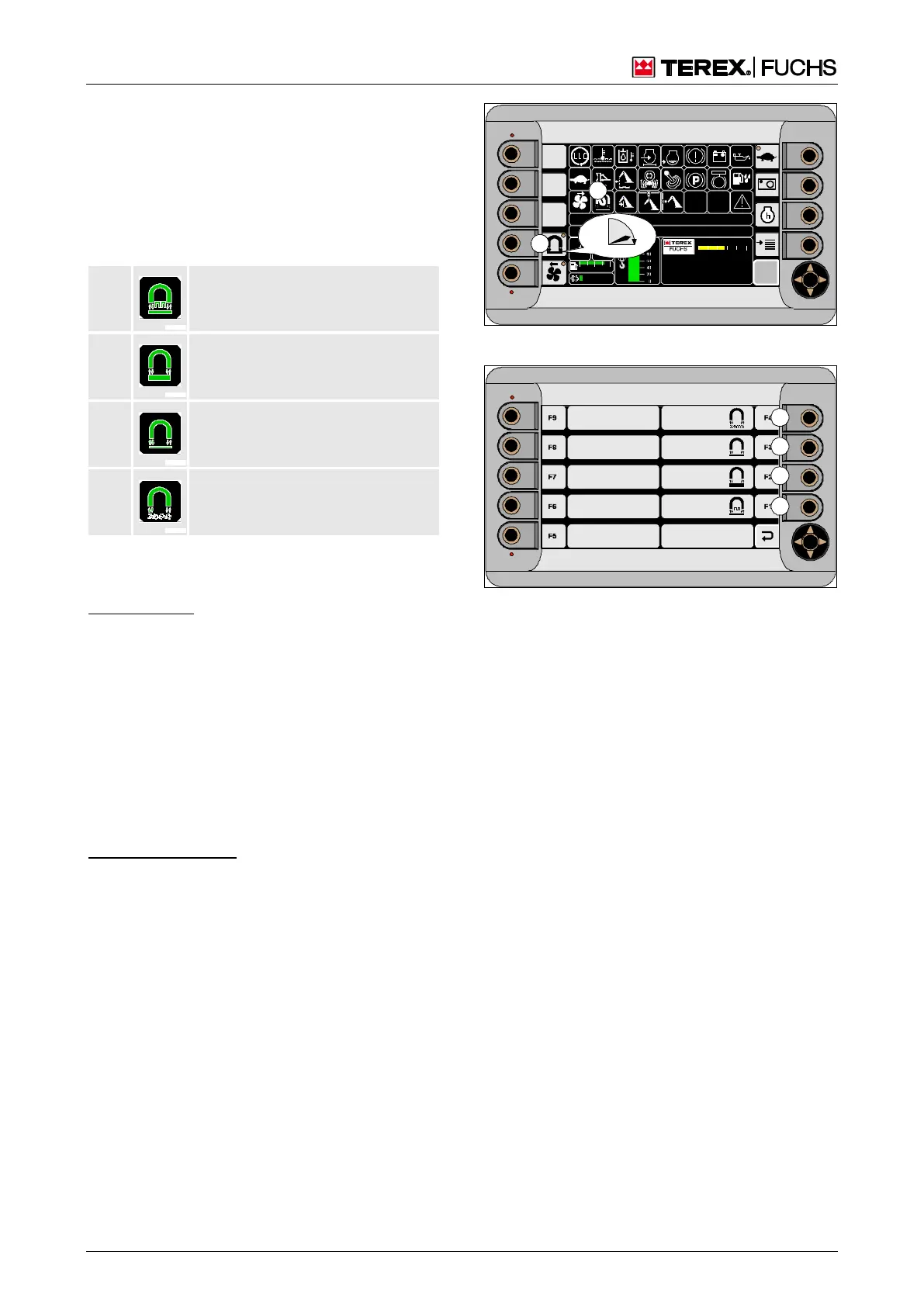
Changing the operating mode
Various operating modes for magnetization
and demagnetization are available depending
on the material to be loaded. When the mag-
net system is switched on, the normal magnet
system display indicator (204/27) shows which
of them is currently selected.
It is changed in the magnet system operating
mode selection menu.
Function keys
►
Main control display.
►
Press and hold down the function key next
to button (204/6) until the magnet system
menu (Fig. 205) appears.
►
Select the desired operating mode by brief-
ly pressing the corresponding function key
(205/1 - 4).
►
Exit the magnet system operating mode
selection menu.
Multifunction button
►
With the mini-joystick, navigate the focus to
button (204/6).
►
Press the button and hold it until the mag-
net system operating mode selection menu
appears.
►
With the mini-joystick, navigate the focus to
the button with the desired operating mode.
►
Briefly press button.
F
09 :43 11 .03. 2 011
MH LX X X / XXX X
18 00 U PM
0 5 1 0 15 20 2 5
95°C 7 5°C
0 ½ 1
9 %
120 0
BSB50811
27
6
Fig. 204 Opening the magnet system menu
Fig. 205 Magnet system operating mode selection
menu



 To Next Page