OPERATION 5
MHL360 E 5.75
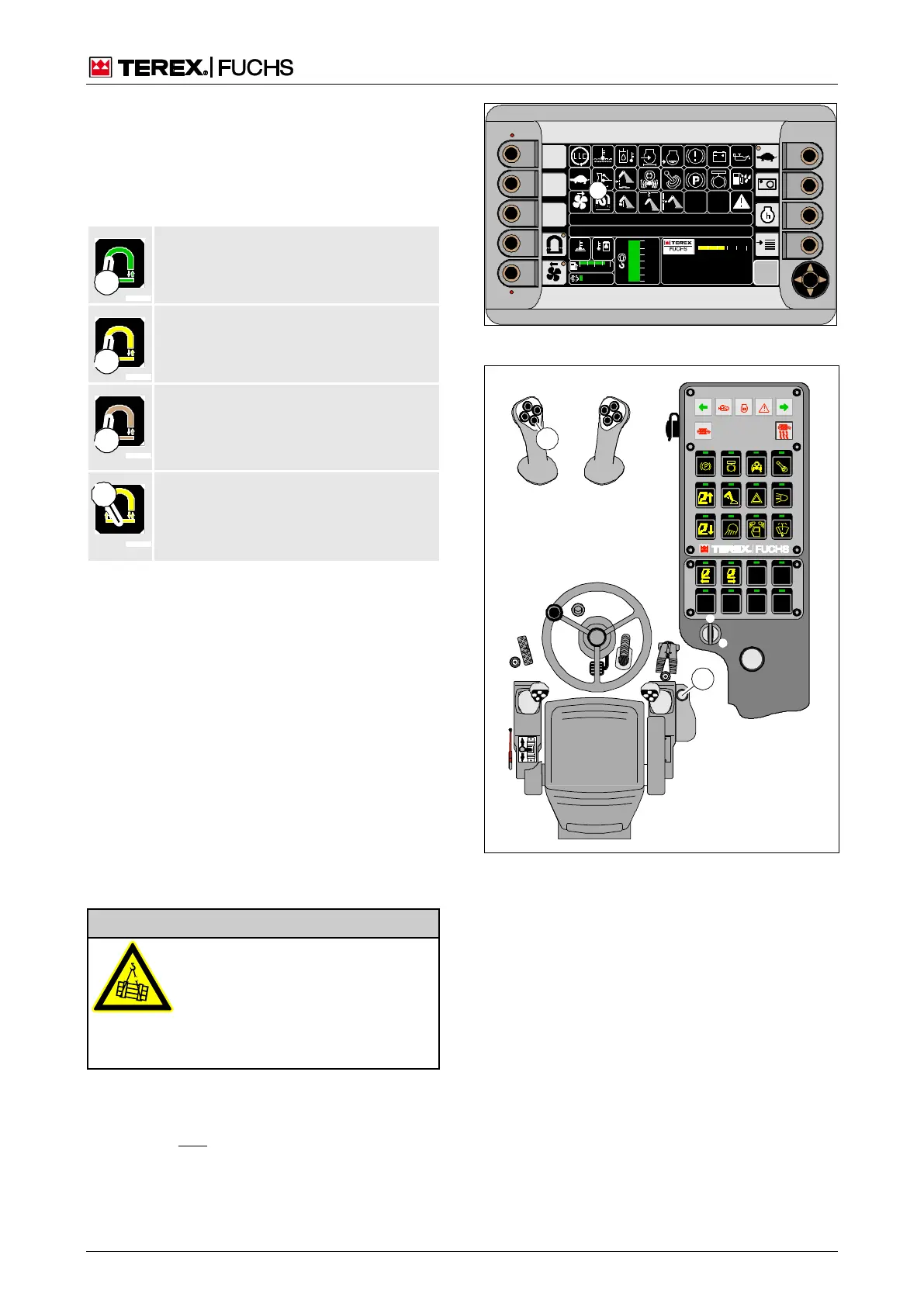
Magnetization and demagnetization
Magnetization and demagnetization is per-
formed with the button toggle (207/43) on the
left-hand four-way lever. Indicator (206/27)
indicates the status of the magnetic plate.
Color (1): green
Magnet system is switched on. Magnet-
ic plate not magnetized.
Magnet system is switched on. Magnet-
ic plate is magnetized.
Magnet system is switched on. Magnet-
ic plate is magnetized. Generator speed
too low.
Value (1): Relative magnetization time
of magnetic plate in relation to the total
operating time of the magnet system.
h Chapter 5.20.1.1 Magnetic plates
Material handing in normal mode
►
Select the operating mode for large parts,
medium parts or chips.
►
Move the magnetic plate toward the mate-
rial.
►
For magnetization, briefly press button
toggle (207/43). Do not do this until just be-
fore you position the magnetic plate.
►
After no more than 5 seconds withdraw the
magnetic plate with the material attached.
► To drop the material, briefly press button
toggle (207/43).
Sorting in jog mode
Risk of injury from falling sorting
material
• Use jog mode only at low working
heights for sorting.
In an emergency: Administer first
aid, seek treatment from a doctor
►
Select jog mode.
►
To pick up the material, press button toggle
(207/43) and hold it down.
►
To drop the material, release button toggle
(207/43).
09 :43 11 .03. 20 11
XXX / XXXX / LE XX X
18 00 U PM
0 5 1 0 15 20 2 5
95°C 7 5°C
0 ½ 1
9 %
120 0
24.X V
120 %
0 %
100 %
80 %
60 %
40 %
20 %
F
27
BSB51136
Fig. 206 Main control display during magnetization
Fig. 207 Magnetic plate button toggle



 To Next Page