The Electronics Pod Assembly (EPOD)
17-8 DSX™ System Service Manual
17.3.3.2. Removing and Replacing the Inlet Filter
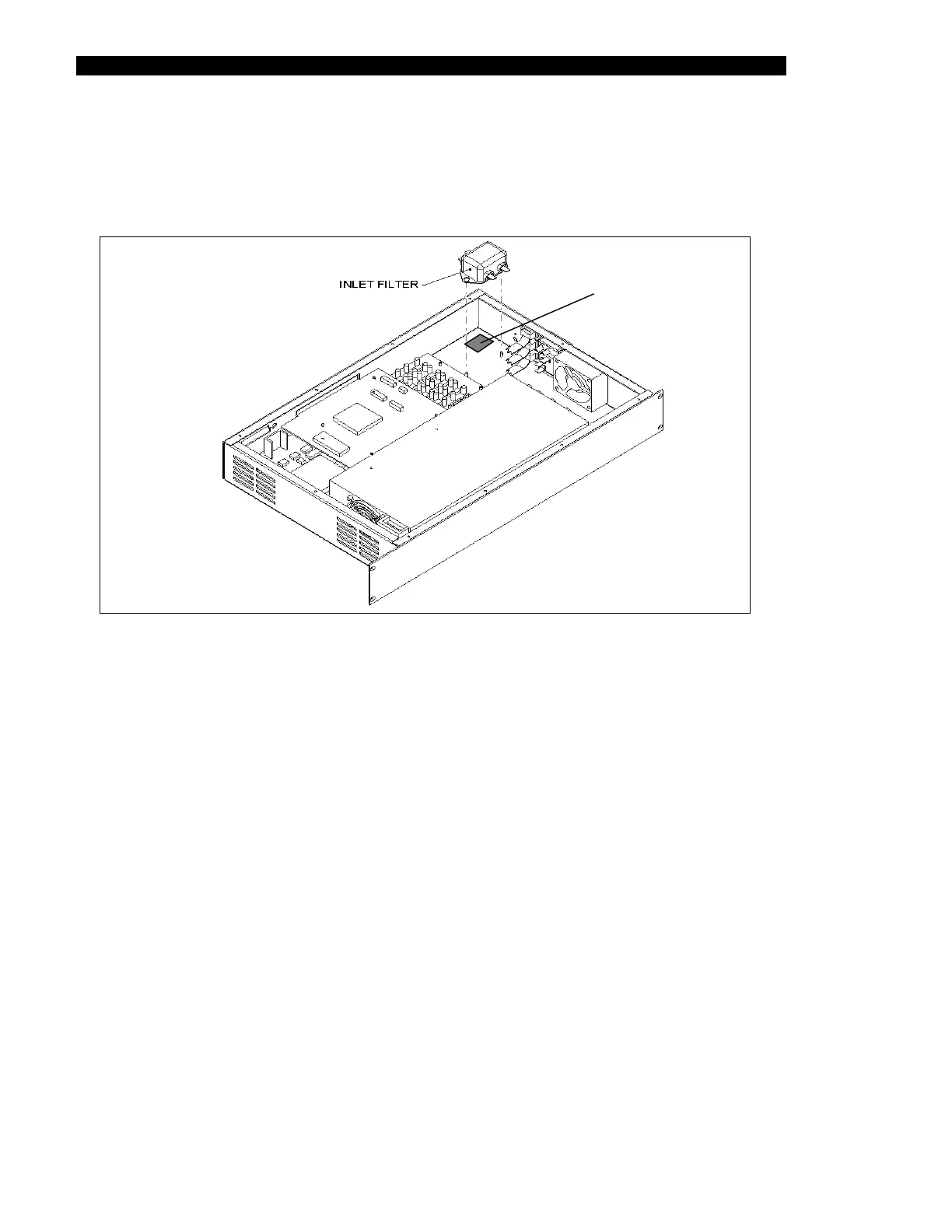
The inlet filter (Part No. 50500160) is mounted on a Tyrap base that is located in the
approximately 7 mm from each corner as shown in Figure 17-6.
Tyrap Base
Figure 17-6 Inlet Filter
To Replace the Filter
1 Remove the two M3 Nyloc Nuts and Two M3 Flat Washers, then remove the
wires from the filter.
2 One end of brown Live Harness (Part No. 15001300) is connected to P (Line
Side) terminal on the filter.
3 One end of blue Neutral Harness (Part No. 15001310) is connected to N (Line
Side) terminal on the filter.
4 The terminal end of green/yellow Long Earth Harness (Part No. 15001280) is
connected to the Middle Earth terminal on the Filter, and twisted together with
wires of brown Live Harness and blue Neutral Harness already connected to filter.
5 The ring terminal of green/yellow Long Earth Harness (Part No. 15001280) from
filter and ring terminal of green/yellow wire from PSU/Filter Harness (Part No.
15001260) is attached to the earth stud in bottom of enclosure using one M4
Shakeproof Washer and one M4 Hex Nut with washer and nut on top of lugs.
Make sure that the ring terminal of wire from PSU/Filter is the topmost lug on
stud.
6 The free end of the twisted brown wire from the PSU/Filter Harness is connected
to the P (Load Side) terminal on the Filter.



 To Next Page