The Electronics Pod Assembly (EPOD)
17-14 DSX™ System Service Manual
17.3.3.6. Removing and Replacing the Capacitor
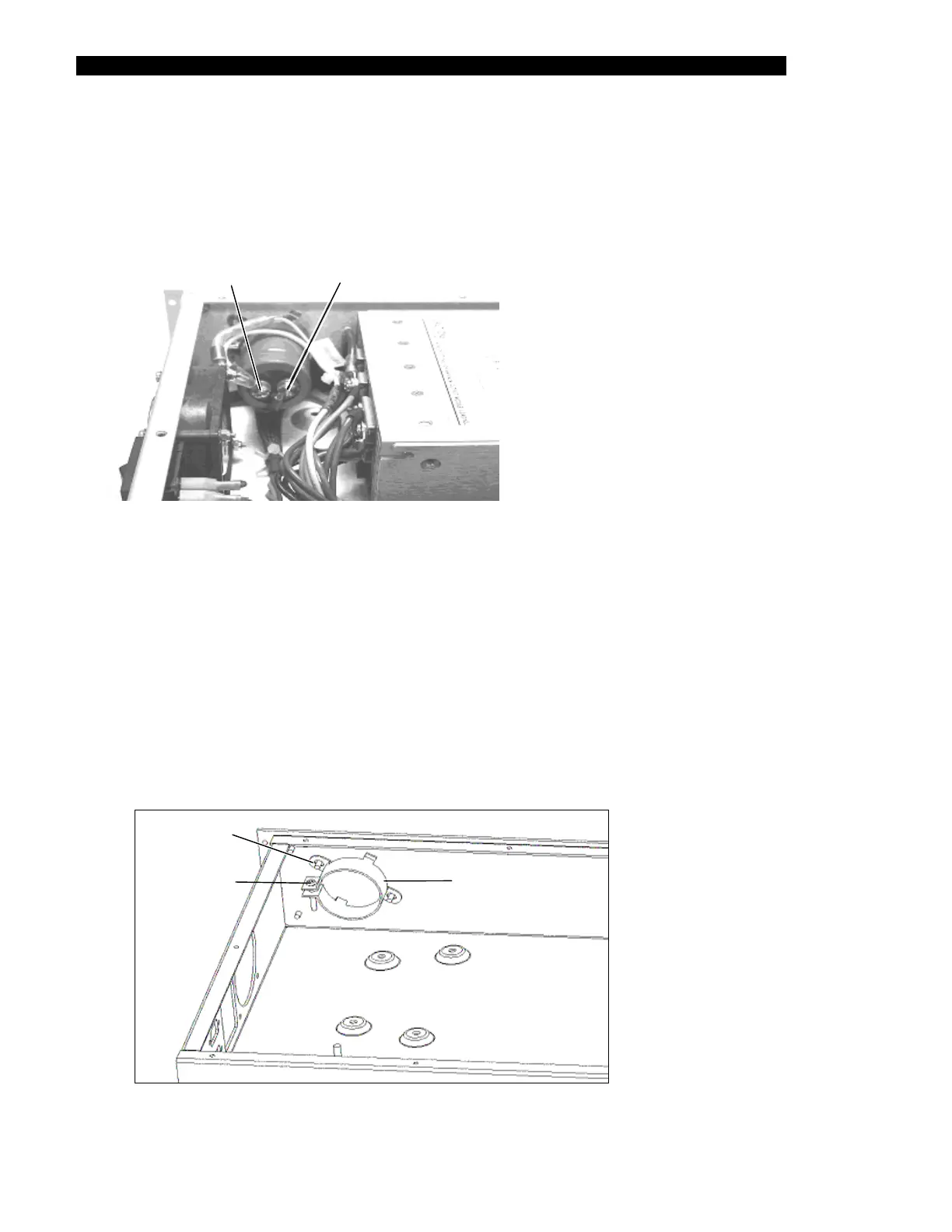
The 18,000 µF @ 35V DC capacitor (Part No. 50100153) is mounted on the side of the
EPOD as shown in Figure 17-12.
Positive (+
Termin
) Negative (-)
Terminal
Figure 17-12 Capacitor
To Replace the Capacitor:
1 From the positive terminal, remove the single yellow wire from the backplane
harness and the lug with the diode on the end of the yellow wire harness.
2 From the negative terminal, remove the blue wire harness with the large lug end
3 Loosen the M3 nut on the top most stud of the mounting bracket closest to the
corner of the enclosure.
4 Loosen the clamp screw on the capacitor-mounting bracket (Figure 17-13).
Loosen Nu
Mounting Bracket
rew Clamp Sc
Figure 17-13 Capacitor Bracket



 To Next Page