The Electronics Pod Assembly (EPOD)
DSX™ System Service Manual 17-15
•
•
•
5 When reinstalling the capacitor, add a small drop of Loctite 222 to the inside of
the clamp screw and tighten until the capacitor is snug in the mounting bracket.
DO NOT OVERTIGHTEN the clamp screw or the capacitor can be crushed.
6 Tighten the M3 nut inside the top-most stud of the mounting bracket closest to the
enclosure to secure the capacitor and complete the mounting bracket installation.
17.3.3.7. Removing the Power Supply Unit
To Remove the Power Supply Unit:
1 Remove the four M4 X 6mm screws and four flat head washers that attach the
power supply to the enclosure.
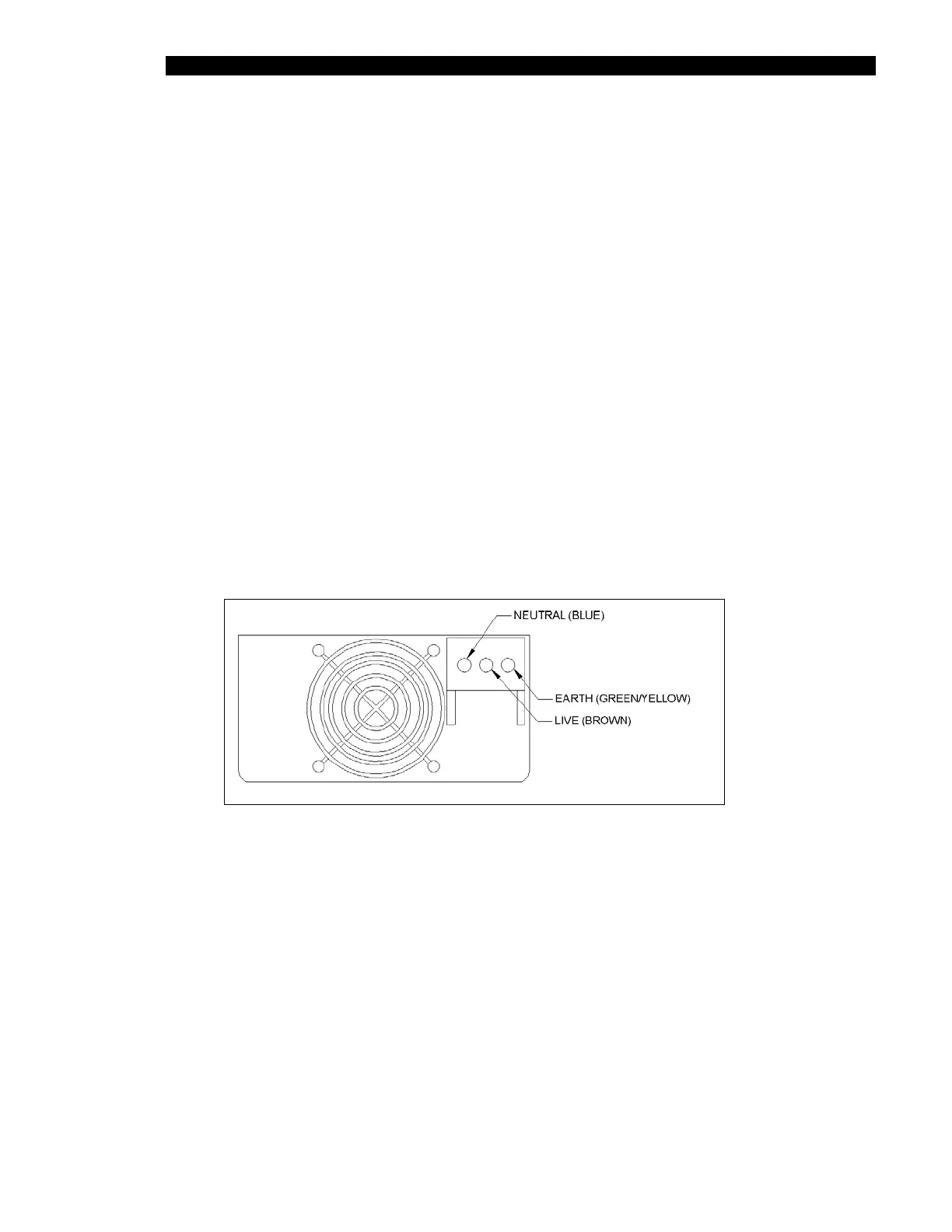
2 Remove the Power Supply Unit (PSU) filter harness to the AC input terminals
(Figure 17-14) of the power supply as follows:
Blue wire ring terminal to the Neutral terminal on the PSU
Brown wire ring terminal to the Live terminal on the PSU
Green/yellow ring terminal to Earth terminal on the PSU
Figure 17-14 AC Input Terminals



 To Next Page