115
12-4. Backing-up Still and Clip Data (HVS-39MB)
To use the still and clip automatic backup feature, an HVS-39MB
should be installed to your
switcher.
An HVS-39MB option allows you to automatically save all still and clip backup data. Automatic
backup is performed every time the user stores an image or clip to a buffer, STILL1-4,
INPUT_STILL1-16 or CLIP1-4.
Automatic backup is performed:
-When still images are sent to STILL1-4 or INPUT_STILL1 to 16 from the OU via a USB flash
drive.
-When still images or clips are sent to STILL1-4, INPUT_STILL1-16 or CLIP1-4 via FTP.
-When still images are captured from input video and saved to STILL1-4.
Each item of backup data can be automatically loaded at startup as well as manually loaded as
needed.
Automatic backup m
ay not be performed in some cases due to successive capturing
still images. To ensure automatic backup, wait at least 15 seconds before next still
capturing.
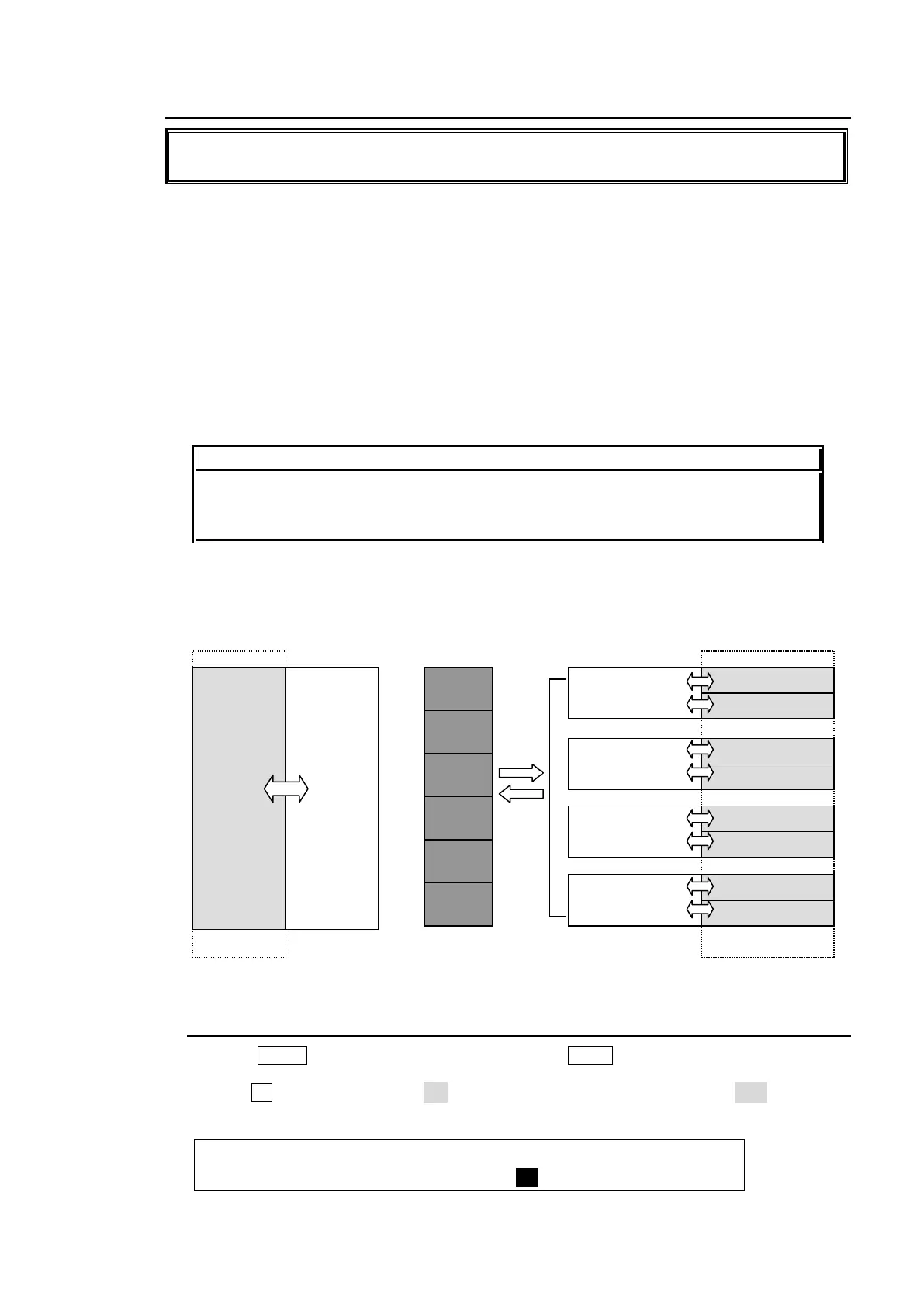
Standard Backup Memory (MEM1-6) and Optional Backup Memory (HVS-39MB)
Six backup registers are provided as standard allowing still images to be saved. If an HVS-39MB
option is installed, all data including STILL1-4 (still images), STILL1-4 (clip data) and
INPUT_STILL1-16 can be backed up.
12-4-1. Setting Automatic Backup to ON
(1) Press MENU in the CONTROL block, then press STILL to open the [STILL] menu.
(2) Go to PAGE 4.
(3) Turn F3 to set BACKUP to ON to enable automatic backup. If set to OFF, backup is
disabled.
STILL :STILL : FUNC :BACKUP : : 4/7
BACKUP :=STIL1 : <LOAD : = ON : :
IN02 STILL
IN03 STILL
IN04 STILL
IN05 STILL
IN06 STILL
IN07 STILL
IN08 STILL
IN09 STILL
IN10 STILL
IN11 STILL
IN12 STILL
IN13 STILL
IN14 STILL
IN15 STILL
IN16 STILL
(still or clip)
IN02 STILL
IN03 STILL
IN04 STILL
IN05 STILL
IN06 STILL
IN07 STILL
IN08 STILL
IN09 STILL
IN10 STILL
IN11 STILL
IN12 STILL
IN13 STILL
IN14 STILL
IN15 STILL
IN16 STILL
(still or clip)
(still or clip)
(still or clip)



 To Next Page