38
WEB CONTROL
15. USER BUTTON
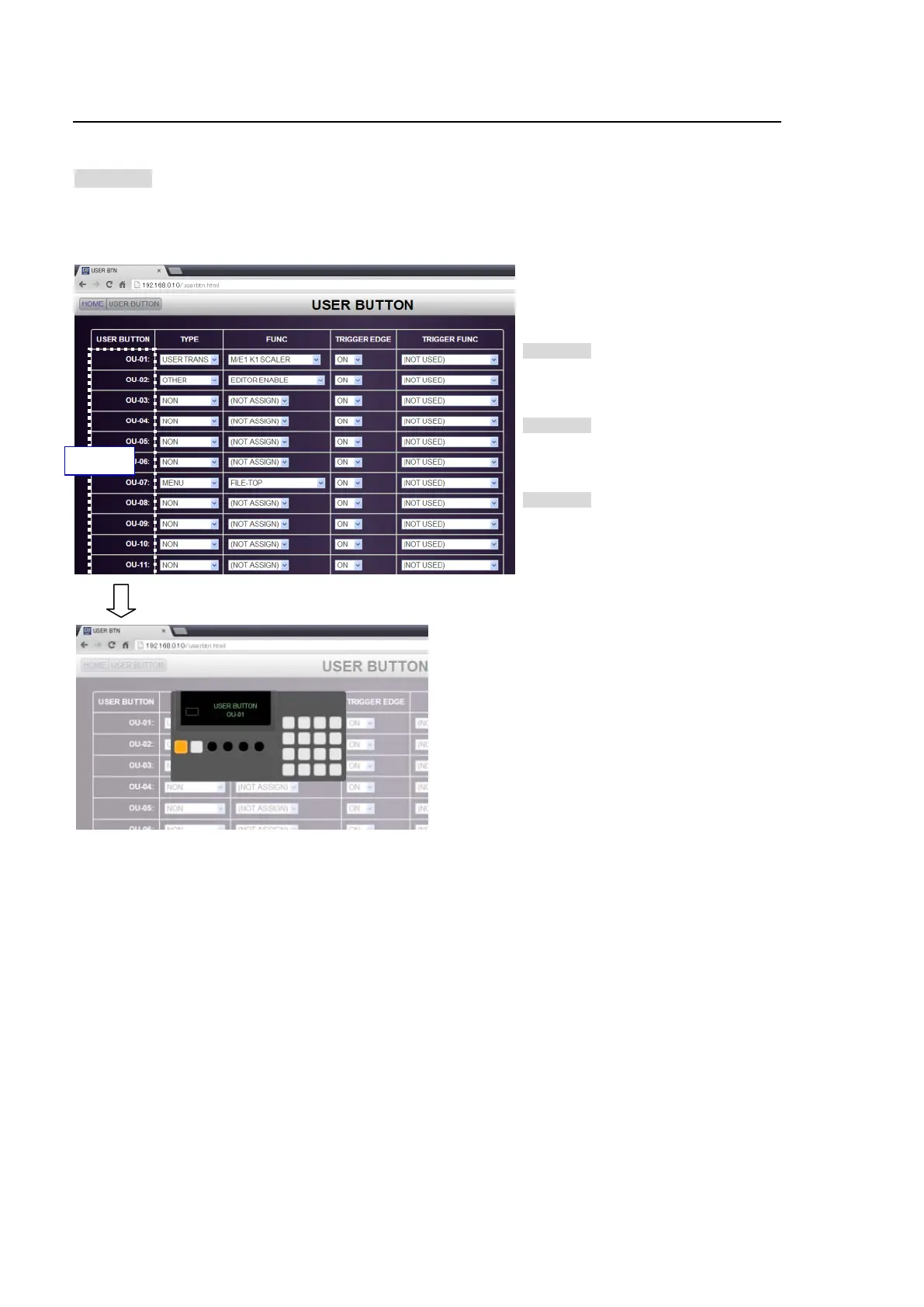
Click USER BUTTON in the HOME screen to display the USER BUTTON menu page, in which
menu pages or various functions can be assigned to user buttons.
>> Manual Sec. 22. "User Button"
Clicking on each User Button label pop-ups a window, in which its location on the control panel is
indicated. To clear the window from the screen, click the label again.
USER BUTTON
>> Manual Sec. 21-1. "USER Button
Operation"
TYPE / FUNC
>> Manual Sec. 21-2. "USER Button
Settings"
TRIGGER EDGE / TRIGGER FUNC
>> Manual Sec. 21-3. "Triggering User
Buttons"
Executing User Buttons
User button functions can be performed on the pop-up menu. See Sec.18-2 "Executing User
Buttons."
Click


 To Next Page