52
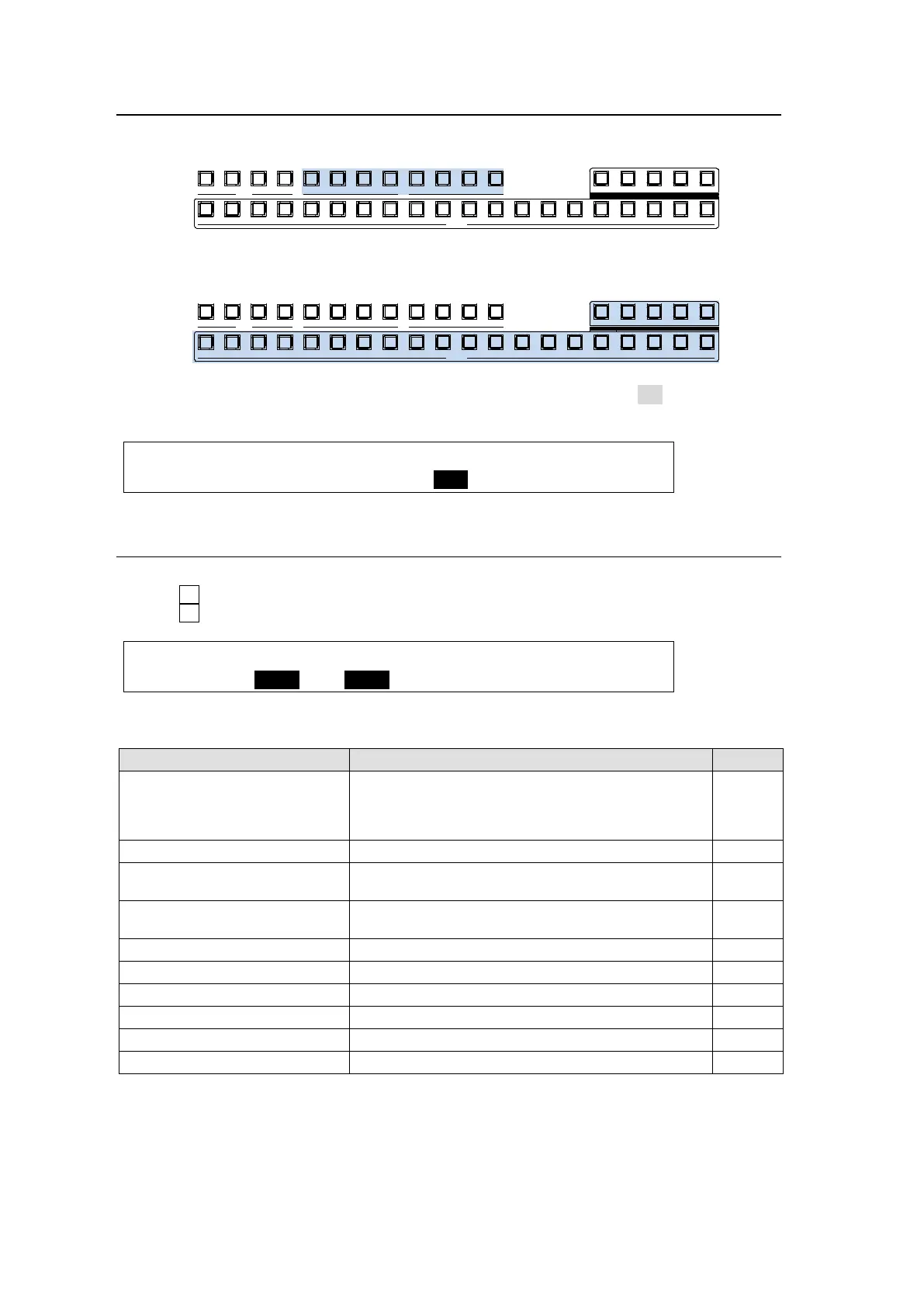
6-2-1. Selecting Video via Bus Buttons
(1) Press an AUX button, from AUX1 to AUX8 indicated below.
(2) Press a button in the KEY/AUX bus section to select a signal for the selected AUX output.
AUX signal selection via bus buttons can be disabled if INHIBIT is set to ON in the [SETUP -
OUTPUT - OUT XPT] (1/4) menu to prevent any operational mistakes.
OUTPUT :SELECT : XPT :INHIBIT:AUX TRS: 1/4
OUT XPT :=AUX1 : =IN01 : =OFF : =OFF :
6-2-2. Selecting Video from Menu Selection
(1) Refer to the previous page to display the [SETUP - OUTPUT - OUT XPT] menu.
(2) Turn F1 to select an AUX bus.
(3) Turn F2 to select a video signal.
OUTPUT :SELECT : XPT :INHIBIT:AUX TRS: 1/4
OUT XPT : =AUX1 : =IN01 : =OFF : =OFF :
Available signal selections are as described below:
Button Signal Refer to
BLACK, IN01-16,
STILL1-4, STILLK1-4
MATT1-2, CLBAR,
IN17-24 (option)
Signals assignable to the bus buttons in M/E1,
M/E2 and KEY/AUX.
5-2
M/E1 PGM M/E1 program video
M/E1 PREV
M/E1 preview video
(next video with or without KEY1-4)
6-3
M/E1 CLEAN
M/E1 clean video
(program video with or without KEY1-4)
6-4
M/E1 KEY Key cut signal for M/E1 program video 6-6
M/E2 PGM (*1) M/E2 program video
M/E2 PREV (*1) M/E2 preview video 6-3
M/E2 CLEAN (*1) M/E2 clean video 6-4
M/E2 KEY (*1) Key cut signal for M/E2 program video 6-6
MV1-2 Multiviewer video 15-1
(*1) Only available if an HVS-39EXTME card is installed.
P GM PREV CLEA N MV1
201918171615141312111098
KEY/AUX
AUX
87654321432
KEYER
1
1 2 3 4 5 6 7
MV2
P GM PREV CLEA N MV1
201918171615141312111098
KEY/AUX
AUX
87654321432
KEYER
1
1 2 3 4 5 6 7
MV2



 To Next Page