149
17-1-7. Editing Sequences: Setting Interpolation and Duration
This section explains how to set the interpolation mode and the playback time using KEY1 as
an example.
Smoothing Movements for KEY1 (Interpolation Mode)
At factory default settings, the movements between steps for the backgrounds and keys are
linearly interpolated. For example, to smoothly interpolate steps for KEY1, proceed as
follows:
(1) Open PAGE 3 in the [SEQ EDIT] menu.
(2) Select ME1K1 at SELECT.
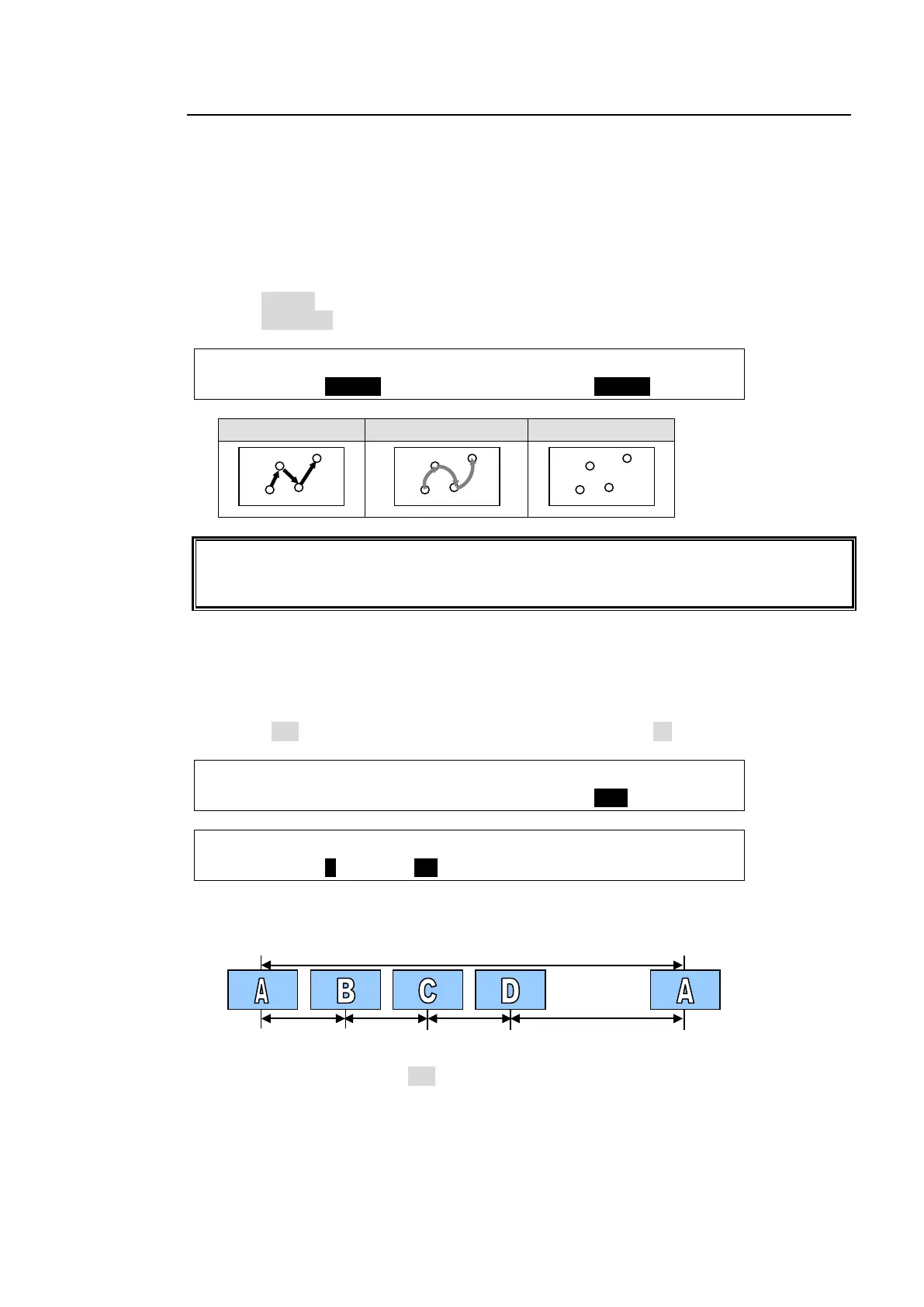
(3) Select SMOOTH at INTERP (interpolation).
SEQ EDIT:SELECT : XPT : TRANS :INTERP : 3/3
CTRL ENA: =ME1K1: =OFF : =AUTO : =SMOOT:
LINE(linear) SMOOTH(curve) CUT
Note that the transitions betwee
n the last step and the first step are performed by CUT
during loop play. Therefore, the transitions between them look smoother when using the
same data for the first and last steps.
Changing Playback Time
At factory default setting, the time intervals between steps are automatically set to 30 frames
(for 60 Hz signals) or 25 frames (for 50 Hz signals).
(1) Display the [SEQ EDIT] menu. In the menu examples below the TOTAL-D (total duration)
value is 120 on PAGE 1 and the DUR (duration) for Step 1 is 30 on PAGE 2.
SEQ EDIT: LOOP : DIR : LINK :TOTAL-D: 1/3
PLAY : =ON : =NORML: =OFF : =120 :
SEQ EDIT: STEP : DUR : BREAK :BRK CTL: 2/3
STEP : =1 : =30 : =ON : =OFF :
(2) For example, change the duration for Step 4 to 60 (frames). The total duration of the
sequence must be 150 (the sum of each step's duration).
When changing TOTAL-D to 200, the duration time of each step automatically increases
while keeping the ratios the same. The values for DUR in the menu, however, are not
changed. In such case, they represent not the real values but the relative values (ratios).



 To Next Page