39
WEB CONTROL
16. COPY SWAP
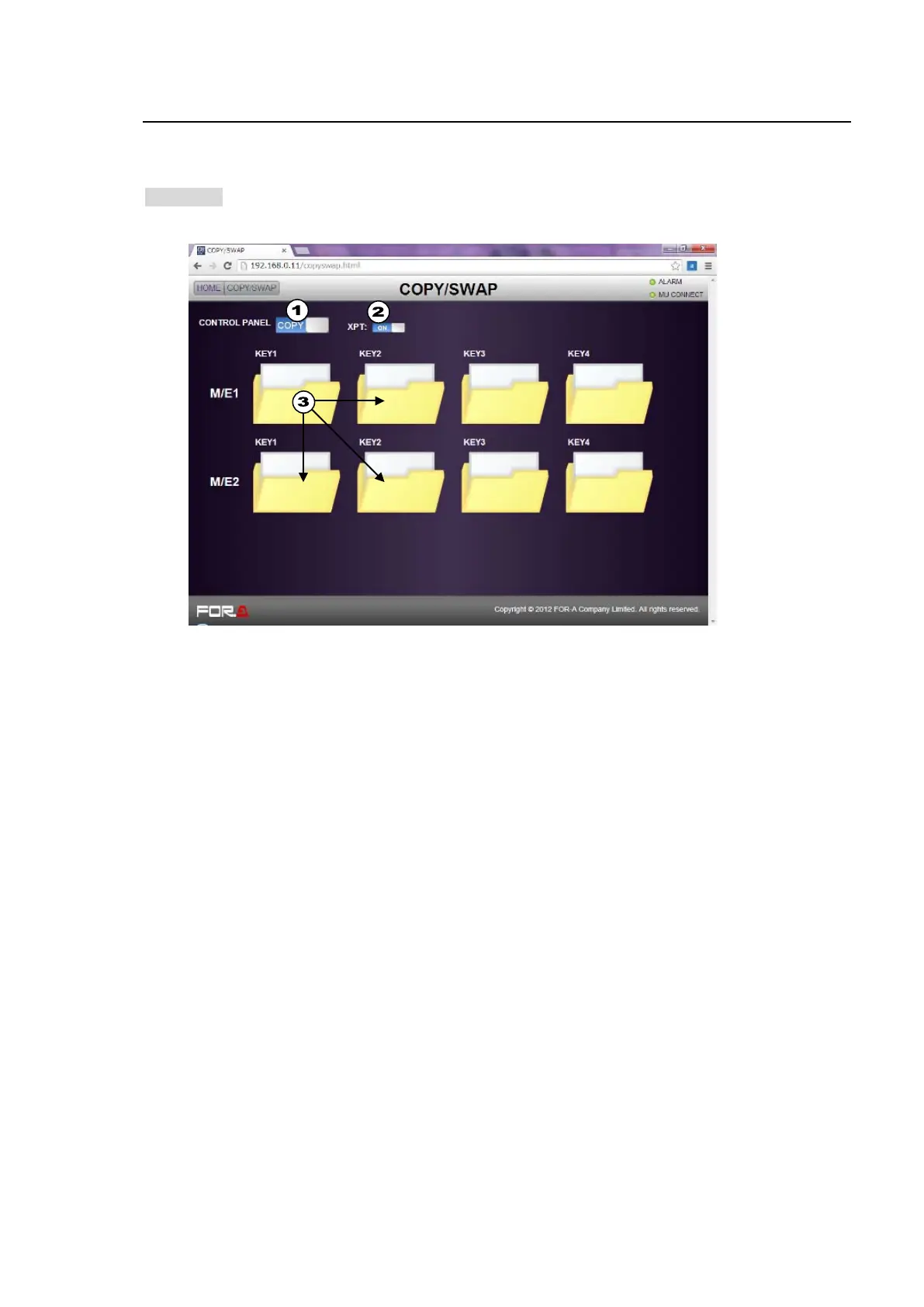
Click COPY SWAP in the HOME screen to display the COPY SWAP menu page, in which keyer
settings can be easily copied from one to another (for example, KEY1 to KEY2 or KEY3) or
swapped between keyers.
>> Manual Sec. 4-3. "Copying / Swapping Settings"
(1) Click to select COPY or SWAP in the CONTROL PANEL field.
(2) If copying or swapping signal selections, set XPT to ON.
(3) Drag & drop from one bus folder to another. (M/E1KEY1 settings are copied to M/E1KEY2,
M/E2KEY1 and M/E2KEY2 in the example in the figure above.)



 To Next Page