34
WEB CONTROL
11. WIPE PATTERN
Click PATTERN in the HOME screen to display the WIPE PATTERN menu page.
This page allows you to easily assign transition patterns to background and key buses.
>> Manual Sec. 8-8-1. "Selecting Patterns in the Menu"
11-1. WIPE PATTERN - WIPE/1ch DVE/2chDVE/Other
The WIPE, 1chDVE, 2chDVE and Other tabs allows you to assign patterns to buses.
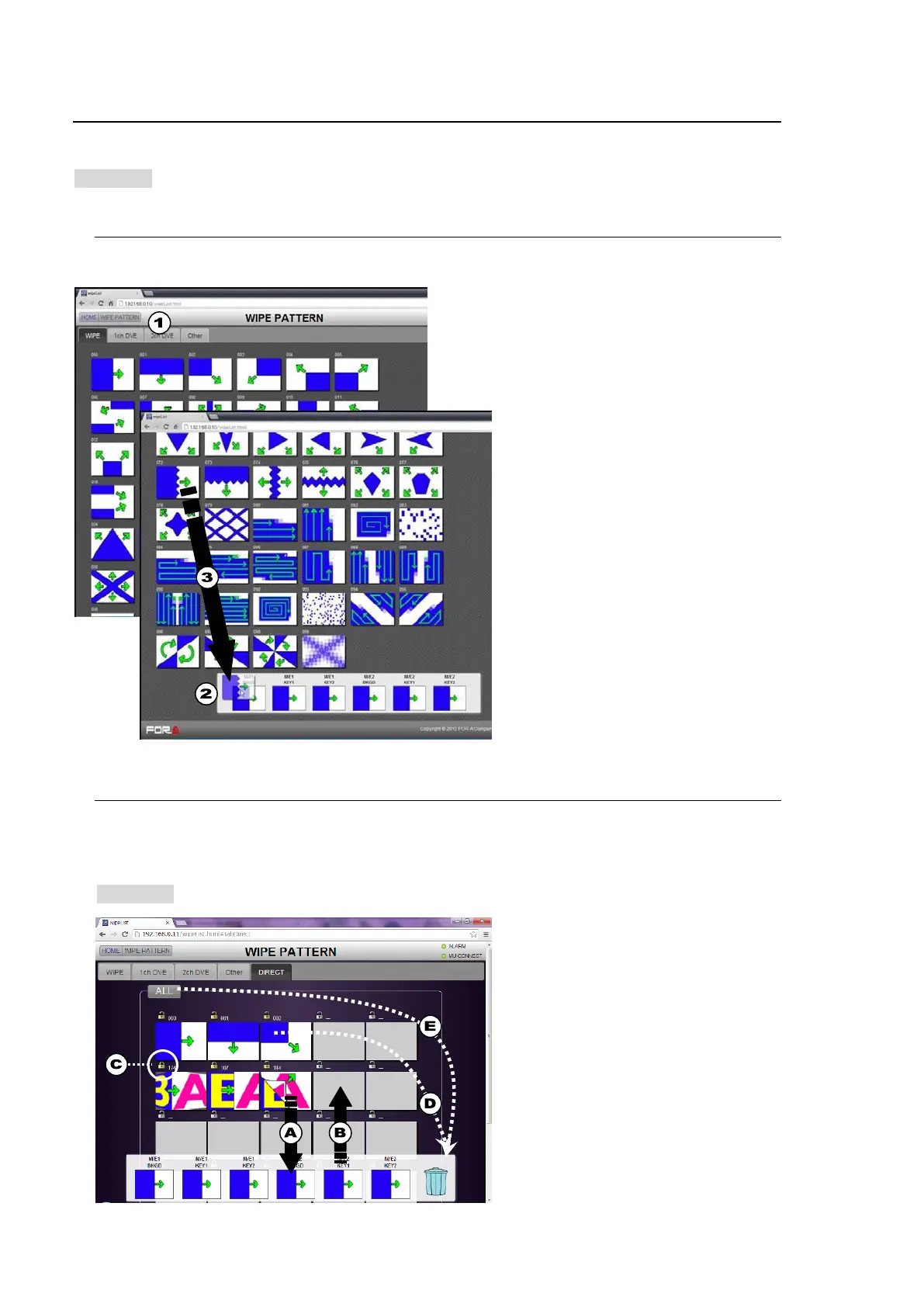
(1) Click a tab to select the pattern type.
(2) The M/E1 BKGD, M/E1 KEY1 to KEY2,
M/E2 BKGD and M/E2 KEY1 to 2 bus
icons appear on the bottom of the screen.
(3) Drag a pattern and drop it onto the desired
bus icon.
* Note that 2ch-DVE patterns (No. 170 and
higher) cannot be assigned to keys.
11-2. WIPE PATTERN - DIRECT
Clicking the DIRECT tab in the WIPE PATTERN menu page, or WIPE in the HOME screen
displays the following screen, in which patterns can be saved to and deleted from the DIRECT
pattern list, and be easily assigned to buses.
>> Manual Sec. 8-8-2. "Direct Pattern Function"
(A) To assign patterns to buses, drag & drop a
pattern to a bus.
(B) To save patterns to the Direct Pattern list,
drag & drop a bus to the list. The pattern
assigned to the bus is saved to the list.
(C) To lock or unlock each pattern in the list,
click the Lock icon.
(D) To delete a pattern from the list, drag &
drop the pattern to the Recycle Bin (Trash
Box).
(E) To delete all patterns from the list, drag &
drop ALL to the Recycle Bin (Trash Box).



 To Next Page