233
33-3. 2.5M/E Mode
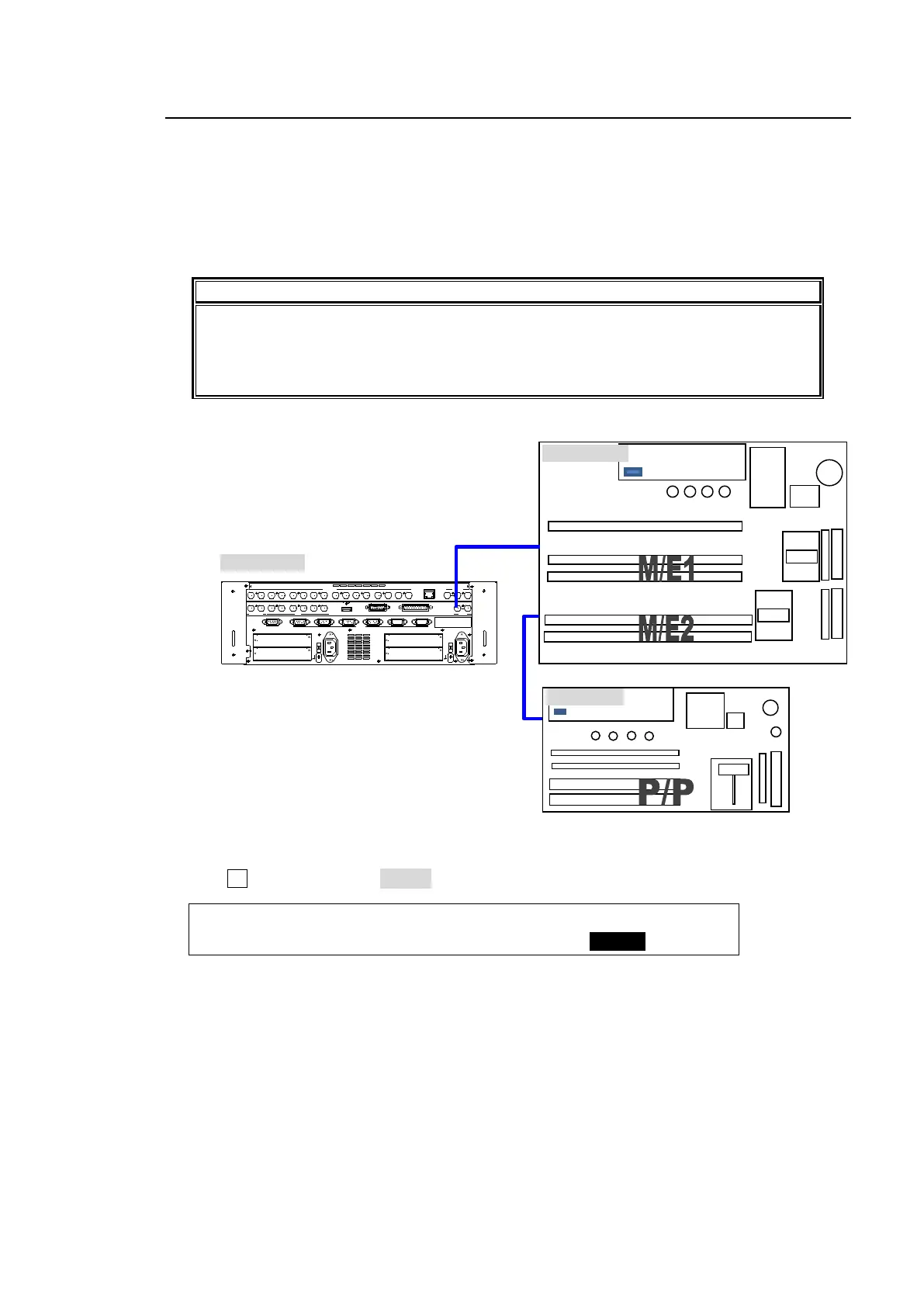
When an HVS-39EXTME option is installed, the switcher can operate in 2.5 M/E mode, in
addition to regular 2 M/E mode.
When changing to 2.5M/E mode, a P/P bank is available as well as the M/E1 and M/E2 banks.
The P/P bank provides background CUT and MIX transitions and 4 key operations (by assigning
KEY3 and KEY4 of M/E1 and M/E2). Re-entry inputs of M/E1 and M/E2 are also available.
A control or remote panel (HVS-391OU, HVS-30OU or HVS-30RU) is required for P/P
operation.
Note that AUX7 and AUX8 cannot be used on the switcher in 2.5 M/E mode.
2.5M/E mode cannot be selected if NTSC or PAL
is set for the system format.
Furthermore, the virtual option (HVS-39VR) and 2.5 M/E mode cannot be used at the
same time.
Switcher Control Image
Changing to 2.5 M/E Mode
(1) Open the [SETUP - FUNCTION - M/E_KEY] menu on the control panel.
(2) Turn F4 to set EXT ME to 2.5M/E.
FUNCTION:TRSEDGE:KEY LNK: :EXT ME : 1/2
M/E_KEY : =ON : =ON : : =2.5ME:
ED IT OR
OPT ION SL OT
AC100-240V 50/60Hz IN
2
RS-422
AUX HDMI GPI INSDI OUT PUT
1 2
A
B
1 2 1 2 1 2
1 2 3 4 5 6 7 8
SDI I NPUT
9 10 11 12 13 14 1615
GPI/TALLY OUT
OPT ION SL OT
C
D
1
AC100-240V 50/60Hz IN
RATING LABEL
T O OU
GEN LOCK
REF IN REF OUT
L AN
1 2 3 4 5 6



 To Next Page