42
WEB CONTROL
18-2. Executing User Buttons
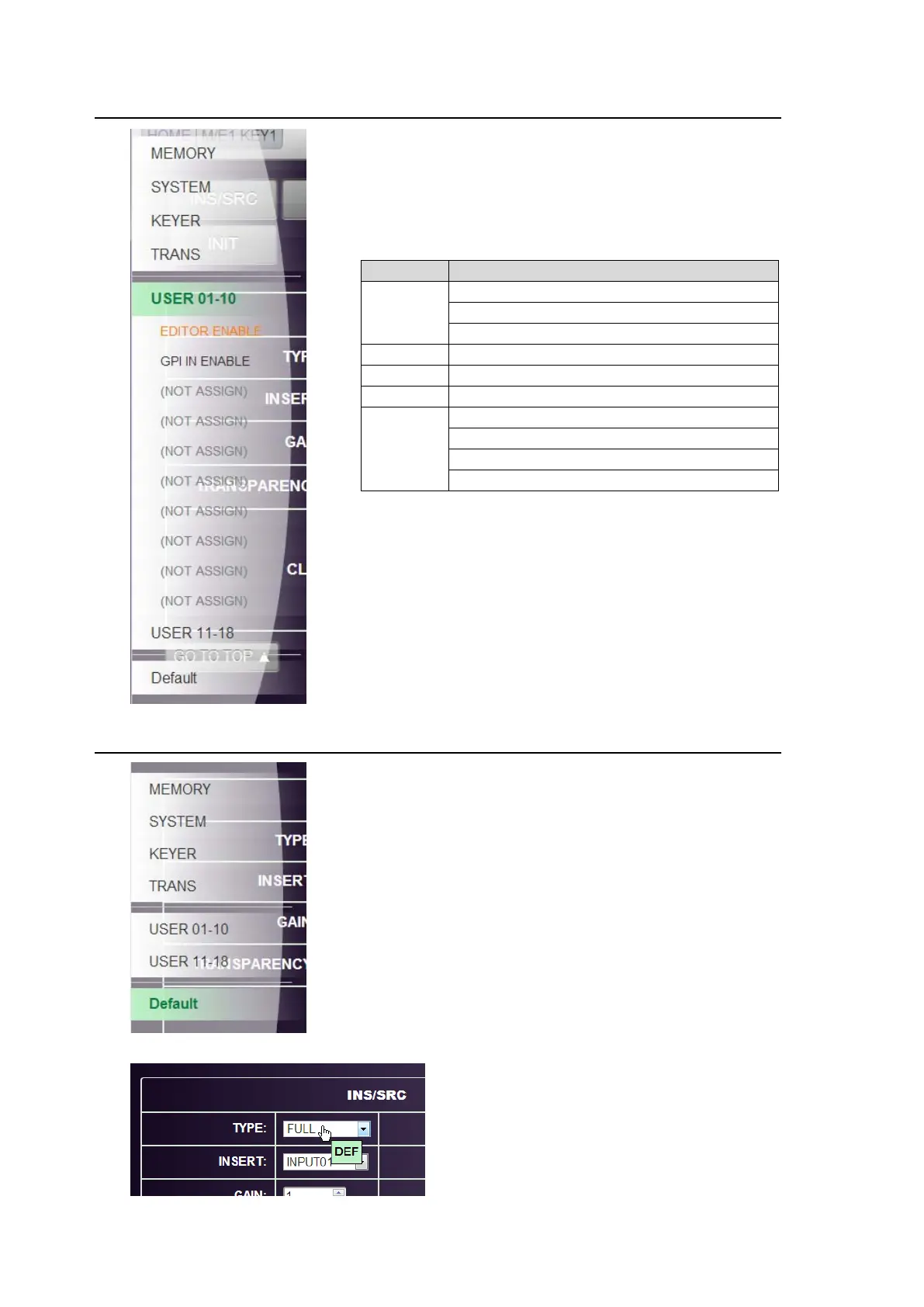
Click on USER01-10 or USER11-18 in the pop-up menu
to display the user buttons and their functions, which
were assigned under OU USER BUTTON.
Click a user button to execute its function.
Note that the following functions are unable to be performed on
the GUI.
TYPE
FUNC
MENU
FILE-TOP
FILE-LOAD
FILE-SAVE
VTR
VDCP REC
SEQ
SEQ FADER LINK
STILL
INPUT STILL STORE
OTHER
ROUTER ENABLE
ME CONTROL ENABLE
FS ENABLE
MACRO BUS SELECT
18-3. Setting Parameters to Default
If menu parameters are able to be reset on the GUI,
Default will be displayed at the bottom of the context
menu.
To reset a parameter:
(1) Click Default in the pop-up menu to change the
mode to Default. "DEF" will displayed as shown
below.
(2) Click on a parameter value (in a select box, text box
or ON/OFF button) to reset the parameter.
To exit Default mode:
Click Default in the pop-up menu again.



 To Next Page