116
Automatic backup is enabled or disabled for all STILL1-4, INPUT_STILL1-16 and CLIP1-4,
images and cannot be set individually for each file.
12-4-2. Loading Backup Data
(1) In [STILL] menu PAGE 4, Turn F1 to select a still or clip for backup from STILL1 to 4,
INPUT_STILL1 to16 and CLIP1 to 4.
(2) Turn F2 to select LOAD. Then press F2 to load the backup data.
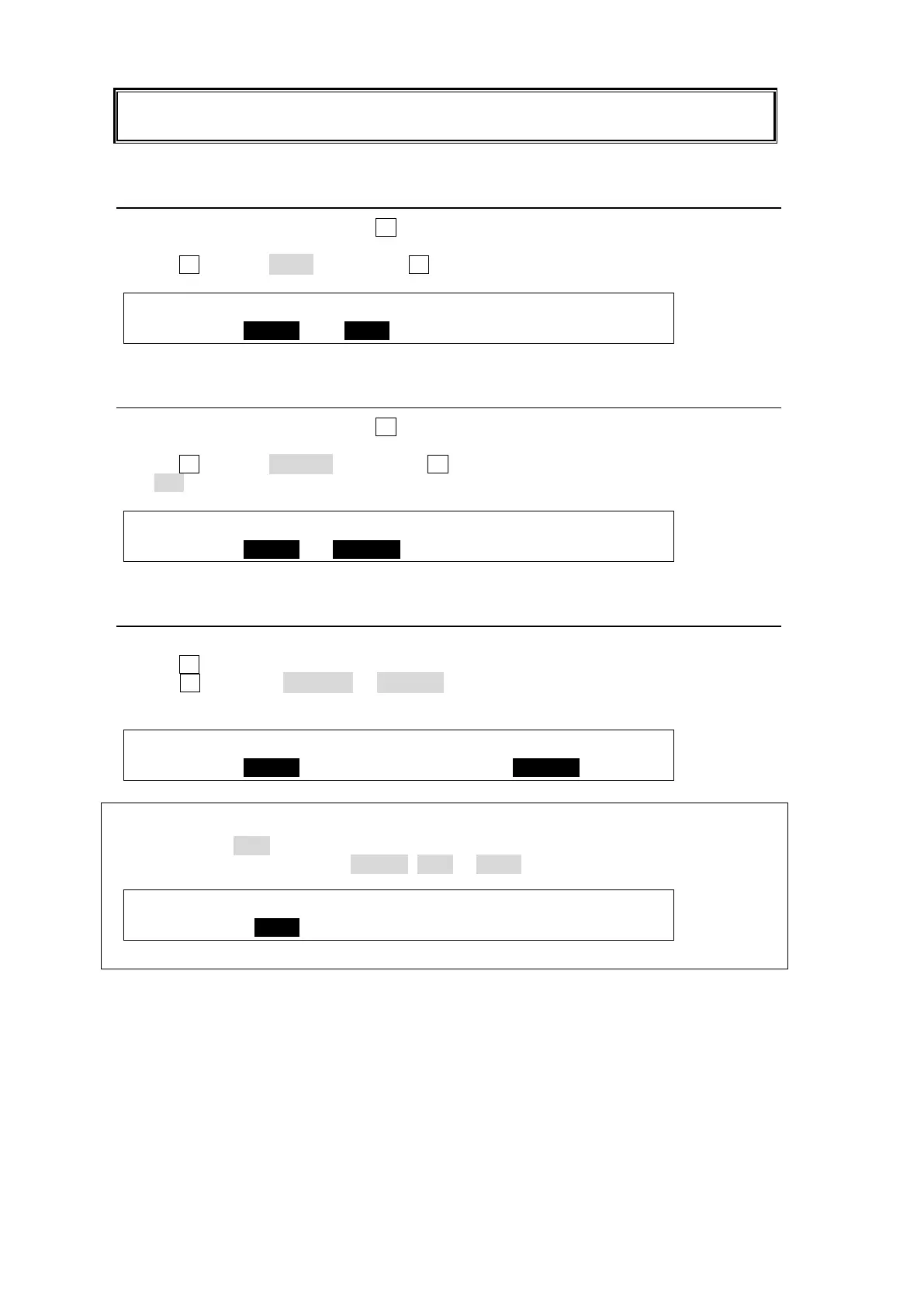
STILL :STILL : FUNC :BACKUP : : 4/7
BACKUP :=STIL1 : <LOAD : =ON : :
12-4-3. Deleting Backup Data
(1) In [STILL] menu PAGE 4, Turn F1 to select a still or clip for backup from STILL1 to 4,
INPUT_STILL1 to16, CLIP1 to 4 and ALL.
(2) Turn F2 to select DELETE. Then press F2 to delete the backup data.
If ALL is selected, all backup data will be cleared.
STILL :STILL : FUNC :BACKUP : : 4/7
BACKUP :=STIL1 :<DELETE: =ON : :
12-4-4. Automatic Loading at Startup
(1) Open [STILL] menu PAGE 3.
(2) Turn F1 to select a still to be loaded from STIL1 to 4 and INPUT_STILL1 to16.
(3) Turn F4 to change RESUME to BACKUP. In the setting example below, backup data is
automatically loaded from HVS-39MB to STILL1 at startup.
STILL :STILL : FUNC :MEMORY :RESUME : 3/7
BACKUP :=STIL1 : <LOAD : =MEM1 :=BACKUP:
Which is loaded to Stills, a still image or movie clip?
For example, if CLIP is selected for STILL1 in [STILL] menu PAGE 1 as shown below, clip
data will be loaded to STILL1. If FRAME, ODD or EVEN is selected, still data will be loaded.
STILL :STILL1 :STILL2 :STILL3 :STILL4 : 1/6
STORE : >CLIP : >FRAME: >FRAME: >FRAME:



 To Next Page