49
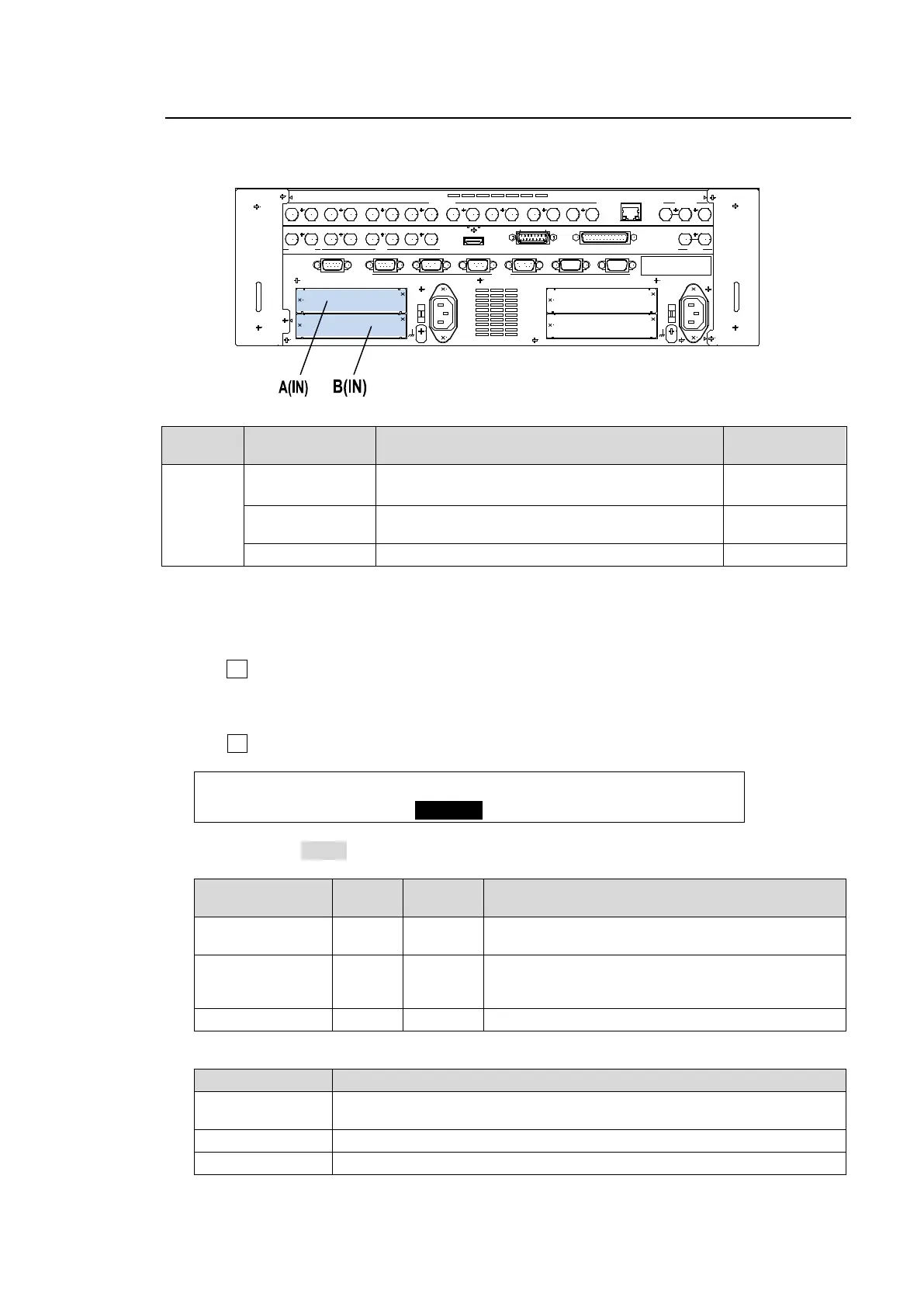
5-11. Setting up Additional Inputs
Up to 4 cards of additional inputs can be installed into slots A and Slot B.
Option
Slot
Available card Signal (connector)
Number of
inputs per card
A, B
HVS-30HSDI-A
HVS-30HSDI
HD/SD SDI (BNC) (w/ FS)
HD/SD SDI (BNC) (w/ FS and up-size function)
4 inputs
HVS-30HSAI
HD/SD analog component or
Analog composite (BNC, mini-DIN 7-pin)
2 inputs
HVS-30PCIN Digital RGB (DVI-D) / Analog RGB signal (VGA) 2 inputs
Each card provides four or two channels of input and each channel can be set up respectively as
described below.
(1) Open the [SETUP - INPUT - SIGNAL] menu.
(2) Turn F1 to select an input channel. Select from IN17 to IN20 if the card installed to Slot A has
four inputs. Select between IN17 and IN18 if the card installed to Slot A has two inputs. In the
same way select from successive numbers after the inputs on Slot A if the card is installed to
Slot B.
(3) Turn F2 to specify the signal format for the channel.
INPUT :SELECT : FORMAT :RESIZE : FS : 1/4
SIGNAL : =IN17 : =HD-SDI : =--- : =OFF:
Normally set to AUTO. The following settings are available as needed.
Expansion card Slot
Number
of inputs
FORMAT setting
HVS-30HSDI-A
HVS-30HSDI
A, B 4 inputs AUTO, HD-SDI, SD-SDI
HVS-30PCIN A, B 2 inputs
AUTO (If set to AUTO, input signal format is
automatically detected and set.) (See the table
below.)
HVS-30HSAI A, B 2 inputs HD Component, SD Component, Composite
HVS-30PCIN available format
Format Resolution
1080
1024 x 768 (XGA), 1280 x 1024 (SXGA), 1600 x 1200 (UXGA),
1280 x 768 (WXGA), 1920 x 1200 (WUXGA)
720 1024 x 768 (XGA), 1280 x 1024 (SXGA), 1280 x 768 (WXGA)
SD 640 x 480 (VGA), 800 x 600 (SVGA), 1024 x 768 (XGA)
EDI T OR
OPTI ON SLOT
AC100-240V 50/60Hz IN
2
RS-422
AUX HDMI GPI INSDI OUTPUT
1 2
A
B
1 2 1 2 1 2
1 2 3 4 5 6 7 8
SDI INPUT
9 10 11 12 13 14 1615
GPI/TALLY OUT
OPTI ON SLOT
C
D
1
AC100-240V 50/60Hz IN
RATING LABEL
TO OU
GENLOCK
REF IN REF OUT
L AN
1 2 3 4 5 6



 To Next Page