37
WEB CONTROL
14. BUS TRANS
Click BUS TRANS in the HOME screen to display the BUS TRANS menu page, in which almost the
same transition operations as those on the control panel can be performed.
>> Manual Sec. 8. "Transitions"
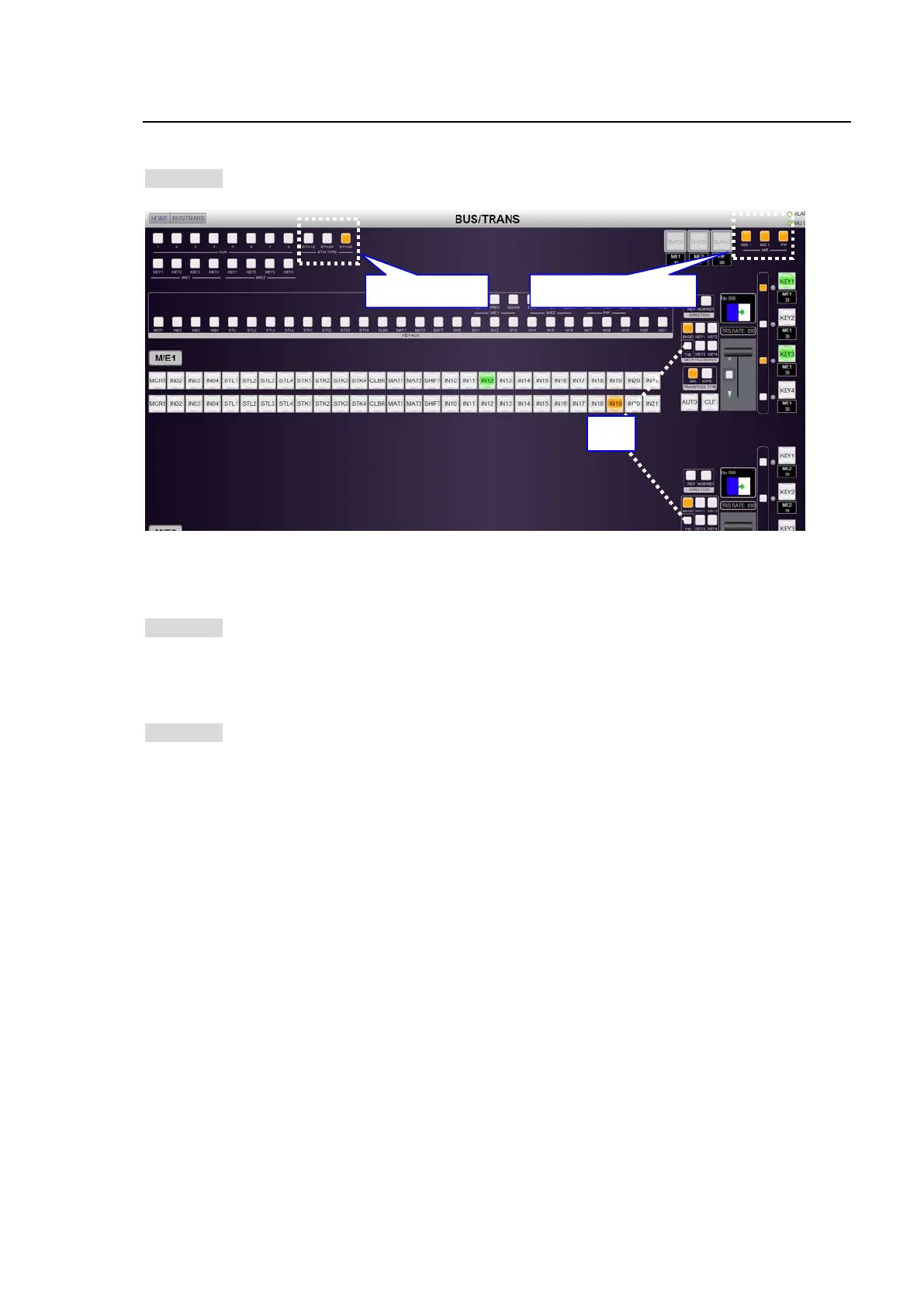
The following two features can be performed only on the GUI.
TIE Transition Setup
Click TIE to turn on. Successively click buses to be set to the next transition.
>> Manual Sec. 8-6. "Simultaneous BKGD and Key Transitions"
Show / Hide M/E Banks
If an HVS-39EXTME card is installed, a P/P bank is available as well as two M/E banks. In such
case, click each button to show or hide the corresponding bank.
>> Manual Sec. 33-3. "2.5 M/E Mode"
Bus Button Display Type Selection
Three BTN TYPE buttons in the right side of the AUX bus buttons allows you to select the number
of the displayed bus buttons from 12, 20 and 28. This selection is shared with all GUIs and held
after the switcher is powered off.
Show/Hide M/Es.
TIE
BTN TYPE Select



 To Next Page