17
HVS-30OU
6-4. Background Transitions
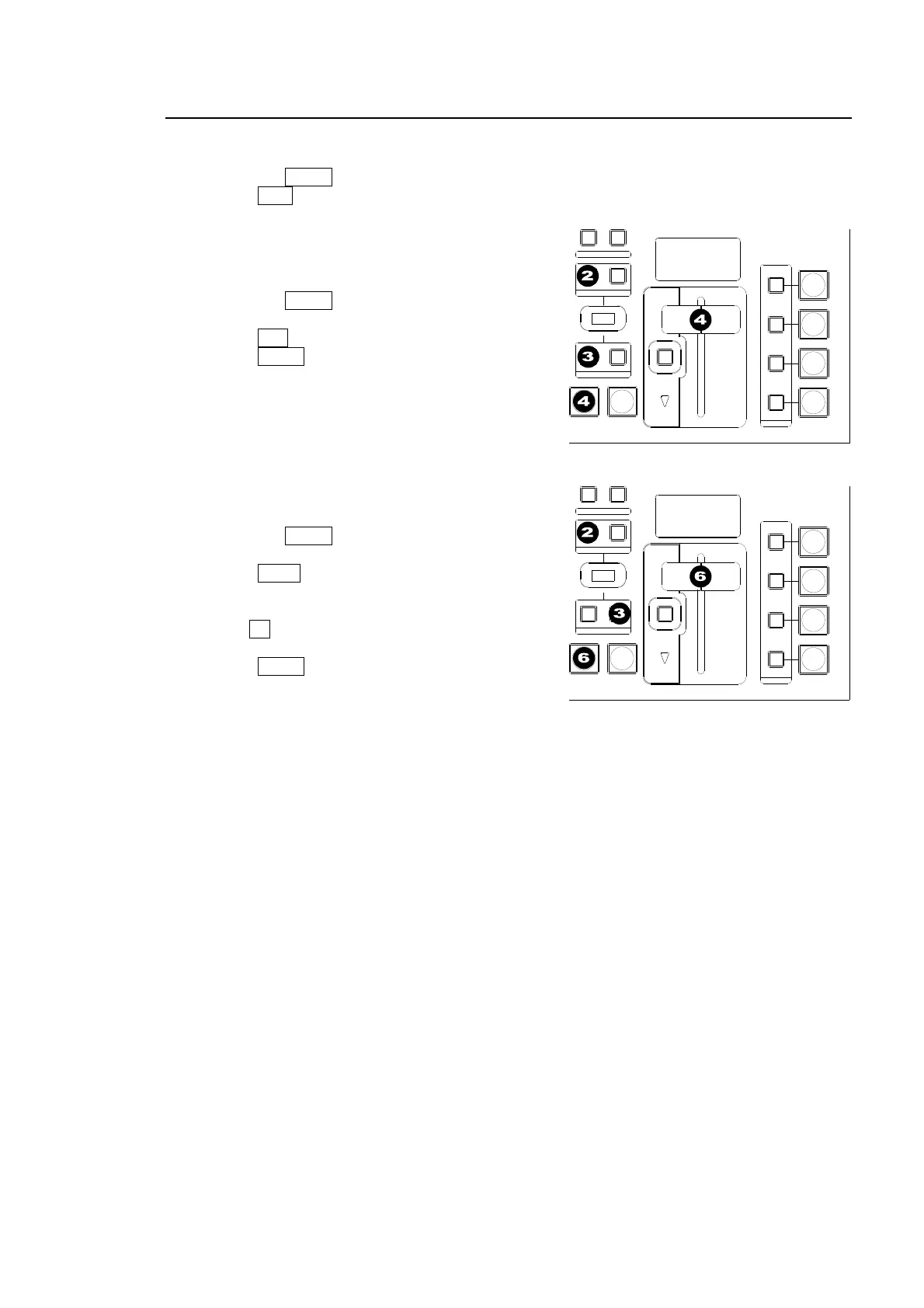
CUT Transition
(1) Select a video source in the PST bus block.
(2) Press the BKGD button in the NEXT TRANSITION block.
(3) Press CUT to perform the background CUT transition.
MIX Transition
(1) Select a video source in the PST bus block.
(2) Press the BKGD button in the NEXT
TRANSITION block.
(3) Press MIX in the TRANSITION TYPE block.
(4) Press AUTO or move the fader lever
to perform the background MIX transition.
Pattern Transitions
(1) Select a video source in the PST bus block.
(2) Press the BKGD button in the NEXT
TRANSITION block.
(3) Press WIPE in the TRANSITION TYPE block.
(4) The [WIPE PATTERN] menu appears in the
menu display.
(5) Turn F1 to select a desired pattern.
(See section 6-5 "How to Select Patterns.")
(6) Press AUTO or move the fader lever to
perform the pattern transition.
To Check Next Video:
To check the Preview video, assign the Preview video to an AUX bus to display the image. To
check the clean video, assign the Clean video to an AUX bus to display the clear signal of
program video.
AUTO CUT
DSK
KEYER
P IN P
1
2
P IN P
NOR/REVREV
BKGD
WIPEMIX
KEYER
FADER LIMIT
ON AIR
DIRECTION
NEXT TRANSITION
PATTERN/RATE
TRANSITION TYPE
AUTO CUT
DSK
KEYER
P IN P
1
2
P IN P
NOR/REVREV
BKGD
WIPEMIX
KEYER
FADER LIMIT
ON AIR
DIRECTION
NEXT TRANSITION
PATTERN/RATE
TRANSITION TYPE



 To Next Page