157
18-5. Macro Memory Operation
18-5-1. Overwrite Protection
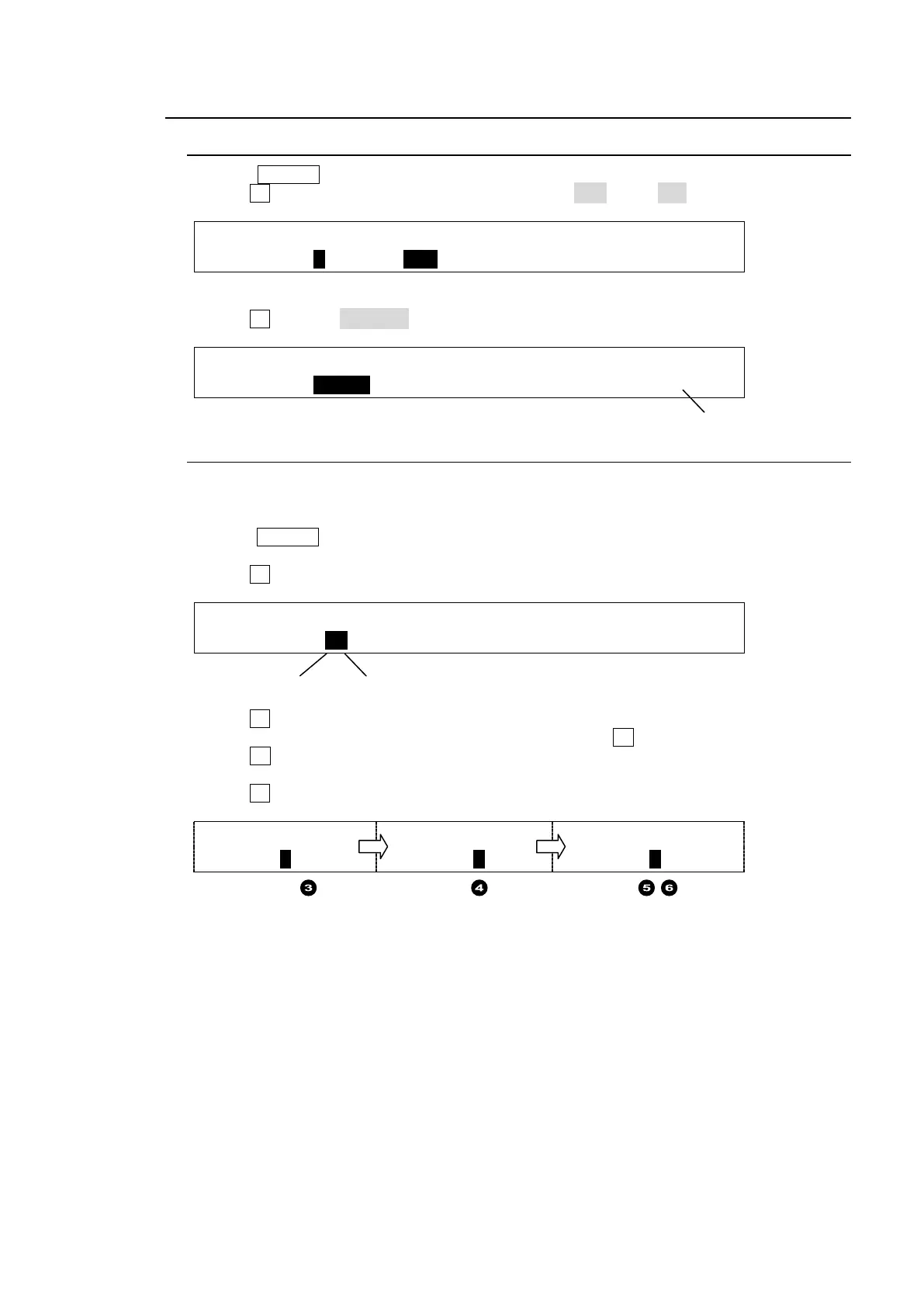
(1) Press MACRO in the MEMORY block to display the [MACRO MEMORY] menu.
(2) Turn F1 to select a memory page. Set DIRECT to OFF, if it is ON.
MACRO : PAGE :DIRECT :PAGECLR: : 1/3
MEMORY : =0 : =OFF : >CRNT : : L=0
(3) Press a macro number button on the keypad. The [MACRO RECALL] menu will appear.
(4) Turn F1 to select DISABLE to set write protection on the number button.
MACRO :OVER WR:DELETE : NAME = MCR01 : 1/1
RECALL : =DSBLE: >OFF : STEP = 60 :P.00
18-5-2. Naming Macros
Macros are named as MCR 00 to MCR 39 by default. Names for registered macros can be
changed using the menu as shown below. Up to 6 characters are available.
(1) Press MACRO in the MEMORY block to display the [MACRO MEMORY] menu and press
the page down button to go to PAGE 2.
(2) Turn F1 to select a macro number button.
MACRO :SELECT :NAME : : : 2/3
MEMORY : =12 : =MCR12: : :
(3) Turn F2 to move to the target character. ("R" in the example below.)
(4) Once the character is displayed in reverse video, press F2.
(5) Turn F2 to select a new character. ("0" is selected instead of "R" in the example below.)
Alphanumeric characters and symbols are available.
(6) Turn F2 to confirm the selection.
:NAME : :NAME : :NAME :
: =MCR12:
: =MCR12: : =MC012:
(7) Repeat Step (3) to (6) to change the macro name.
Page No.
Page No. Memory No.



 To Next Page