12
WEB CONTROL
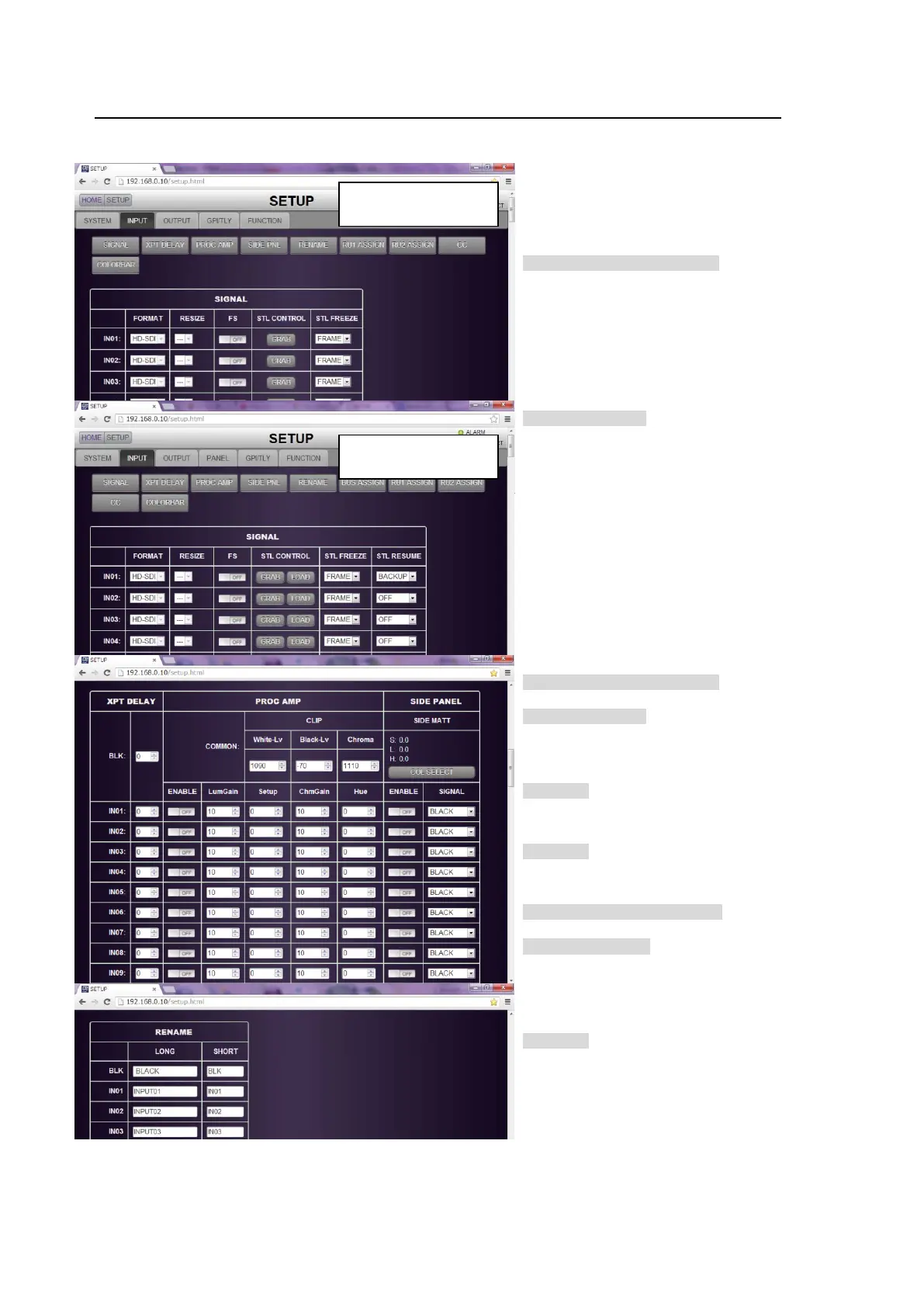
6-2. SETUP - INPUT
Click the INPUT tab to display and set the INPUT menu.
Click a button to go to the desired menu
block. See the operation manual main
pages for details on each function.
SIGNAL
>> Manual (392OU/ROU/WOU)
FORMAT Secs. 5-4 and
5-10
RESIZE Sec. 5-4
FS Sec. 5-8
STL CTRL * Sec. 5-5
STL FREEZE Sec. 5-5
STL RESUME * Sec. 12-4-4
>> Manual (391OU)
FORMAT Secs. 5-5 and
5-11
RESIZE Sec. 5-5
FS Sec. 5-9
STL CTRL * Sec. 5-6
STL FREEZE Sec. 5-6
STL RESUME * Sec. 12-4-4
* The STL CTRL LOAD button and STL
RESUME are displayed only when an
HVS-39MB option is installed.
XPT DELAY
>> Manual (392OU/ROU/WOU)
Sec. 5-7. "XPT DELAY"
>> Manual (391OU)
Sec. 5-8. "XPT DELAY"
PROC AMP
>> Manual Sec. 21-4-1. "Proc Amp"
CLIP
>> Manual Sec. 21-4-2. "Video Level Clip"
SIDE PANEL
>> Manual (392OU/ROU/WOU) Sec. 5-6.
"Changing the Side Panel Image"
>> Manual (391OU) Sec. 5-7. "Changing
the Side Panel Image"
RENAME
>> Manual Sec. 5-1. "How to Assign User
Names to Sources"
If HVS-39MB is installed:
installed:



 To Next Page