175
21-5. Safety Area Markers
Various markers indicating the safety area, the center of the screen, and the aspect ratio can be
displayed on the desired output.
(1) Open the [SETUP - OUTPUT] menu.
(2) Turn F1 to select MARKER, then press F1 or the page down button to open the [SETUP -
OUTPUT - MARKER] menu.
(3) Turn F1 to select a video output.
OUT1, OUT2 (SDI OUTPUT1, SDI OUTPUT2 )
AUX1 to AUX6 (AUX1 to AUX6)
C-Ch1, C-Ch2 (Ch1 and Ch2 on the option slot C)
D-Ch1, D-Ch2 (Ch1 and Ch2 on the option slot D)
HDMI (HDMI OUTPUT)
(4) Turn F2 to set to ON then press F2 to enable the Marker function.
OUTPUT :SELECT :ENABLE :MARKER :SIDECUT: 1/2
MARKER : =AUX1 : =ON : =BOX : =OFF :
Safety Area Marker
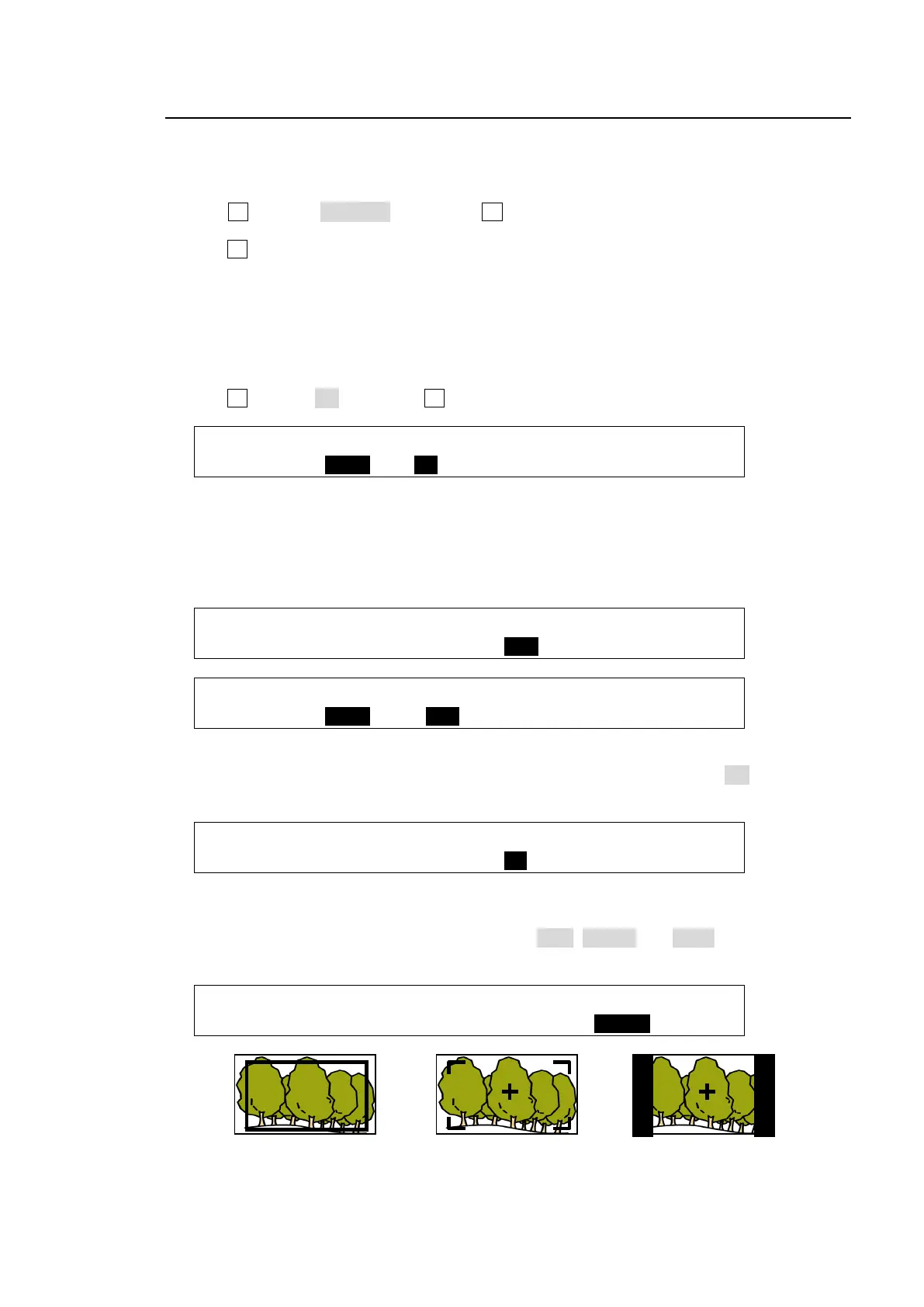
To display the safety area marker in the selected output, first select the type of marker under the
MARKER item in the [SETUP - OUTPUT - MARKER] menu from BOX and HOOK. (See the
figures in the bottom of the page.) Then go to PAGE 2, select an aspect ratio and set the marker
size.
OUTPUT :SELECT :ENABLE :MARKER :SIDECUT: 1/2
MARKER : =AUX1 : =ON : =BOX : =OFF :
OUTPUT :ASPECT : SIZE :CENTER : : 2/2
MARKER : =16:9 : =85% : =ON : :
Center Marker
To display the center marker in the selected output, set the CENTER item to ON in PAGE 2 of
the [SETUP - OUTPUT - MARKER] menu. (See the figures in the bottom of the page.)
OUTPUT :ASPECT : SIZE :CENTER : : 2/2
MARKER : =16:9 : =85% : =ON : :
Side Cut Display
To display the Side Cut image converting the aspect ratio from 16:9 to 4:3, select the display
type under the SIDECUT item. Available types are LINE, BLACK and HALF. (See the figure in
the bottom of the page.)
OUTPUT :SELECT :ENABLE :MARKER :SIDECUT: 1/2
MARKER : =AUX1 : =ON : =OFF : =BLACK:
MARKER: BOX
ASPECT: 16:9
SIZE: 85%
MARKER: HOOK
ASPECT: 16:9
SIZE: 85%
CENTER: ON
MARKER: OFF
SIDECUT: BLACK
CENTER: ON



 To Next Page