15
HVS-30OU
6. Transition Operations
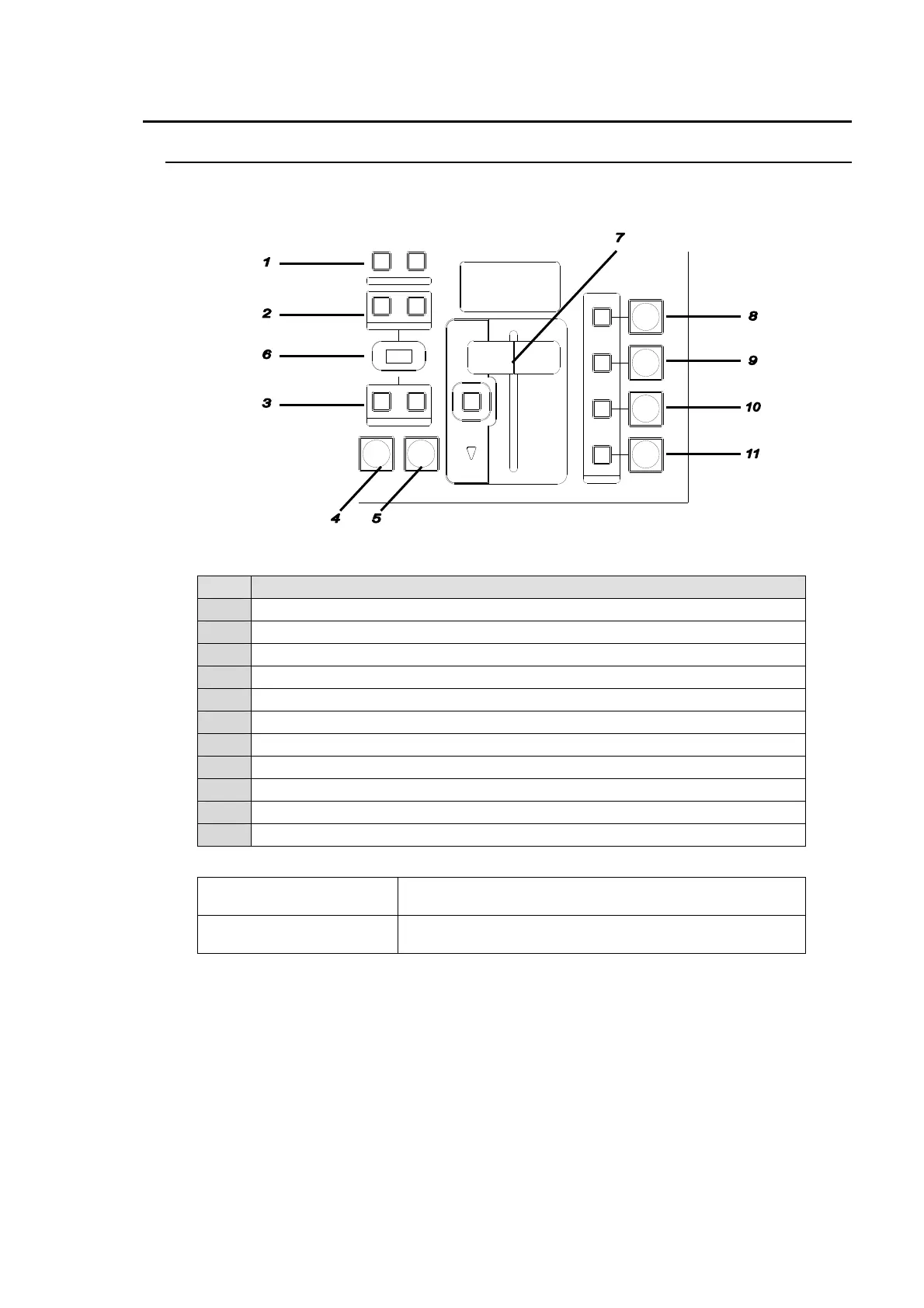
6-1. Transition Block Description
The transition block is used to perform transitions for M/E1 or M/E2, depending on which is
selected in the menu. (See section 5-1-1. "Selecting M/E1 or M/E2."
Transition Block Buttons
No. Description
1 For transition direction setting for WIPE.
2 For selecting next transition bus.
3 For selecting transition type
4 The AUTO transition button for BKGD and KEY1
5 The CUT transition button for BKGD and KEY1
6 The pattern selection display
7 The fader lever for BKGD and KEY1 and transition limit ON/OFF button
8 The ON AIR and AUTO buttons for KEY1 and ON AIR indicator.
9 The ON AIR and AUTO buttons for KEY2 and ON AIR indicator.
10 The ON AIR and AUTO buttons for KEY3 and ON AIR indicator.
11 The ON AIR and AUTO buttons for KEY4 and ON AIR indicator.
Other Transition Related Buttons
BLACK TRANS button
For BLACK transition use.
(Located on the right next to KEYPAD)
TRANS PREVIEW button
The button is disabled when controlling HVS-390HS.
(Located on the left next to BUS SELECT)
AUTO CUT
DSK
KEYER
P IN P
1
2
P IN P
NOR/REVREV
BKGD
WIPEMIX
KEYER
FADER LIMIT
ON AIR
DIRECTION
NEXT TRANSITION
PATTERN/ RATE
TRANSITION TYPE
Transition Block



 To Next Page
 Loading...









