65
7-3-1. To Assign the SHIFT Function to a Bus Button:
(1) Press MENU in the CONTROL block, then press SETUP to display the SETUP menu top
page. Turn F1 to select INPUT. Press F1 or the page down button to display the [SETUP
- INPUT] menu.
(2) Turn F1 to select ASSIGN. Press F1 or the page down button to display the [SETUP -
INPUT - ASSIGN] menu.
SETUP :>SIGNAL >PROC AMP>RENAME >ASSIGN
INPUT :>CC >COLORBAR
(3) Turn F1 to select a bus button for use.
(4) Turn F2 or F3 to select SHIFT under SIGNAL.
INPUT :BUTTON : SIGNAL NAME :INHIBIT: 1/6
OU ASSGN: =20 : =SHIFT =SHIFT : =OFF :
7-3-2. Using the SHIFT Function
Once the SHIFT function has been assigned to a bus button, an additional 19 buttons are
available for signal selection.
This chapter explains how to select signals with the SHIFT button. Assume that video
sources and the shift function are assigned to bus buttons as shown in the table below:
Bus button 1 IN01
Bus button 1 (shifted) STILL1
Bus button 20 SHIFT function
Now, let's select IN01 on PGM and STILL1 on PST.
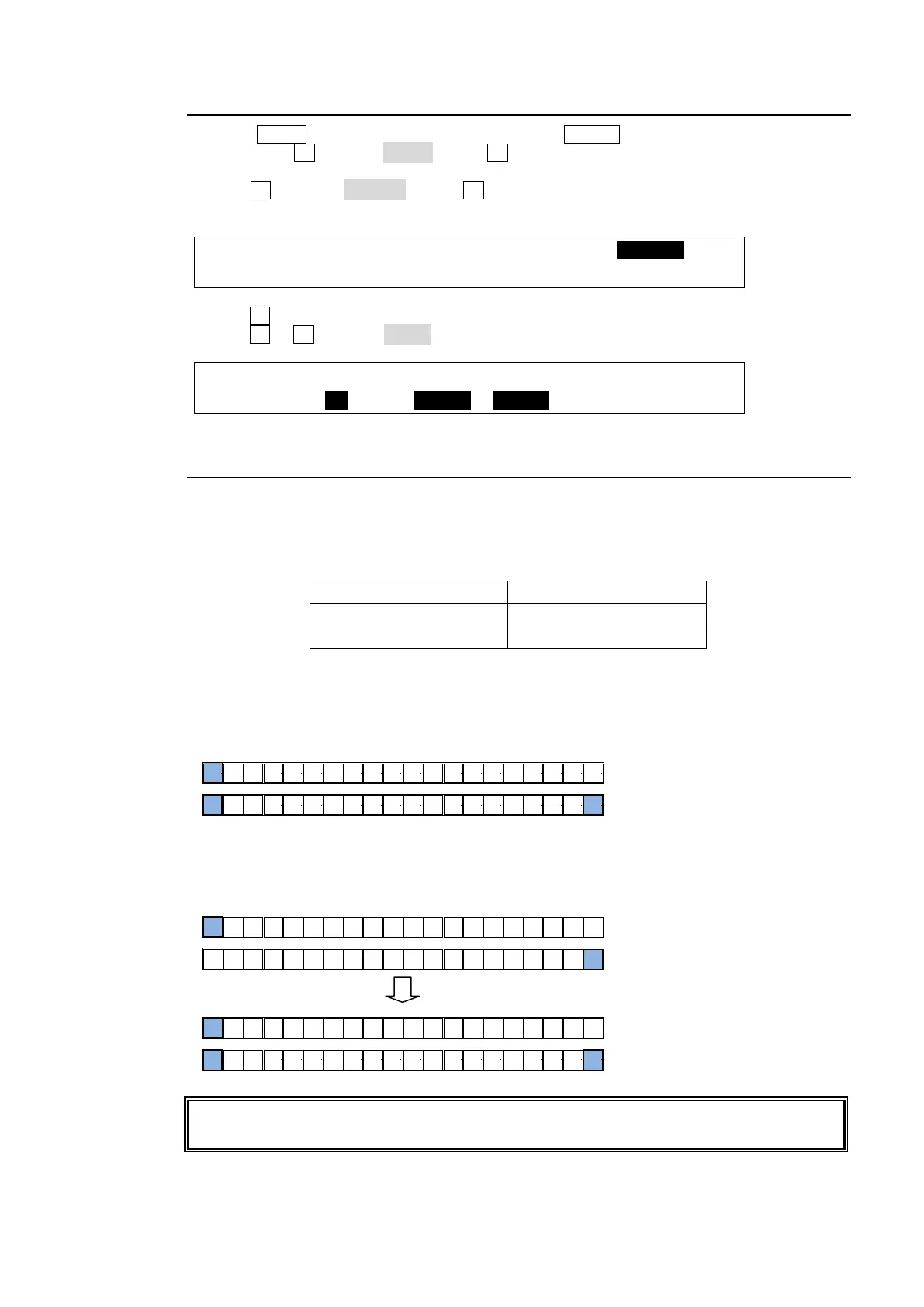
When SHIFT works in NORMAL:
Shifted buttons are enabled while holding down SHIFT.
When SHIFT works in TOGGLE:
To select shifted buttons, press SHIFT then press a bus button.
The SHIFT setting (NORMAL or TOGGLE) can be selected in the [SETUP - INPUT -
ASSIGN] (6/6) menu.
Press 1 to select IN01.
Press 1 while holding down 20 (SHIFT) to
select STILL1.
M/E
1110
9876541 2 3 12 13 14 15 16 17 18 19 20
Press 1 to select STILL 1.
M/E
11109876541 2 3 12 13 14 15 16 17 18 19 20
M/E
11109876541 2 3 12 13 14 15 16 17 18 19 20
Press 1 to select IN01.
Press 20 (SHIFT).



 To Next Page